
Firstyminator
Members
-
Joined
-
Last visited
Files posted by Firstyminator
-
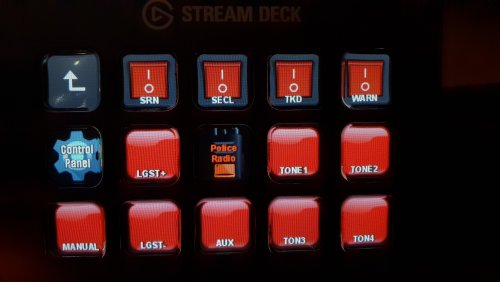
Police SmartController For Elgato Stream Deck | v3.0
------------------------
Import instructions.
1. Open up the Stream Deck Software
2. Press the Preferences Gear and when the Preferences Window will pop up.
3. Choose the banner called "Profiles"
4. Now you see all your current profiles. Under them there is a " + - " and a small downarrow to the right - press it and choose IMPORT
5. Import the file retained in this archive: " Police SmartController.streamDeckProfile "
6. Choose the new Profile "Police SmartController"
Now you should be greeted with the SmartController button on the center of your Stream Deck.
-----------------------------------------------------
All buttons are re-arrangeable and can be edited just the way you want. Just wanted to provide a "finished" layout for ya bois!
Press it and Enjoy! 🙂
NOTE:
All keybindings are default ELS/LSPDFR/SMARTRADIO keys mapped and can be altered in any way you want.
I found that some of the default binds are interferring with default GTA keys - so i recommend to change some of them.
CHANGELOG V3.0 + New icons for the radio menu. + Added support for hotkeys to Accept Callout / End Callout - Moved the Radio Setup button, so its harder to accidentally hit (causes issues if you open up the SmartRadio config when on a callout) V1.0 + Added controls for Luxart Emergency Lighting System V2.0 + Added controls for the Police SmartRadio by Albo1125 ( link below )
------------------------------------------------------------------------
Big thanks to
@Lt.Caine for creating Emergency Lighting System
@Albo1125 for all his awesome mods to this community!
Firstyminator | 2018
DISCORD|Firstyminator#0001
YOUTUBE|Firstyminator
TWITTER|Firstyminator
- 3,118 Downloads
- 13 Comments
Updated -
Norwegian Whelen Beta Series 112R Police v2.0
------------------------
Open up SPARK IV, and use the browse function.
Browse to "GTAIV/pc/audio/Sfx/" and find a file called "resident.rpf"
Double click the file in SPARK IV, and a new window will pop up with a line on the left side
named "RESIDENT".
Click this, and all the audio related .ivaud files will show on the right side.
Select HORNS.ivaud, and click EXPORT to backup the file somewhere on your computer.
Than click IMPORT, and in the browse window, choose the HORNS.ivaud file provided in this archive. Then click Open. And then SAVE in SPARK IV, and you're good to go :)
Remember to backup. SparkIV can be a bitch sometimes when it comes to working with files!
If you get an error, exit the program, and try again.
http://www.youtube.com/watch?v=ItQcPHtzowY
http://www.youtube.com/watch?v=Z2XEiMSlupc
Firsty
- 455 Downloads
- 1 Comments
Updated -
GTAIV Norwegian Police MP5 Machinegun replacement w/ Working Flashlight ( At night )
1. Start OpenIV / SparkIV
2. Locate your GTAIV folder
3. Open up your GTAIVFOLDER/pc/models/cdimages/weapons.img
4. BACKUP w_mp5 FILES IN WEAPONS.img ( Two files, backup both )
5. Import/Drag w_mp5 files from this archive into the opened weapons.img.
6. Close OpenIV / SparkIV, and launch GTAIV.
Firstyminator
[ 2014 ]
[ facebook.com/npknorge ]
- 297 Downloads
Updated -
Norwegian Ambulance for BPM Police Low Roof Sprinter
--------------------------------------------------
Use your OpenIV or SparkIV and replace textures in your Ambulance.wtd ( if you installed the Police Low Roof Sprinter as Ambulance )
with the texture files included in this archive :)
There are both Skin and Plates texture in the archive. Replace em both :) And remember to turn off Liveries, or remove the other liveries
that came with the modelpack from BritishPoliceMods.
Model is located HERE http://www.2shared.com/file/4iQmkoXH/MB_2013.html
Credits!
BritishPoliceMods for the wonderful vehicle! ( Model not included )
-----------------
--Firstyminator--
-----------------
- 81 Downloads
- 2 Comments
Updated -
GTAIV Norwegian Police Computer Background For LCPDFR 1.0
1. Locate your GTAIV folder
2. Put the supplied file into the LCPDFR folder in your GTAIV directory.
3. PLAY DA GAME, and enjoy the Epic LCPDFR1.0 with this new background.
Firstyminator
[ 2014 ]
[ facebook.com/npknorge ]
- 76 Downloads
- 1 Comments
Updated -
-------------------------------------------------------------------------
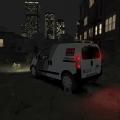
--------------- Norwegian Securitas skin--------------------------
------- for Kinksta100's Peugeot Bipper ( Skin only ) ------
-------------------------------------------------------------------------
Use your OpenIV or SparkIV and replace textures in your Peugeot Bipper file ( that you installed before )
with the texture files included in this archive :)
Model is located HERE...
www.youtube.com/watch?v=ARVFLYCeu54
Credits!
Kinksta100 for the Model
--------------------
--Firstyminator--
--------------------
- 177 Downloads
- 8 Comments
Updated -
--------------------------------------------------------------------------
--- NORWEGIAN SECURITAS PED FOR SECURITYMAN ---
--------------------------------------------------------------------------
Aquire OpenIV or SparkIV, then replace the files:
m_m_securityman.wtf
m_m_securityman.wdd
m_m_securityman.wtd
With the files included in this archive.
----Important---
The current caps that the Securityguy uses does not work with this
ped yet, so i recommend you to replace the m_m_securityman.wdd in the PedProps.img with the file included in the "RemoveHat" folder of this archive :) Then the ped will not wear any hat/caps.
-------IMPORTANT-2---------
To get the New ped working, These settings are very important!
If you do not edit them, the Ped will be as slow and act as slow as the default Fat securityguy :) No Fun!
pedpersonality.dat
-------------------
M_M_Securityman, M, 30, 3, 5, 1, 1, 5, 50, E, E, core_moves, hits_pool, unarmed_gang, counters_player, firearm_core, -, -, move_tough, +policeofficer+onfoot+late+cancarryweapons
peds.ide
-------------------
M_M_securityman, M_M_securityman_p, CIVMALE, move_cop, GESTURES@MALE, GESTURES@M_PHONE, FACIALS@M_LO, visemes@m_lo, 0, move_cop, null, -1,-1, PED_TYPE_PLAYER, M_M_SECURITYMAN, VOICE_PLY_CR
pedVariations.dat
-------------------
M_M_SECURITYMAN, 5
#slot geometry BULK JOB SUNNY WET MAT1 RES1A RES1B RES2A RES2B AUDIO ID
head, 0, 0, 0, 0, 0, 0, -1, -1, -1, -1, 6
uppr, 1, 0, 0, 0, 0, 0, -1, -1, -1, -1, 5
suse, 0, 0, 0, 0, 0, 0, -1, -1, -1, -1, 0
uppr, 0, 0, 0, 0, 0, 0, -1, -1, -1, -1, 1
lowr, 0, 0, 0, 0, 0, 0, -1, -1, -1, -1, 1
end
----------------------
---Firstyminator---
----------------------
- 294 Downloads
- 9 Comments
Updated -
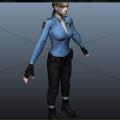
Norwegian Female Police Officer
----------------------------------------------------
Installation:
-----------------------------------
Use OpenIV or SparkIV to open componentpeds.img and replace m_m_fatcop_01.wdd,
m_m_fatcop_01.wft and m_m_fatcop_01.wtd with the ones included in the archive.
Now go to common/data folder and open peds.ide and find the line that starts
with "M_M_FatCop_01," and replace the whole line with this one:
M_M_FatCop_01, M_M_FatCop_01_p, COP, move_f@bness_a, GESTURES@FEMALE, GESTURES@M_PHONE, FACIALS@M_LO, visemes@m_lo,
0, move_f@bness_a, null, -1,-1, PED_TYPE_PLAYER, ALEX_PVG, VOICE_PLY_CR
Save the file and exit.
- Firstyminator
Credits:
========
Jill Valentine BSAA made by CAPCOM for Resident Evil 5
converted to GTA IV by ac.amir
Texture edits to the original LAPD police uniform by Sgt.Kanyo
Installation Description by Sgt.Kanyo :) ( yes.. lazy me )
- 489 Downloads
- 11 Comments
Updated -
Norwegian Police Caps for GTA IV | version 1.0
Made for NorwegianPoliceClan
www.norskpolitiklan.enjin.com/
------------------------
You need Open IV or Spark IV to import these files into the pedprops.img file.
Via SparkIV or OpenIV find your GTAIV folder, and inside " GTAIV/pc/models/cdimages/ " you will find
pedprops.img
Import the files in this archive into the pedprops.img file using SparkIV or OpenIV.
Play the game, and get rid of those nasty HATS! :) Perfect together with the Norwegian Police Skin pack.
Please lemme know if there
are anything that i can improve or do otherwise!
Firstyminator.
bazerave(at)online.no
- 214 Downloads
Updated -
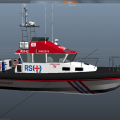
RS+ Redningsselskapet Boat Skin for MrScheckske Police Boat.
Open the Vehicles.ide file with OpenIV or SparkIV and find reefer.wtd / predator.wtd ( Originally the Boat replaces Predator. I choose Reefer for own pref )
Open it, and replace the boat texture files with the files from this archive.
Firsty out!
Firstyminator
- 39 Downloads
- 1 Comments
Updated -
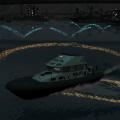
Norwegian Police Skin for MrScheckske Police Boat 1.0
Open the Vehicles.ide file with OpenIV or SparkIV and find reefer.wtd / predator.wtd ( Originally the Boat replaces Predator. I choose Reefer for own pref )
Open it, and replace the boat texture files with the files from this archive.
Firsty out!
Firstyminator
- 79 Downloads
Submitted -
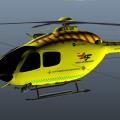
Norsk Luftambulanse Skin for Eurocopter EC135.
Open the Vehicles.ide file with OpenIV or SparkIV and find buzzard.wtd.
Open it, and replace the texture files with the files from this archive.
Firsty out!
Firstyminator
- 87 Downloads
- 3 Comments
Updated -
Norwegian Police / EMS Uniforms for GTA IV | BETA | Still WiP :)
Made for NorwegianPoliceClan
www.norskpolitiklan.enjin.com/
------------------------
Contains re-textured models of the ingame Police / EMS ped's used in Roleplaying and LCPDFR Gameplay.
Fatcop, Cop and TrafficCop now comes with the standard Norwegian Police-cap.
TrafficCop now have 4 different traffic vests ( Innsatsleder, Skadestedsleder, Operativ Uteleder, and the default yellow Traffic vest )
Armoured has now been replaced with a UEH unit ( Utrykningsenhet ) ( A new helmet for this one is coming! )
Strooper is still under work getting some more muscle :) But for now its the main Motorcycle police, with the respective helmet.
Paramedic now has three liveries. ( Ambulanse, Lege and Fagleder Helse )
Nhelipilot, FBI and SWAT is still the same as in my previous package. Didnt feel the need to change them :)
------------------------
You need Open IV or Spark IV to import these files!
UNIFORMS :
Via SparkIV or OpenIV find your GTAIV folder, and inside " GTAIV/pc/models/cdimages/ " you will find
componentpeds.img
Drag the files in the Uniforms archive into the componentpeds.img file.
HATS / HELMETS :
Via SparkIV or OpenIV find your GTAIV folder, and inside " GTAIV/pc/models/cdimages/ " you will find
pedprops.img
Drag the files in the Hats and Helmets archive into the pedprops.img file.
I know there are still some texture issues, which im still working on improving :)
Please lemme know if there is anything else that i can improve or do otherwise!
Vehicles shown in the screenshots are not my work! :)
Firstyminator.
bazerave(at)online.no
- 927 Downloads
- 3 Comments
Updated -
Toyota Land Cruiser Norwegian Fire Dept OBRE skin.
for the BritishPoliceMods' Toyota Land Cruiser model.
----------------------------------------------------------------------------------------------
Open up the vehicles.img with OpenIV / SparkIV.
And open the Toyota Land Cruiser .wtd textures file.
( if you add the Land Cruiser to the polpatriot slot, its polpatriot.wtd you wanna open )
Replace the textures in the .wtd file:
emerglights_emis.png
nomer.png
paintjob.png
plates.png
With the files in this archive.
You might have to edit your carcols.dat to get the color right.
Atleast i had to, when i ran the Land Cruiser in the polpat slot.
Or just change color slots untill its the right color with SimpleNativeTrainer.
Handling:
2300.0 7.0 85 0.0 0.0 -0.70 0.4 5 0.20 1.0 175.0 0.2 0.65 0.7 35.0 1.15 0.90 14.5 0.15 0.49 1.4 0.9 0.9 0.18 -0.20 0.0 0.5 1.0 1.0 0.7 1.5 0.0 40000 440010 1 0
(the one that came with the model)
CREDITS :
BritishPoliceMods/kraspeed for the Vehicle model - Toyota Land Cruiser.
You can find this at the BPM site. This is only a reskin of the original vehicle, so no model file included
-------------------------------------------------------------------------------------------------------------
Firstyminator@2013
---------------------------
bazerave(at)online.no
Member of NorskPolitiKlan
LCPD:FR NooB
- 54 Downloads
- 4 Comments
Submitted -
Norwegian Police Ped pack for GTAIV v2.0
------------------------
Go to your GTA folder, and inside " GTAIV/pc/models/cdimages/ " you will find
componentpeds.img.
Open this file with SPARKIV / OpenIV, and use the SPARK IV / OpenIV filter to find :
m_m_fatcop_01_wtd
m_m_fatcop_01_wdd
m_y_cop_wtd
m_y_cop_wdd
m_y_cop_traffic.wtd
m_y_cop_traffic.wdd
and import into these the respected files located in the folders in this archive.
If you want the Cap in the picture, go to ->
------------------------
Bugs:
There are some combinations when using LCPDFR's Skin-changer, that causes the skins to look very strange, im trying to figure out why :)
Let me know if there are any other bugs that you find!
If you like my stuff! Hook me up with some stars =)
-Firstyminator
bazerave(at)online.no
- 434 Downloads
- 6 Comments
Submitted -
Norwegian Police Unit Names for GTA IV | version 0.1a
Made for NorwegianPoliceClan
www.norskpolitiklan.enjin.com/
------------------------
Find your GTAIV folder, and inside " GTAIV/common/text" you will find
american.gxt
Backup the original file, and copy the new file in here.
This will give new names to the Emergency vehicles.
Please lemme know if there
are anything that i can improve or do otherwise!
Firstyminator.
bazerave(at)online.no
- 119 Downloads
Submitted -
Norwegian Police Skin-pack for GTAIV version 0.5
------------------------
You need Open IV or Spark IV to import these files into the componentpeds.img file.
Via SparkIV or OpenIV find your GTAIV folder, and inside " GTAIV/pc/models/cdimages/ " you will find
componentpeds.img.
Import the files in this archive into the componentpeds.img file using SparkIV or OpenIV.
Hopefully this fixes some of the bugs of the last versions! :) Please lemme know if there
are anything that i can improve or do otherwise!
Restrictions does still stop me from modifying the textures any further.. For that i have to remodel the whole ped file, which is still ( as far as i know ) not doable via either Zmodeler or 3DS.
Hopefully this will change :)
Contains replacement for
Cop
Traffic Cop
Fatcop
Swat
State Trooper
Noose Helipilot
Fbi
Firstyminator.
bazerave(at)online.no
- 1,421 Downloads
- 5 Comments
Updated -
Model by BritishPoliceMods
Texture by Corelone / Norpolice123
-----------------------------------------------
Put it out here, since it has been requested, and its nowhere to be found anyMoar on internet :(
All copyrights to the owners :)
Replaces any policecar, but settings here is for the POLPATRIOT only.
------------------------
Go to your GTA folder, and inside " GTAIV\pc\models\cdimages\ " you will find
vehicles.img.
Open the file with SPARKIV.
Then import the included files. ( They can be renamed to fit another vehicle too, but i use it on the polpatriot )
Handling :
---------------------------------------
Locate the files "Handling.dat and "Vehicles.ide" in " GTAIV\common\data\ "
Then change the line POLPAT in handling.dat to:
POLPAT 1500.0 0.2 85 0.0 -0.05 -0.5 0.3 6 0.243 1.0 220.0 0.9 0.70 0.9 38.0 1.45 1.6 15.0 0.12 0.47 2.8 2.2 2.2 0.10 -0.13 0.0 0.51 1.0 1.0 0.8 1.5 0.0 870000 440010 0 0
And then in vehicles.ide, change the line POLPATRIOT to:
polpatriot, polpatriot, car, POLPAT, POLPAT, VEH@LOW, VEH@LOW_LE2_RI2 100, 999, 0.2450, 0.2450, 0, 5, 1.0 ,0, ext_gang+ext_all+ext_strong
-Firsty
bazerave(at)online.no
- 322 Downloads
- 14 Comments
Updated -
Replacement Window Decal for Corelone/Norpolice123 Uniformed VW Passat.
------------------------
Go to your GTA folder, and inside " GTAIV/pc/models/cdimages/ " you will find
vehicles.img.
Open this file with SPARK IV, and use the SPARK IV filter to find :
police.wtd
and replace the file "windows.png" with the file in this archive.
-Firstyminator
bazerave(at)online.no
- 22 Downloads
- 1 Comments
Submitted -
Icelandic Police Skin-pack for GTAIV
------------------------
Go to your GTA folder, and inside " GTAIV/pc/models/cdimages/ " you will find
componentpeds.img.
Open this file with SPARK IV, and use the SPARK IV filter to find :
m_m_fatcop_01_wtd
m_y_cop_wtd
m_y_cop_traffic.wtd
m_y_nhelipilot
m_y_swat
and import into these the respected files located in the folders in this archive.
FatCop and TrafficCop uses only Lower and Upper that replaces all diff uniforms.
-Firsty
bazerave(at)online.no
- 90 Downloads
- 5 Comments
Updated -
Norwegian Police Siren SFX
------------------------
Open up SPARK IV, and use the browse function.
Browse to "GTAIV/pc/audio/Sfx/" and find a file called "resident.rpf"
Double click the file in SPARK IV, and a new window will pop up with a line on the left side
named "RESIDENT".
Click this, and all the audio related .ivaud files will show on the right side.
Select HORNS.ivaud, and click EXPORT to backup the file somewhere on your computer.
Than click IMPORT, and in the browse window, choose the HORNS.ivaud file provided in this archive. Then click Open. And then SAVE in SPARK IV, and you're good to go :)
Remember to backup. SparkIV can be a bitch sometimes when it comes to working with files!
If you get an error, exit the program, and try again.
Firsty
bazerave(at)online.no
- 1,496 Downloads
- 10 Comments
Updated -
Norwegian Police-radio Transmit SFX
Can be heard here :
------------------------
Open up SPARK IV, and use the browse function.
Browse to "GTAIV/pc/audio/Sfx/" and find a file called "resident.rpf"
Double click the file in SPARK IV, and a new window will pop up with a line on the left side
named "RESIDENT".
Click this, and all the audio related .ivaud files will show on the right side.
Select SCANNER_RESIDENT.ivaud, and click EXPORT to backup the file somewhere on your computer.
Than click IMPORT, and in the browse window, choose the file provided in this archive. Then click Open. And then SAVE in SPARK IV, and you're good to go :)
Remember to backup. SparkIV can be a bitch sometimes when it comes to working with files!
If you get an error, exit the program, and try again.
Firsty
bazerave(at)online.no
- 785 Downloads
- 7 Comments
Updated