


OfficerHamann
Members
-
Joined
-
Last visited
Everything posted by OfficerHamann
-
Can you explain why I have to remove all of those? Shouldn’t it just be one of those?
-
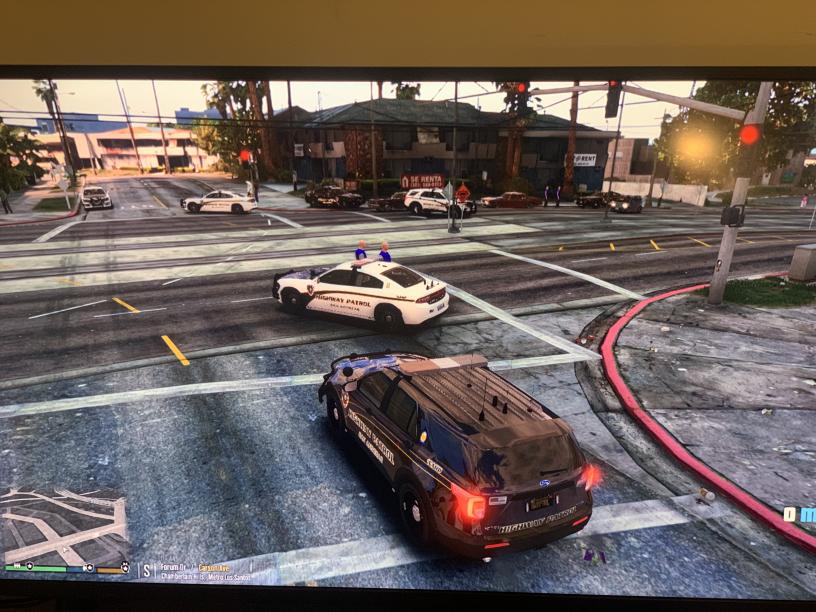
Here's a video to go along with that pic! https://www.mediafire.com/file/rt1wobtkuarhtbb/Grand+Theft+Auto+V+2021-01-05+23-24-39.mp4/file RagePluginHook.log
-
 Hey @NopeBye, i think there is an issue with this mod. Line 348 | [4/15/2020 4:32:45 PM.621] LSPD First Response: [TRACE] ExpandableFileParser::Parse: Reading content from file:lspdfr/data/inventory.xml Line 349 | [4/15/2020 4:32:45 PM.640] LSPD First Response: [TRACE] Failed to parse as chance Ragehook.log
- 26 comments
- 4 reviews
-
Then to answer your question... I think so, yes. I believe that does work. I'll have to double-check when i go back in game.
-
Okay! Also... When you're referring to the Coastal Menu... are you referring to the one in the callouts manager?
-
I wanna say just the yacht fire one. I haven't tried the others yet i don't think. I can't say for certain though.
-
I don't know if its the callouts manager or coastal callouts itself, but lspdfr and my game crash whenever i accept a callout from that. Reveal the contents below for the answers to the questions: Thank you for taking a look at this @PNWParksFan!
-
-
 @PNWParksFan Ragehook.log I don't know if its the callouts manager or coastal callouts itself, but lspdfr and my game crash whenever i accept a callout from that.
- 503 comments
- 33 reviews
-
 Oh yeah, I fixed it after some lengthy google searching and pages of support reading.
- 1,005 comments
- 68 reviews
-
-

- 1
-
-
For those of you who are getting a crash message that says "LSPD First Response: Exception message: An error occurred while parsing EntityName. Line 49, position 17." in LSPDFR 0.4, the problem is that you have a problem with the file saying "Milk & Cookies" on line 49 of the text. You need to change it to say MilkCookies or Milk and Cookies, as LSPDFR does like the XMLs & symbol.general.xml
-
Yeah I think you're right. Idk though, I know I found another one, whether it was CrazyZ's additions or the main plugin's general.xml file that I ended up editing and/or changing entirely. I know I edited a general.xml file which was causing the crash due to it saying Milk & Cookies. I had to change it say MilkCookies.
- 1,005 comments
- 68 reviews
-
general.xml @Phaxol here it is. I ended up either replacing it entirely or found one that did not have 2, let alone over 20,000 errors in it, lmao. So yeah, haha, there's the corrupted file for you. I can't for the life of me remember where it came from. @LostBoyLazarus lmao, yeah all those over 20,000 errors are from the file listed above that I tagged Phaxol in. Very much a corrupted file.
- 1,005 comments
- 68 reviews
-
-
 Am I certain that his is the cause of my game crashing? No, but it didn't start crashing this much until after the script mod was in. I've cited my ragehook log below. Any help is much appreciated. ragehook log.txt
- 587 comments
- 106 reviews
-
 I love this mod but right now it doesn't work with the current ragehook version or something it says, so I can't even use it in game which really sucsk. Hope someone can help with this.
- 149 comments
- 29 reviews
-
does anyone still have the ragehook version 573? if so can you message me?
-
Hey guys so I got this MRAP Military vehicle to use as a swat vehicle in GTA IV. It doesn't have any els lights on it and was wondering if anyone would be so gracious and kind enough to add that to the vehicle for me! Here is the vehicle .rar file:1375355955_MRAP_Cougar.RAR
-
oh cool! Is there a full picture of that so i can make one similar to that? (More realistic)
-
Thank you for taking time to look at this computer background modification. This mod replaces the current standard backgound that LCPDFR has. It will replace the mainmenu.png, which you can find inside the LCPDFR 1.0 folder. This is not my first computer mod I have created. I also created one for the AST Clan, and this one for the NYSP Clan. only a few changes were made to this one to be presentable for upload. I will have more screenshots from in game coming soon. To Install 1.) Go to C:Program Files (x86)Rockstar Games Or Go to C:Program Files (x86)SteamSteamAppscommonGrand Theft Auto IVGTAIVlcpdfr 2.) Replace mainmenu with this file. 3.) ENJOY! Thanks again! OfficerHamann
-
So I use a Xbox 360 controller and whenever I want to turn on the sirens and that menu pops up while trying to blair the sirens and also when trying to request backup in that help quick menu. Help??!!
-
-
-
-
I had downloaded the original handling line from gta4 mods and i haven't replaced it since

