



SoCal Thero
Members
-
Joined
-
Last visited
Everything posted by SoCal Thero
-
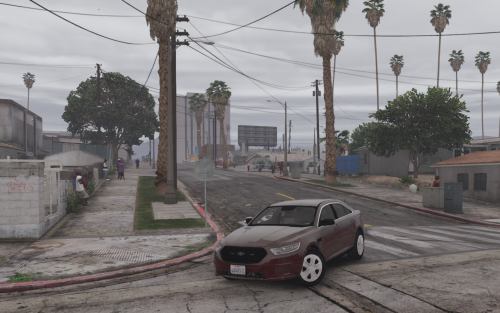 It uses the standard vehicle glass vehshare file right now but: As im seeing this as a trend that people want to do to the suburban and have been getting many messages about it i may release an update soon that separates the headlight glass from the doors so you guys dont have tinted headlights and taillights as well.
- 39 comments
- 11 reviews
-
-

- 1
-
-
 Cool thanks man
 -
Do you know where the vehicle meta is for pranger? I didnt think the original x64e cars had one?
-
Different model builds showcased
-
From the album: Thero's Unique Vehicle builds
Just need to learn/work out how to change the vehicle from handling from a dloader to a Mesa so its easier to drive (If you know how feel free to school me on it lol). @Kallus Rourke How's the Green looking? Made it all green and darker now. -
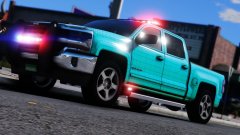 WIP or not that looks amazing in WIP status
 -
Thank you. I was gonna say I'm one of those JDM enthusiasts and owner myself haha.
-
You want to convert it to gta 4 or gta 5? Also how many polygons is it right now?
-
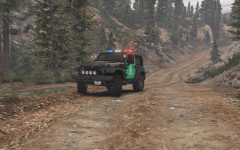 Yea i was thinking full green but was also thinking its so plaine if it is just a full green. You thinking darker green? I pulled the green from the regular granger park ranger.
 -
From the album: Thero's Unique Vehicle builds
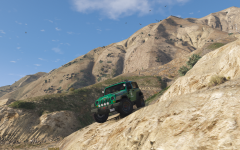
2012 Jeep Wrangler Preview for Park Rangers Coming Soon *Note* Not to sure if I'm a fan of the Livery. Probably gonna change it out. -
-
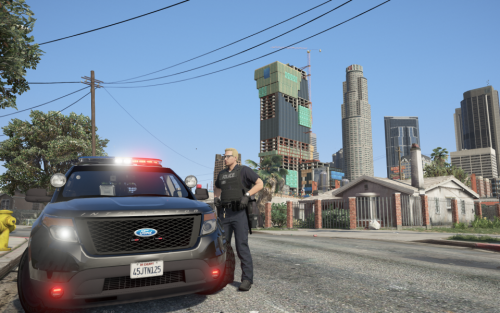 I usually install it in my main root folder however I do not have a mods folder and I know most people do is why that is there. Maybe give it a try in the main root folder instead and see if it fixes the crashing because thats the only thing I do differently and it seems to work fine for me.
- 78 comments
- 12 reviews
-
When you install the Car Variation and Vehicle Meta from the "only if you have all 3 packs" folder your only using those correct? Those are the same in all 3 packs and you do not need to use the other ones.
- 78 comments
- 12 reviews
-
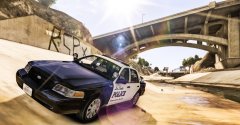 Awesome Pic!
 -
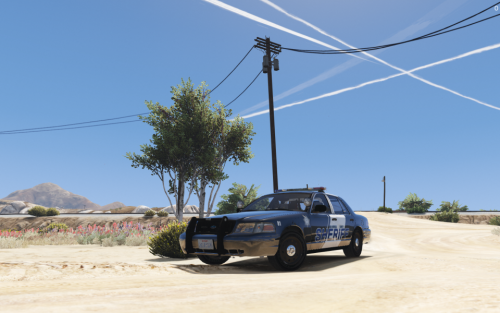 Just need to update the els xmf file from red blue to red only Ill apply it for an update in the future but to save from having to redownload
- 24 comments
- 9 reviews
-
Just noticed the file is not the correct one. I've updated with version 1.0.1 with the correct file.
- 39 comments
- 11 reviews
-
I've went through and tried everything from the downloads into my game to see if I can get it to mess up and it doesn't mess up for me. You can see it in the video below I am spawning every single car in game: https://www.twitch.tv/videos/180732220 Problem troubleshooting: Are you trying to go in game again after the crash? I went in game and crashed the first time but when I reloaded it again, it works fine with my scripts installed as well *You can see all this in the video as well* I noticed the car variation and Vehicle Meta's were corrupted from the initial release. I've replaced those to see if that does the trick and have updated all 3 downloads for it. The Install instructions before stated to install the carvariations in the same spot as the vehicle meta file (This is incorrect) I've updated the instructions to be correct that the carvaritations is to be installed in the data file and not within the levels one that leads to the vehicle meta file.
- 78 comments
- 12 reviews
-
Gonna pm you so the comments don't get flooded with trying to troubleshoot if thats ok I'm gonna troubleshoot it now. If you have suggestions I can't see the chat as much but you can watch and see here: https://www.twitch.tv/socalthero2002
- 78 comments
- 12 reviews
-
-
*Edit* I've uploaded the changes to all 3 off my uploads however you only need the files from 1 of them to see if it fixes it. I believe the folder path was so long that it would corrupt the carvariations file so I've shorten it in hopes that it fixes the issue. The file before wouldn't open on my desktop and now it does so I'm hoping that was what the problem was. I think the file may have been corrupted because of the lenght to the folder. See if you can open the car variation up on your desktop. I'm uploading a new version for all 3 right now hopefully fixing the problem. *Edit* I've uploaded the changes to all 3 off my uploads however you only need the files from 1 of them to see if it fixes it. I believe the folder path was so long that it would corrupt the carvariations file so I've shorten it in hopes that it fixes the issue. The file before wouldn't open on my desktop and now it does so I'm hoping that was what the problem was.
- 78 comments
- 12 reviews
-
Are you using All 3 packs? Do you have the "Only if you have All 3 Packs" version of the Metas installed?
- 78 comments
- 12 reviews
-
Updated everything to include both a "Los Santos County" and a Blaine County Version.
- 24 comments
- 9 reviews
-
-
@Mr.JonnhyCZG Took the majority of the pictures. In the Video its Visual V and Radiance V
- 78 comments
- 12 reviews
-
-
- 1
-
-
Ill try and update here this weekend or the following weekend to at least get the trim version to work i agree door trim should be added to give a more undercover look.
- 39 comments
- 11 reviews
-
-
- 1
-


.png.3da353971e7f56dbcb2e57b9033513a0.png)
.png.e153ac8a8ffc4f5682aabc2933586ab8.png)
