




Scorpionarius
Members
-
Joined
-
Last visited
Everything posted by Scorpionarius
-
 Great pic!
 -
-
-
 Thanks!
 -
From the album: Scorpionarius' Album
-

From the album: Scorpionarius' Album
-

From the album: Scorpionarius' Album
-

From the album: Scorpionarius' Album
-

From the album: Scorpionarius' Album

From the album: Scorpionarius' Album
Hey guys and gals, here's a collection of "short" videos i've been recording of callouts and pursuits. More will be added over time. Enjoy 🙂 First: Fantastic mod, very immersive. Quite overwhelming at first especially if your not too familiar with the US way of handling things. But everything is placed logically. Thanks!
- 202 comments
- 21 reviews
-
-

- 1
-
 Awesome, helps in learning the street names. Works without problems in 2021 Thanks alot!
- 221 comments
- 58 reviews
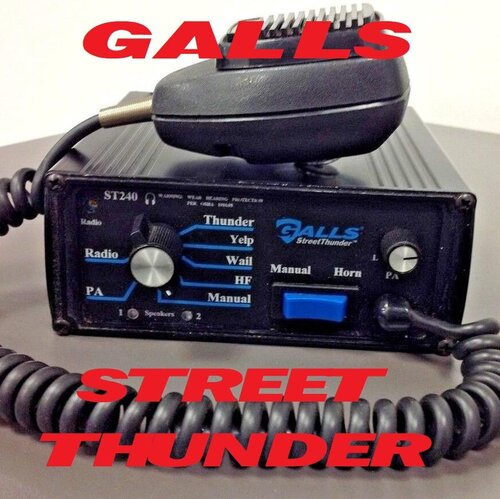 Great siren! Only problem is, that it makes me wish i downloaded it sooner. Thanks alot!
- 18 comments
- 2 reviews
 Thanks alot!
From the album: Scorpionarius' Album
From the album: Scorpionarius' Album

From the album: Scorpionarius' Album

From the album: Scorpionarius' Album

From the album: Scorpionarius' Album

From the album: Scorpionarius' Album




Account
Navigation
Search
Configure browser push notifications
Chrome (Android)
- Tap the lock icon next to the address bar.
- Tap Permissions → Notifications.
- Adjust your preference.
Chrome (Desktop)
- Click the padlock icon in the address bar.
- Select Site settings.
- Find Notifications and adjust your preference.
Safari (iOS 16.4+)
- Ensure the site is installed via Add to Home Screen.
- Open Settings App → Notifications.
- Find your app name and adjust your preference.
Safari (macOS)
- Go to Safari → Preferences.
- Click the Websites tab.
- Select Notifications in the sidebar.
- Find this website and adjust your preference.
Edge (Android)
- Tap the lock icon next to the address bar.
- Tap Permissions.
- Find Notifications and adjust your preference.
Edge (Desktop)
- Click the padlock icon in the address bar.
- Click Permissions for this site.
- Find Notifications and adjust your preference.
Firefox (Android)
- Go to Settings → Site permissions.
- Tap Notifications.
- Find this site in the list and adjust your preference.
Firefox (Desktop)
- Open Firefox Settings.
- Search for Notifications.
- Find this site in the list and adjust your preference.