.jpg.539e4d74f8386f115878c95d24f4999c.jpg)

bigd2003
Members
-
Joined
-
Last visited
Everything posted by bigd2003
-
I am more hyped for this than any game coming out in this month or the foreseeable future, keep up the good work.
-
 I am trying to install this as an addon policeb2, ive followed the instructions provided by OfficerAMR, however when I spawn the bike there is no CHP textyre its either plain black or a strange pink gloss, and there is no sound to the vehicle either. Please help. Ive installed veh files into latest patch vehicles.rpf patch day 10 i Installed vehicles.meta per intstructions into update/common/data/levels etc. and i installed carvariations into latest patch mpapartments, still no sound and no CHP texture
- 218 comments
- 42 reviews
-
 I've been looking to see if anyone else has had this same problem, but whenever I use the motor officer i notice little yellow squares revolving around the character, all other models work fine.
- 2,349 comments
- 238 reviews
-
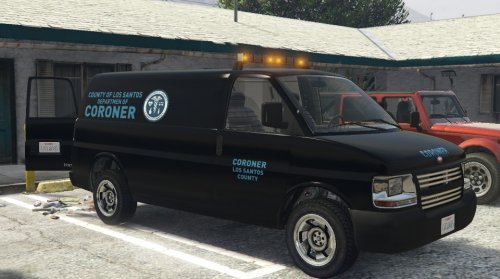 Hi i have tried everything as stated in the readme but whenever i try to spawn corspeedo lspdfr crashes. Do I need to add the included files into my mods folder with x64e? Please help at this point im just using a black speedo van Thank You
- 62 comments
- 5 reviews
-
-
 I cant thank you enough this works great!! Exactly what I was trying to accomplish.
- 102 comments
- 28 reviews
-
-

- 1
-
-
Does anyone know how to add this bike in conjunction with the vanilla gtav policeb? I have tried adding it to the vehicle.ide as police2b, but nada.
- 102 comments
- 28 reviews
-
5/5 excellent model, just what I needed to complete my modern CA first responders theme.
- 102 comments
- 28 reviews
-
-
- 1
-
-
First off, its a great model, just what Gta has needed. However I need help. The model spawns fine, lights, sounds, etc work normal, however my player model always seems to sit on the bike with his head all the way down in an awkwardly hunched over way. I dont know if anyone else has had this issue but any help would be appreciated. EDIT://// My apologies ignore the above post, I didn't read the vehicle meta part. Works great now.
- 102 comments
- 28 reviews
-
-
 Hello, I followed your instructions and received this error when i tried to import "fatal error unable to initialize Direct3d"? I have been searching the comments but have yet to find anything. I would appreciate any help. Thank you in advance.
- 316 comments
- 31 reviews
-
-
-
So if I am Reading this right, all I need to do is load my custom model and then force duty?
- 2,349 comments
- 238 reviews
-
I've noticed that any vest I attach in accessories disappears when I enter a vehicle. Has anyone else noticed this and or has a fix to it?
- 2,349 comments
- 238 reviews
-
 Does anyone know how to spawn the extra police vehicles, I see what looks like a ford explorer PD variant drive around the city but cant find a way to spawn it.
- 1,524 comments
- 85 reviews
-
Well i feel pretty much....dumb. I don' know if this helps you at all, but I realized I did not have the EUP plugin enabled in ragehook. Once I enabled it I was able to load the EDU editor. Btw this is a great addition to LSPDFR, it truely adds a depth of customization that is simply great. 5/5
-
I installed EUP, and the tactical and winter addon as well as the rde addon. The i used the oiv package installer to install eup, and then followed the instructions for the other two. however i dont see any options in the skin controller, only the default customization options. and the edu editor does not work with the default f11 key. please help i am very excited to use your mod. ty.