


LIPDProductionsInc
Members
-
Joined
-
Last visited
Everything posted by LIPDProductionsInc
-
 Very nice mod, but would be better if there was a way to set the ALPR cameras up for each vehicle separately
- 447 comments
- 46 reviews
-
-

- 3
-
-
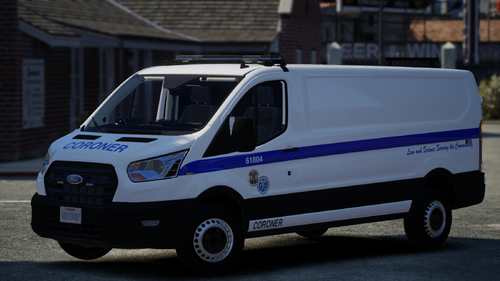 Game loads fine, but the vehicle doesn't appear in the trainer, and when I type the name "corspeedo" manually, it doesn't spawn. Same with doing the entire add-on folder
 -
 Ok, currently working on getting all the normal civilian vehicles into the "bolomodels" (about 550 of them, yikes). Would you like to have it after I'm done or could I release just that file on my own?
- 194 comments
- 21 reviews
-
Any chance there could be an area where we can put vehicles to be exempt from BOLOs? I had an ambulance get registered as a BOLO'd vehicle as my first BOLO, lol. I also have add-on emergency vehicles.
- 194 comments
- 21 reviews
-
I meant "gameconfig.xml". My bad. I edited it
-
Apparently, there's an issue with the vehicle itself. I can add others vehicles like normal
-
Update: I put the "gameconfig.xml" in both "update.rpf/common/data" and "common.rpf/data" the same and the game now allows me to add vehicles like normal. I am currently working to try and get the vehicle I really want in the game to be in
-
Looks like you are missing "worldPeds.data" from External Police Computer
-
Update: I am able to install map mods with ease, but any vehicles and the game crashes
-
Thanks. Coding has a brain melting affect on me. Idk why
-
I tried a different modder already. Same issue
-
 What is CITE?
 -
You need to install a clean version of GTA to play GTA Online. My recommendation is rename your current GTA Folder to "Grand Theft Auto V - LSPDFR" and then redownload GTA 5.
-
This is the only thing I added to the "Vehicle Questions" Custom Question Group: <CustomQuestion> <Question>Is there anything illegal in the vehicle?</Question> <Answers> <Answer>Nope. I'm a good citizen</Answer> <Answer>Why don't you check it yourself?</Answer> <Answer>Yes. I have drugs and weapons in the car</Answer> <Answer>Maybe. I'm not sure</Answer> </Answers> </Question> </CustomQuestion> Now the file won't load. What is wrong with it?
-
If it helps, the games gets up to "Initialization code 5" then goes to "Completing interoperability, phase 7" before it crashes
-
Correct. When I try to add any more vehicles, even with the meta, it causes the game to crash.
-
No change. I still crash after core initialization.
-
I have followed all the instructions listed here and everytime I try to load the game, it crashes after starting the core initialization. What else do I need to do to continue adding vehicles? I only have 8 added vehicles in one dlc pack and 13 replaced vehicles. I really want to add a fire SUV vehicle, and move a civilian SUV that was replaced into the add-on category. I am willing to answer any additional questions as needed.
-
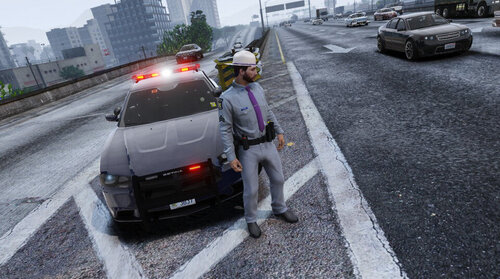 It mostly works. You just need to look at the INI settings as well as read the read me carefully. For some reason the vest isn't showing up in the spot the wardrobe ini says it's in.
- 43 comments
- 3 reviews
-
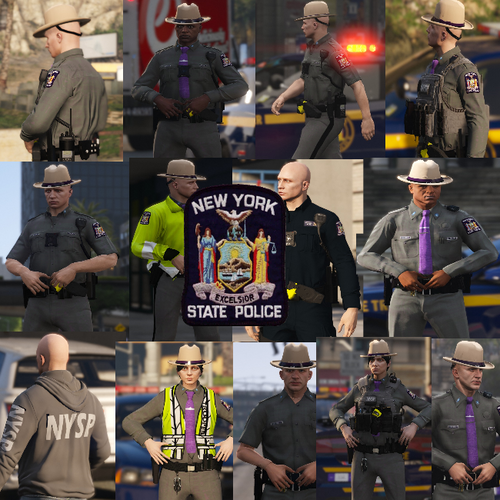 This is not configured for EUP. The developer says it is and to follow the instructions, but I have searched through the entire EUP Menu and have not found the clothes to put on. Such a let down cause I really want to use this uniform
- 20 comments
- 4 reviews
-
Is there a way to have only certain cameras work with certain vehicles? Like for my State Police Charger, I want only the rear cameras to work since those are the only two on the vehicle.
- 447 comments
- 46 reviews
-
I have everything downloaded and installed, but when I go to press the activation button, nothing happens. I check the log. and the plugin doesn't even load. What am I doing wrong?
-
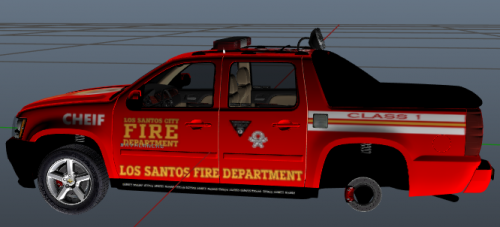 Mod is definitely rushed. Have to make a bunch of edits for it to work properly as an add-on vehicle.
- 6 comments
- 1 review
-
The most recent update doesn't have this option anymore Found a work around. Go to the LSPDFR folder inside GTA V, there should be a file named "keys.ini". You can disable it that way under"BACKUP_MENU_Key"
-


