LIPDProductionsInc
Members
-
Joined
-
Last visited
Everything posted by LIPDProductionsInc
-
Do you have the ASI files for Enhanced?
-
-
Can we transfer our character from Legacy to Enhanced? If so, how?
-
Question though, that I'm sure a few people will have. How do we mod Enhanced? I looked at OpenIV's website and it still only supports the Legacy version. Does anyone know if they are working on an Enhanced compatibility?
-
-
-
 [7/16/2024 10:27:34.973] Exception type: System.TypeInitializationException [7/16/2024 10:27:34.973] Exception message: The type initializer for '' threw an exception. [7/16/2024 10:27:34.973] Stack trace: at .() [7/16/2024 10:27:34.973] at .() in C:\Users\Chris\Desktop\MCCallouts\MCCallouts\5Utilities\Helper.cs:line 577 [7/16/2024 10:27:34.973] at MCCallouts.Main.(Boolean ) in C:\Users\Chris\Desktop\MCCallouts\MCCallouts\Main.cs:line 32 [7/16/2024 10:27:34.973] at LSPD_First_Response.Mod.API.Functions.OnDutyStateChangedEventHandler.Invoke(Boolean onDuty) [7/16/2024 10:27:34.973] at HTblQkOWHfVwznaDLsarChJogdcJA.OpIeuOAvqmjBHwoYGuouAoWqhKSH(Boolean ) in D:\GTA V\LSPD First Response\LSPD First Response\Mod\PlayerDutyController.cs:line 69 [7/16/2024 10:27:34.973] at HTblQkOWHfVwznaDLsarChJogdcJA.XraLFipPHSBJQdVZyrVhfUepAnik(Boolean , Boolean ) in D:\GTA V\LSPD First Response\LSPD First Response\Mod\PlayerDutyController.cs:line 371 [7/16/2024 10:27:34.973] at LSPD_First_Response.Mod.Utils.ConsoleCommands.Command_ForceDuty(Boolean keepCurrentOutfit, Boolean keepLoadout, String agency) in D:\GTA V\LSPD First Response\LSPD First Response\Mod\Utils\ConsoleCommands.cs:line 240 [7/16/2024 10:27:34.973] Inner exception: [7/16/2024 10:27:34.973] Exception type: System.IO.FileNotFoundException [7/16/2024 10:27:34.973] Exception message: Could not load file or assembly 'NAudio.Core, Version=2.2.1.0, Culture=neutral, PublicKeyToken=e279aa5131008a41' or one of its dependencies. The system cannot find the file specified. [7/16/2024 10:27:34.973] Stack trace: at ..cctor() But I have NAudio.Core?
- 268 comments
- 26 reviews
-
 Seem to be getting an error due to a duplicate value [7/16/2024 10:19:36.814] LSPD First Response: Immersive Ambient Events: Adding Blizzard with chance 0 to severe weather event dictionary for weather: ExtraSunny [7/16/2024 10:19:36.814] LSPD First Response: Immersive Ambient Events [ERROR]: At 'Main.cs, PluginMain()' - System.ArgumentException: An item with the same key has already been added. [7/16/2024 10:19:36.814] at System.ThrowHelper.ThrowArgumentException(ExceptionResource resource) [7/16/2024 10:19:36.814] at System.Collections.Generic.Dictionary`2.Insert(TKey key, TValue value, Boolean add) [7/16/2024 10:19:36.814] at ImmersiveAmbientEvents.Systems.IO.SevereWeatherEvents.DeserializeData() in C:\Users\Spencer\source\repos\ImmersiveAmbientEvents\ImmersiveAmbientEvents\Systems\IO\SevereWeatherEventHandler.cs:line 45 [7/16/2024 10:19:36.814] at Main.PluginMain() in C:\Users\Spencer\source\repos\ImmersiveAmbientEvents\ImmersiveAmbientEvents\Main.cs:line 192
- 195 comments
- 23 reviews
-
-

- 1
-
-
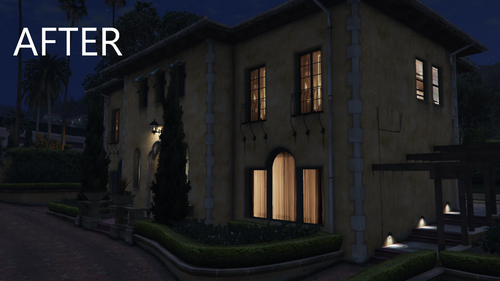 I have been unable to get the before part working again so far
 -
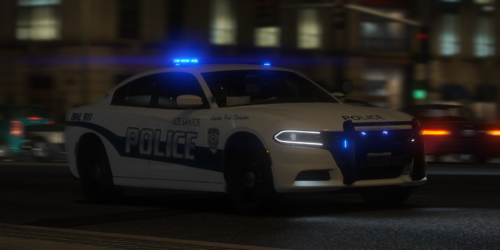 For me, the explorer in replace pack breaks my game
 -
Already started on fixing that when I released this. Just trying to get near that area without having other issues right now
-
Made this simple OIV installer for anyone who copied RPFs over into the mods folder and have the issue where the house is burning all the time.
-
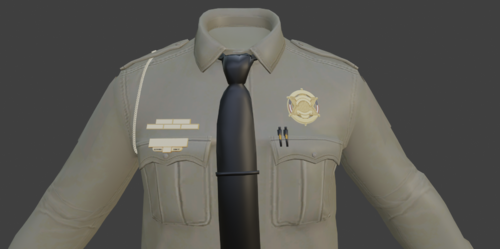 By chance, could you do collar insignias for Class A uniforms? The ones in the default EUP are a little too far away, lol
 -
Solved with an improper import, just looking for Class A insignias
-
I tried create a folder inside the EUP DLC rpf named "mp_m_freemode_01_mp_m_2023_01", which is the clothing folder inside the 1st 2023 DLC update, and the decal I put inside it is not loading in game, the decal is from the EUP DLC, just renamed through Code Walker
-
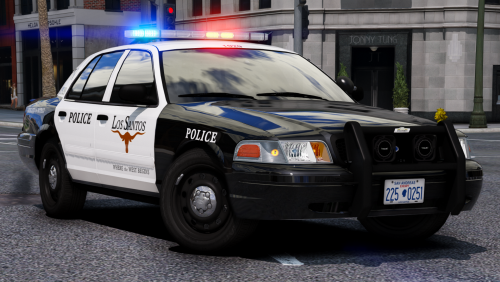 For some reason, the take downs are lighting up behind me, on the Silverado, Auxiliary specifically
- 283 comments
- 95 reviews
-
-
-
-
-
-
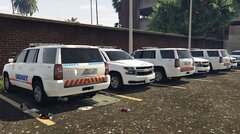
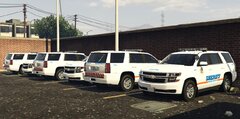
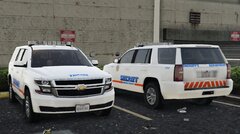
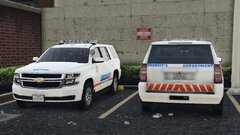
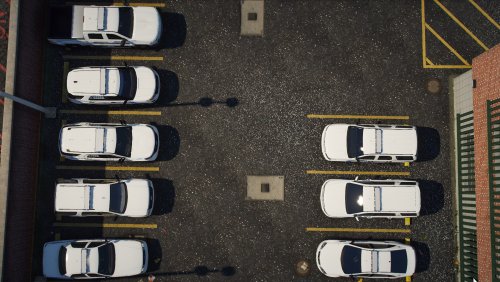 Ok, so, the issue with the 17 Tahoe is with the ELS file @KIKI66666 I'm working on a fix now for it. (I used another ELS file and was able to load in game with the Tahoe no problem) Edit: Make extra 5 and 6 enabled and the file works fine. I don't know why it does that, most likely an issue with ELS itself
 -
-
Can the variations outside of base have a ScriptName? I want to assign supervisors specific cars, but don't want to create an entirely separate outfit
-