Skip to content
View in the app

A better way to browse. Learn more.

LCPDFR.com

A full-screen app on your home screen with push notifications, badges and more.

To install this app on iOS and iPadOS
  1. Tap the Share icon in Safari
  2. Scroll the menu and tap Add to Home Screen.
  3. Tap Add in the top-right corner.
To install this app on Android
  1. Tap the 3-dot menu (⋮) in the top-right corner of the browser.
  2. Tap Add to Home screen or Install app.
  3. Confirm by tapping Install.

Bridge Enforcement

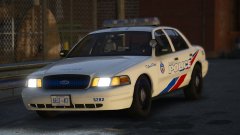
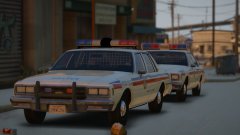
Been playing around with the RX2700. I might like rotors more than LEDs, but damn I love this light bar and I'm thinking of using the light bar in the next pack I release. This vehicle was created just to test the water with the layout of the lighting on the vehicle. 


Don't like the livery though. That needs to change. And not too sure about that Charger....


20171219232707_1.thumb.jpg.fc344a4cb97f2b9ee4261db3ed1f894a.jpg

20171219232446_1.thumb.jpg.3e31cdabc33b6e2f31cc01482ad69c65.jpg

20171219232423_1.thumb.jpg.11ebe940b50959a6c3ac50539e8b2e35.jpg

20171219232813_1.thumb.jpg.65217847d1914eebd867832195996ace.jpg

20171219232754_1.thumb.jpg.576a2b82bb8ef596e3fc49301d74bc28.jpg

From the album:

Jed's Models

· 124 images

Account

Navigation

Search

Search

Configure browser push notifications

Chrome (Android)
  1. Tap the lock icon next to the address bar.
  2. Tap Permissions → Notifications.
  3. Adjust your preference.
Chrome (Desktop)
  1. Click the padlock icon in the address bar.
  2. Select Site settings.
  3. Find Notifications and adjust your preference.