




An Aging Fleet

By DukSezQuak
- 1,103 views
- View DukSezQuak's images
And an aging problem, according to the Fire Chief in Elk Grove. The fire engines are beginning to fall apart.
In a somewhat humorous, classic Hollywood style moment, the Elk Grove Fire Department was called to an automatic fire alarm in one of the service districts, and upon arrival, the driver opened his door, and, much to their surprise, the door fell right off of the hinges.
"The fleet is unbelievably old." says Mike Ocksuge, Fire Chief in Elk Grove.
"There's not many options out there in the market. We're unfortunately stuck with the stock fire trucks."
He says that there are other trucks out there, but, the city just can't use them.
"They're in a private market. Making them very difficult to get."
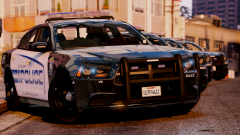
Casual picture just pointing out that we really need better fire truck models in GTA V, or, ya know, for ya good friend DukSezQuak and his Elkridge project. 
Recommended Comments
Join the conversation
You can post now and register later. If you have an account, sign in now to post with your account.