
Skip to content
View in the app

A better way to browse. Learn more.

LCPDFR.com

A full-screen app on your home screen with push notifications, badges and more.

To install this app on iOS and iPadOS
  1. Tap the Share icon in Safari
  2. Scroll the menu and tap Add to Home Screen.
  3. Tap Add in the top-right corner.
To install this app on Android
  1. Tap the 3-dot menu (⋮) in the top-right corner of the browser.
  2. Tap Add to Home screen or Install app.
  3. Confirm by tapping Install.

Port Work Zone

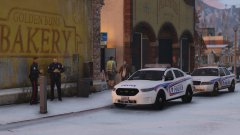
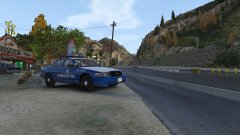
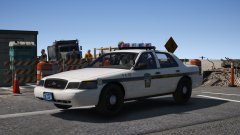
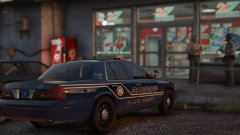
"A State Trooper stands watch for speeders and reckless driver's on the Miriam Turner Overpass. The junction to the port has been closed for repairs, giving an ideal spot for his surveillance."


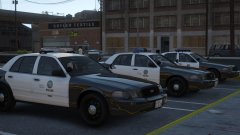
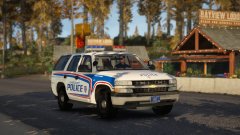
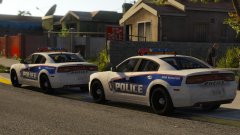
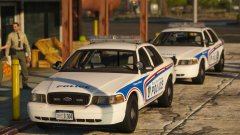
After getting back into this stuff yesterday with the Charger, found some nice pictures of the old style Pennsylvania State Police, and decided it would be nice to have the lore version as state patrol. 


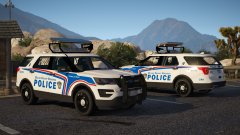
I want to do either a FPIU or a Tahoe and a FPIS. Can't decide whether to upgrade them to LEDs (probably a Liberty II) or just stick with vectors. Eh, we'll see.


20171105184921_1.thumb.jpg.4b9413960279c5283b87deb3f21622f3.jpg

20171105185200_1.thumb.jpg.1029fb2080bb180991727ca3db1c44e0.jpg

Credit

Jedahdiah

From the album:

Jed's Models

· 124 images

Account

Navigation

Search

Search

Configure browser push notifications

Chrome (Android)
  1. Tap the lock icon next to the address bar.
  2. Tap Permissions → Notifications.
  3. Adjust your preference.
Chrome (Desktop)
  1. Click the padlock icon in the address bar.
  2. Select Site settings.
  3. Find Notifications and adjust your preference.