







Skip to content
View in the app

A better way to browse. Learn more.

LCPDFR.com

A full-screen app on your home screen with push notifications, badges and more.

To install this app on iOS and iPadOS
  1. Tap the Share icon in Safari
  2. Scroll the menu and tap Add to Home Screen.
  3. Tap Add in the top-right corner.
To install this app on Android
  1. Tap the 3-dot menu (⋮) in the top-right corner of the browser.
  2. Tap Add to Home screen or Install app.
  3. Confirm by tapping Install.

Arrow boards

Happy Halloween!


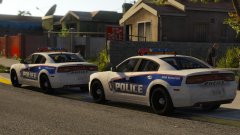
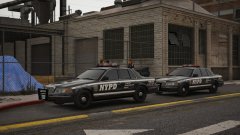
A '16 FPIU for the sheriff's pack I'm making for the upcoming winter (and snow!).


Again, based of various Canadian departments. Features the same light bar as the CVPI, but has an arrow board. Fully functional, it's operated through ELS to raise and lower it, and comes complete with direction lights (right arrows). 


Whilst it operates fine in game, it doesn't seem to like R* editor when the lights are enabled/ the board is operational. 

(Arrow lights are bright due to my visualsettings.dat file. Gunna change it out later...)


20171030210756_1.thumb.jpg.b78692ae26e92fb0dbc7d59ad2c056b7.jpg

20171031080041_1.thumb.jpg.5bd7459402d0684a42d6b2a7728899e5.jpg

Copyright

© Jedahdiah

From the album:

Jed's Models

· 124 images

Account

Navigation

Search

Search

Configure browser push notifications

Chrome (Android)
  1. Tap the lock icon next to the address bar.
  2. Tap Permissions → Notifications.
  3. Adjust your preference.
Chrome (Desktop)
  1. Click the padlock icon in the address bar.
  2. Select Site settings.
  3. Find Notifications and adjust your preference.