Skip to content
View in the app

A better way to browse. Learn more.

LCPDFR.com

A full-screen app on your home screen with push notifications, badges and more.

To install this app on iOS and iPadOS
  1. Tap the Share icon in Safari
  2. Scroll the menu and tap Add to Home Screen.
  3. Tap Add in the top-right corner.
To install this app on Android
  1. Tap the 3-dot menu (⋮) in the top-right corner of the browser.
  2. Tap Add to Home screen or Install app.
  3. Confirm by tapping Install.

PPV! PPV! PPV! PPV! PPV! PPV!

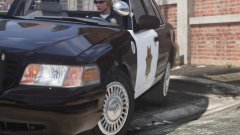
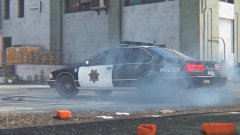
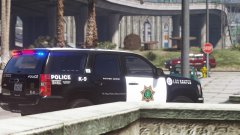
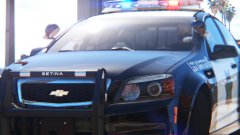
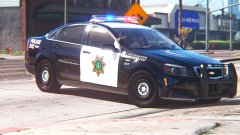
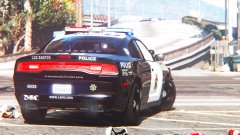
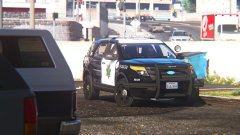
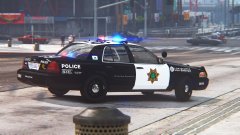
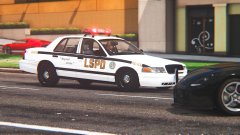
Next iteration of my "Frozen" livery (you should know what it is by now, if not, look at my previous gallery images) for the Caprive PPC!  I mean the Caprice PPV!  Livery is all original, inspiration in part by Fresno PD, star is modified San Jose PD.


On a side note, I think i've got my graphics dialed down now, no more changes, I think it looks pretty damn good at this point.


Caprive PPC by KevinDV (Kane)!  Enjoy the below images. =)


C7YIAzy.jpg

0tT0I4v.jpg

p5k3csF.jpg

70nURfL.jpg

NUf3rXP.jpg

zVGVwAd.jpg

ZMBSj42.jpg

9lKKPmx.jpg

21374ss.jpg

cggARv3.jpg

VTrMwRy.jpg

vE4oa2m.jpg

bIZwLYa.jpg

kUEJrjn.jpg

QYfyukm.jpg

YXX01R1.jpg

q1OBJKv.jpg

e2S2c4S.jpg


More to come!

Credit

KevinDV

From the album:

Los Santos Views

· 120 images

Account

Navigation

Search

Search

Configure browser push notifications

Chrome (Android)
  1. Tap the lock icon next to the address bar.
  2. Tap Permissions → Notifications.
  3. Adjust your preference.
Chrome (Desktop)
  1. Click the padlock icon in the address bar.
  2. Select Site settings.
  3. Find Notifications and adjust your preference.