Skip to content
View in the app

A better way to browse. Learn more.

LCPDFR.com

A full-screen app on your home screen with push notifications, badges and more.

To install this app on iOS and iPadOS
  1. Tap the Share icon in Safari
  2. Scroll the menu and tap Add to Home Screen.
  3. Tap Add in the top-right corner.
To install this app on Android
  1. Tap the 3-dot menu (⋮) in the top-right corner of the browser.
  2. Tap Add to Home screen or Install app.
  3. Confirm by tapping Install.

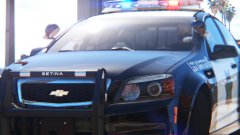
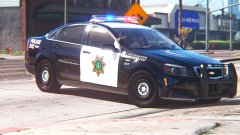
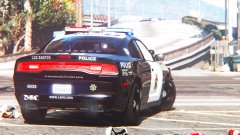
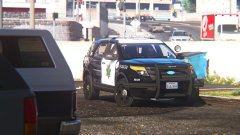
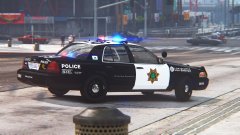
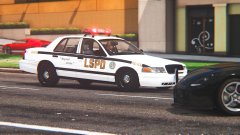
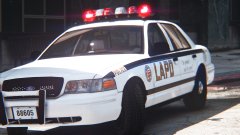
First time with the Forza CVPI! (I call it the "Frozen CVPI" haha)

Go LSPD!


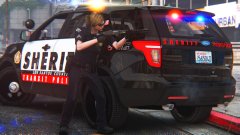
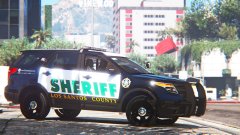
First time trying out the Forza CVPI (Frozen CVPI hehe).  The skin I whipped up just so I can see what the frozen CVPI looks like in-game (in my game).  Very detailed, I like it, although it rides kinda high, especially in the back, like it's raked.  Probably on airbags!


Enjoy the images.  Forza CVPI by Pricefield.  Skin by me, inspired in part by Fresno PD.


GmOvgyb.jpg

JLE3HJy.jpg

OxYGxA3.jpg

ssQEFYs.jpg

JBSmJ2y.jpg

9ThzpT1.jpg

0avXpLe.jpg

044krzu.jpg

ZEGVXzI.jpg

PMCmQWK.jpg

9N8FWbD.jpg

ytkg6vC.jpg


I like it!  Although, I really still prefer the DSF (and secretly, Bxbugs's).  =P  About the skin, you like it?  Should I make a pack? =)

Credit

Pricefield

From the album:

Los Santos Views

· 120 images

Account

Navigation

Search

Search

Configure browser push notifications

Chrome (Android)
  1. Tap the lock icon next to the address bar.
  2. Tap Permissions → Notifications.
  3. Adjust your preference.
Chrome (Desktop)
  1. Click the padlock icon in the address bar.
  2. Select Site settings.
  3. Find Notifications and adjust your preference.