





US Coast Guard 25' Defender Class

By PNWParksFan
- 5,046 views
- View PNWParksFan's images
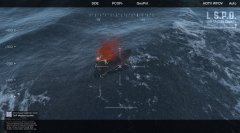
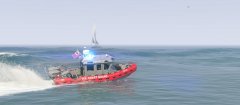
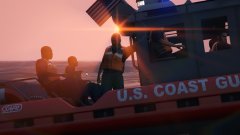
Working on adding additional seats to the new USCG 25' Defender small boat by @SkylineGTRFreak. Still a WIP getting all the animations and positions just right, but it's coming along nicely. Peds on any of the exterior seat positions can use weapons, and the ones on the sides and front can use 2-handed weapons like machine guns and assault rifles. You can also see a custom flash pattern in use here, and further improvements to the lights are being worked on.

Original mod: https://www.gta5-mods.com/vehicles/uscg-defender-class
Layout and lighting changes are still WIP and not released yet.
Credit
Model converted, edited, and optimized for GTA V by SkylineGTRFreak
Model purchased from 3D model site by nathanjamesddg151
Model edits and custom layout and lighting by PNWParksFan
Copyright
© PNWParksFan
Recommended Comments
Join the conversation
You can post now and register later. If you have an account, sign in now to post with your account.