




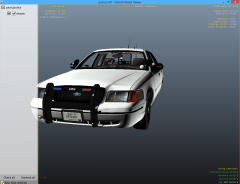

CVPI Unmarked 4

By KN1IGHT
- 608 views
- View KN1IGHT's images
Unmarked CVPI I've put together in the past 2-3 days (2-3 days due to real life commitments outside of GTA)
Majority of the lighting products installed here are Whelen, with the exception of the Code 3 XT6 TA in the rear window, and possibly the Mini LEDs on the rambar
Whelen Inner Edge XLP from Hilth0's Whelen DEV Pack
Whelen Talon by BxBugs123
Mini LEDs scratch modelled, converted and textured by jasonct203
Front corner lighting, reverse lighting mapped by myself.
Window tint mapped to Tint by myself.
"Mini" antennas (from ALPR system) imported, and re-mapped to grey_antenna texture by myself
Recommended Comments
Join the conversation
You can post now and register later. If you have an account, sign in now to post with your account.