




Landstalker 1

By KN1IGHT
- 583 views
- View KN1IGHT's images
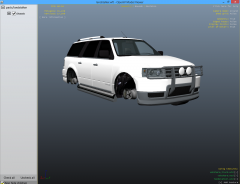
It may not look like much, but it's what I've been working on, testing, working on some more and testing again, for almost 2 hours now.
I've taken the default Landstalker from GTA IV, and taken extra_6 car component from the Contender, and added it to the Landstalker to enable it to be used as an Added Car Component using the Trainer.
To do this, the original front bumper had to be removed, and replaced with the Contender's front bumper on the front, as the Brushguard (extra_6) didn't look right with the Landstalker's original bumper.
This was done as a personal project, and won't be released.
Recommended Comments
Join the conversation
You can post now and register later. If you have an account, sign in now to post with your account.