Skip to content
View in the app

A better way to browse. Learn more.

LCPDFR.com

A full-screen app on your home screen with push notifications, badges and more.

To install this app on iOS and iPadOS
  1. Tap the Share icon in Safari
  2. Scroll the menu and tap Add to Home Screen.
  3. Tap Add in the top-right corner.
To install this app on Android
  1. Tap the 3-dot menu (⋮) in the top-right corner of the browser.
  2. Tap Add to Home screen or Install app.
  3. Confirm by tapping Install.

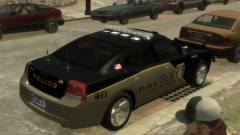
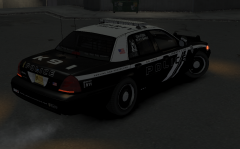
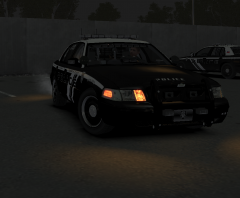
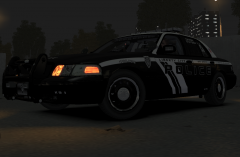
Fiction Skin Finalised pic 1

This is the finalised lcpd fictional skin. Totally redone from the white one I showed before, but very happy with the turn out. Just going to make a few more variety of skins for each model, and you guys should be seeing this pack very soon. Hope you'll like the finished result once I'm ready to upload for all you to download. Cheers. Also need to contact each models designer to get clearance before I can upload.

  • From the album:

    My screens/publications/ect

    · 117 images

    Account

    Navigation

    Search

    Search

    Configure browser push notifications

    Chrome (Android)
    1. Tap the lock icon next to the address bar.
    2. Tap Permissions → Notifications.
    3. Adjust your preference.
    Chrome (Desktop)
    1. Click the padlock icon in the address bar.
    2. Select Site settings.
    3. Find Notifications and adjust your preference.