Skip to content
View in the app

A better way to browse. Learn more.

LCPDFR.com

A full-screen app on your home screen with push notifications, badges and more.

To install this app on iOS and iPadOS
  1. Tap the Share icon in Safari
  2. Scroll the menu and tap Add to Home Screen.
  3. Tap Add in the top-right corner.
To install this app on Android
  1. Tap the 3-dot menu (⋮) in the top-right corner of the browser.
  2. Tap Add to Home screen or Install app.
  3. Confirm by tapping Install.

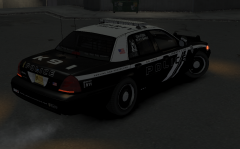
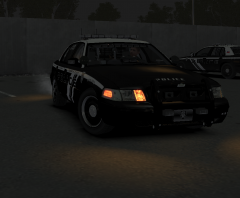
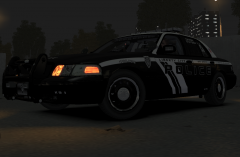
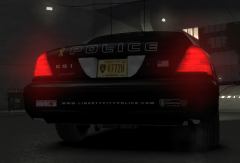
The Fleet (also new skin ive been working on)

Hmmm what car to pick for the day shift patrol. This is the entire fleet I've selected for my in game enjoyment. Also the skin other then the unmarked, on all the cvi's,charger,tahoe is something I've been working on for the last few days. Think overall its has a good feel to all the cars. Basic, not so many decals or information. Still need to do a few tweeks to it, till I'm satisfied but this is something I'll most likely be posting up for downloading in the coming days.

  • From the album:

    My screens/publications/ect

    · 117 images

    Account

    Navigation

    Search

    Search

    Configure browser push notifications

    Chrome (Android)
    1. Tap the lock icon next to the address bar.
    2. Tap Permissions → Notifications.
    3. Adjust your preference.
    Chrome (Desktop)
    1. Click the padlock icon in the address bar.
    2. Select Site settings.
    3. Find Notifications and adjust your preference.