







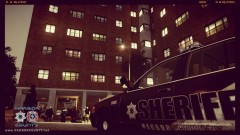
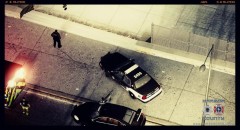
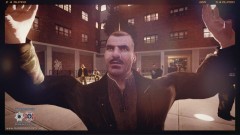
10-23 Suspicious Activity - ''Awful Storm Conditions In the Early Hours ''.
.thumb.png.ecf43c03aae99a7abd3f5a0d930d62f9.png)
- 606 views
- View InnermostZero's images
Date / Time: 02:37 am June 26th 2013.
----------
Nature: Reports of Suspicious Activity.
On Scene Personnel: Unit 2H47 of the H.I.T(High Intensity Traffic) Team.
Location: Pier E, N. Delaware Ave. @ W. Oakley Ave., Broker-Dukes, District #3, Liberty City, Harbor County.
----------
Incident Overview:
At app. 04:31 pm ,June 27th 2013 a call came in from Port authorities under the new law of the Anti-lidering law .The suspicious males (x4) were spotted passing the Pier E four times within 20 minutes and caused reasonable suspicious for the authorities to call the Sheriffs Dept. dispatch ,Dispatcher Cook. The deputy arrived in his Crown Victoria ,vehicle ID: D354. He initially met up with the reporting guards and then proceeded to the LKL(Last Known Location) where the suspects were scared off. Later on CCTV footage showed the males were no older than 19 y/o and it was a simple form of mischief involvement.
Recommended Comments
Join the conversation
You can post now and register later. If you have an account, sign in now to post with your account.