



Foot Patrol Presence - ''Showing the Figure of Authority''.
.thumb.png.ecf43c03aae99a7abd3f5a0d930d62f9.png)
- 653 views
- View InnermostZero's images
Date/Time: 02 pm July 26th 2013.
----------
Nature: K-9 Foot Patrol.
On Scene Personnel: M/Sergeant Shkreli Badge No. 2K21
Location: District #3, Broker-Dukes, Gantry Park.
----------
Incident Overview:
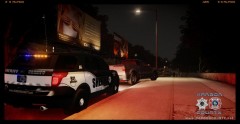
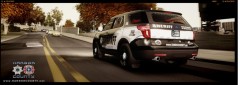
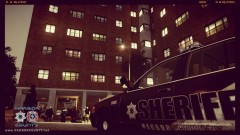
M/Sergeant Shkreli has taken his K-9 out on a foot patrol scroll in the Park In District #3 following some juvenile vandalism complaints .He has brought his K-9 dog ''Bubbles'' through the park for a visible presence. 4 males in their teens have been arrested for disorderly conduct yesterday in the park for being intoxicated and abusive towards other members of the public also. This area in District #3 has been a seriously bad area lately with speeders and dis-orderly members of the public also taking advantage of this area being on the edge of each patrol beat. The district Lt. has addressed this problem and has informed patrol deputies of the problem encouraging them to go to the edge of the patrol beat they are assigned in briefing. This activity is a act to combat against this, which is great to see such a response by the deputies. This photo also shows off one of the newest vehicles available to the K-9 unit of the Harbor County Sheriffs Office, the 2013 Ford Expedition designed especially for the units needs.
Recommended Comments
Join the conversation
You can post now and register later. If you have an account, sign in now to post with your account.