Skip to content
View in the app

A better way to browse. Learn more.

LCPDFR.com

A full-screen app on your home screen with push notifications, badges and more.

To install this app on iOS and iPadOS
  1. Tap the Share icon in Safari
  2. Scroll the menu and tap Add to Home Screen.
  3. Tap Add in the top-right corner.
To install this app on Android
  1. Tap the 3-dot menu (⋮) in the top-right corner of the browser.
  2. Tap Add to Home screen or Install app.
  3. Confirm by tapping Install.

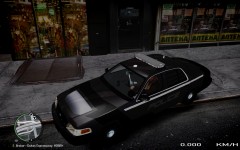
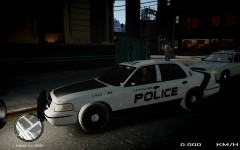
WIP 4th Car Texture

Need some opinions on the interceptor lettering. I wanted a hazard/caution colour and that leaves me with yellow or orange. I thought the orange would look better than yellow and so i have that now. But orange is very different from the norm and i think what people are used to seeing on police cars.

So i like it and will use orange, but for release should i leave it orange or change it to a different "lighter" colour? Light Red, Light Blue or just a white?

Thanks for checking this out.

  • From the album:

    KZ Car Textures

    · 13 images

    Account

    Navigation

    Search

    Search

    Configure browser push notifications

    Chrome (Android)
    1. Tap the lock icon next to the address bar.
    2. Tap Permissions → Notifications.
    3. Adjust your preference.
    Chrome (Desktop)
    1. Click the padlock icon in the address bar.
    2. Select Site settings.
    3. Find Notifications and adjust your preference.