Skip to content
View in the app

A better way to browse. Learn more.

LCPDFR.com

A full-screen app on your home screen with push notifications, badges and more.

To install this app on iOS and iPadOS
  1. Tap the Share icon in Safari
  2. Scroll the menu and tap Add to Home Screen.
  3. Tap Add in the top-right corner.
To install this app on Android
  1. Tap the 3-dot menu (⋮) in the top-right corner of the browser.
  2. Tap Add to Home screen or Install app.
  3. Confirm by tapping Install.

Anyone have any whelen m2's?

Featured Replies

Hey, I was wondering if anyone can help me with 2 things. First does anyone have whelen m2 series leds? And the second is more for converters.

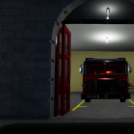
I need someone to take the rims from this model and then convert them to a usable format in zmodeler. Every time I try it crashes zmodeler and I can't seem to scale it down. Payment will be 10 virtual hugs...and model credits of course

sorry to bump this, I no longer need help with the rims, but I till need some M2's

Use the edit button to add more information to your post. Posts merged. - Staff

Edited by ineseri

YouTube:Black Jesus                                                   


Join the conversation

You can post now and register later. If you have an account, sign in now to post with your account.

Guest
Reply to this topic...

Recently Browsing 0

  • No registered users viewing this page.

Account

Navigation

Search

Search

Configure browser push notifications

Chrome (Android)
  1. Tap the lock icon next to the address bar.
  2. Tap Permissions → Notifications.
  3. Adjust your preference.
Chrome (Desktop)
  1. Click the padlock icon in the address bar.
  2. Select Site settings.
  3. Find Notifications and adjust your preference.