Skip to content
View in the app

A better way to browse. Learn more.

LCPDFR.com

A full-screen app on your home screen with push notifications, badges and more.

To install this app on iOS and iPadOS
  1. Tap the Share icon in Safari
  2. Scroll the menu and tap Add to Home Screen.
  3. Tap Add in the top-right corner.
To install this app on Android
  1. Tap the 3-dot menu (⋮) in the top-right corner of the browser.
  2. Tap Add to Home screen or Install app.
  3. Confirm by tapping Install.

Hi guys remember me :)

Featured Replies

  • 3 weeks later...
  • Author

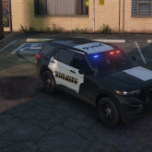
After a long break from GTA 4 i looked into it again few days ago and noticed a lot had changed and i like it so I'm going to give it another Shot check out my I'm back video!!! :woot:  :woot:  :woot:  :woot:


Nice video.  Love the ENB you're using too...looks good.  Like the car too, very nice.


Wish my rig could run as GTAIV smooth as yours.  Going to have to upgrade.


EDIT:  You should use VDH tow mod, so you can get rid of the cars after arresting the suspect.  


Thanks for posting.


DrDetroit

Edited by drdetroit

  • Author

Whats going on guy here is another patrol still looking for a few people to do some multiplayer with if ur interested let me know :)


Join the conversation

You can post now and register later. If you have an account, sign in now to post with your account.

Guest
Reply to this topic...

Similar Content

Recently Browsing 0

  • No registered users viewing this page.

Account

Navigation

Search

Search

Configure browser push notifications

Chrome (Android)
  1. Tap the lock icon next to the address bar.
  2. Tap Permissions → Notifications.
  3. Adjust your preference.
Chrome (Desktop)
  1. Click the padlock icon in the address bar.
  2. Select Site settings.
  3. Find Notifications and adjust your preference.