Skip to content
View in the app

A better way to browse. Learn more.

LCPDFR.com

A full-screen app on your home screen with push notifications, badges and more.
To install this app on iOS and iPadOS
  1. Tap the Share icon in Safari
  2. Scroll the menu and tap Add to Home Screen.
  3. Tap Add in the top-right corner.
To install this app on Android
  1. Tap the 3-dot menu (⋮) in the top-right corner of the browser.
  2. Tap Add to Home screen or Install app.
  3. Confirm by tapping Install.
The latest updated version of RAGE Plugin Hook, required to play LSPDFR, can be found inside the LSPDFR download. It is not currently available on the RAGE Plugin Hook website.

help me pyro common update pls

Featured Replies

2032DA~1.JPG

Last week I installed the latest versions of lspdfri and Pyro Common, but today I made customizations to the car and EUP menu for Ultimate Backup, and then this problem appeared. I'm wondering if this is a bug in Ultimate Backup, but this error only occurs when using Force Duty mode. I installed the DeadyWeapons add-on, and since Pyro Common is in Super Callouts, I just got Pyro Common from there; I didn't need to install Super Callouts. Could this be the reason?

  • Community Team

[7/5/2026 5:40:38 PM.297] LSPD First Response: 'PyroCommon, Version=2.0.1.0, Culture=neutral, PublicKeyToken=null' dosyasını veya bütünleştirilmiş kodunu ya da bağımlılıklarından birini yükleyemedi. Sistem belirtilen dosyayı bulamıyor.

[7/5/2026 5:40:39 PM.096] LSPD First Response: Error while initializing plugin: DeadlyWeapons.Main: 'PyroCommon, Version=2.0.1.0, Culture=neutral, PublicKeyToken=null' dosyasını veya bütünleştirilmiş kodunu ya da bağımlılıklarından birini yükleyemedi. Geçersiz işaretçi (HRESULT özel durum döndürdü: 0x80004003 (E_POINTER)) at DeadlyWeapons.Main.Initialize()

The lack of PyroCommon is causing the problems with the plugins. DeadlyWeapons includes PyroCommon.dll, so why did you get it from SuperCallouts? If you don't want the callouts, delete the files and install everything from DeadlyWeapons.

<Ped chance="33" comp_shirt="5" comp_pants="237" comp_shoes="164" comp_eyes="120" comp_accessories="54" comp_tasks="5" comp_decals="12" tex_decals="4" comp_shirtoverlay="444" prop_hats="259">S_M_Y_SHERIFF_01</Ped>
                                       <Ped chance="33" comp_shirt="12"comp_pants="237"comp_shoes="164"comp_eyes="120"comp_accessories="54"comp_tasks="5"comp_decals="11"comp_shirtoverlay="443"prop_glasses="6">S_M_Y_SHERIFF_01</Ped>

As for the XML, you didn't leave any spaces in the modified entry, the first one has spaces and the second does not. There is also another entry in <BlaineCounty>
that is missing spaces too. Go to any entry you modified and ensure there is a space between each parameter

Try them fixes and see if it works

  • Author

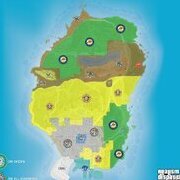
I solved that problem, thank you. It turned out it was because there weren't enough spaces in the code within the defaultregions section of ultimatebackup. But I have another problem, unfortunately. I downloaded SimpleHUD Postal Map, and the map appears in close-up view (like in the screenshot I attached) while walking, but when I press Z, the map appears. I don't understand. Can you please help?

2006CB~1.JPG

203872~1.JPG

  • Author

I downloaded and tried it, but because my screen is 16:9 and that file is for 21:9 screens, it caused my map to shift off the monitor.

This is a support topic.
Only reply here to offer help or assistance to Pieslo. Off-topic or "me too" replies will be removed.

Need support yourself? Make a new topic instead.

Join the conversation

You can post now and register later. If you have an account, sign in now to post with your account.

Guest
Reply to this topic...

Recently Browsing 0

  • No registered users viewing this page.

Account

Navigation

Search

Search

Configure browser push notifications

Chrome (Android)
  1. Tap the lock icon next to the address bar.
  2. Tap Permissions → Notifications.
  3. Adjust your preference.
Chrome (Desktop)
  1. Click the padlock icon in the address bar.
  2. Select Site settings.
  3. Find Notifications and adjust your preference.