Skip to content
View in the app

A better way to browse. Learn more.

LCPDFR.com

A full-screen app on your home screen with push notifications, badges and more.

To install this app on iOS and iPadOS
  1. Tap the Share icon in Safari
  2. Scroll the menu and tap Add to Home Screen.
  3. Tap Add in the top-right corner.
To install this app on Android
  1. Tap the 3-dot menu (⋮) in the top-right corner of the browser.
  2. Tap Add to Home screen or Install app.
  3. Confirm by tapping Install.

Pieslo

Members
  • Joined

  • Last visited

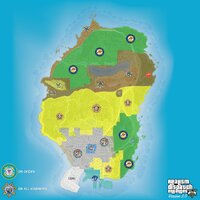
  1. I downloaded the postal map included in the SimpleHUD files, and this is what the map looks like. Please help, but there's no problem with the large map. The map appears this way because it zooms out while driving. There are no problems on the large map.
  2. I downloaded and tried it, but because my screen is 16:9 and that file is for 21:9 screens, it caused my map to shift off the monitor.
  3. I solved that problem, thank you. It turned out it was because there weren't enough spaces in the code within the defaultregions section of ultimatebackup. But I have another problem, unfortunately. I downloaded SimpleHUD Postal Map, and the map appears in close-up view (like in the screenshot I attached) while walking, but when I press Z, the map appears. I don't understand. Can you please help?
  4. I apologize for disturbing you. Have you reviewed the files? @Gan Ceann
  5. This file is the log file located within the main game files; the previous log file was located in the logs folder inside the plugins folder. RagePluginHook.logI'm attaching the files I just modified from within these main game files. DefaultRegions.xmlThis started happening after I modified this file.
  6. Uploading Attachment...RagePluginHook_05072026_141634.log @Gan Ceann help me please its correct file ??
  7. Last week I installed the latest versions of lspdfri and Pyro Common, but today I made customizations to the car and EUP menu for Ultimate Backup, and then this problem appeared. I'm wondering if this is a bug in Ultimate Backup, but this error only occurs when using Force Duty mode. I installed the DeadyWeapons add-on, and since Pyro Common is in Super Callouts, I just got Pyro Common from there; I didn't need to install Super Callouts. Could this be the reason?

Account

Navigation

Search

Search

Configure browser push notifications

Chrome (Android)
  1. Tap the lock icon next to the address bar.
  2. Tap Permissions → Notifications.
  3. Adjust your preference.
Chrome (Desktop)
  1. Click the padlock icon in the address bar.
  2. Select Site settings.
  3. Find Notifications and adjust your preference.