Skip to content
View in the app

A better way to browse. Learn more.

LCPDFR.com

A full-screen app on your home screen with push notifications, badges and more.

To install this app on iOS and iPadOS
  1. Tap the Share icon in Safari
  2. Scroll the menu and tap Add to Home Screen.
  3. Tap Add in the top-right corner.
To install this app on Android
  1. Tap the 3-dot menu (⋮) in the top-right corner of the browser.
  2. Tap Add to Home screen or Install app.
  3. Confirm by tapping Install.
The latest updated version of RAGE Plugin Hook, required to play LSPDFR, can be found inside the LSPDFR download. It is not currently available on the RAGE Plugin Hook website.
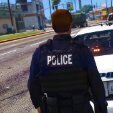
Rage Plugin Hook Crash !

Featured Replies

Hello dear friend! 
I'm faced with such a sad and difficult situation that I can't solve it, maybe you can help me with it. 🥲


- Every time I put handcuffs on an intruder, I have a "peak, peak" sound and immediately flies out. 
I do not know how to solve this problem, I have tried a lot of times, but alas, no changes. 😩


Video ! 


Spoiler

Может содержать: текст, скриншот, шрифт, меню, дизайн.Может содержать: текст, электронику, снимок экрана, компьютер, программное обеспечение, веб-страницу, номер, операционную систему, веб-сайт, значок компьютера.Может содержать: текст, скриншот, шрифт, графику, дизайн.Может содержать: текст, электронику, снимок экрана, программное обеспечение, операционную систему, значок компьютера, веб-страницу, дисплей, веб-сайт, шрифт.Может содержать: текст, скриншот, шрифт.


RagePluginHook.log

Edited by Shkiper
I added a video with an error!

Solved by Lennyy

  • Community Team
  • Solution

You’ve got lucky and caught one of the most annoying errors in GTA. 
 

First of all get rid of AssortedCallouts, ChillCallouts, CalloutManager (available alternative: CalloutInterface) and TrafficPolicer (available alternative: StopThePed)

Also delete AlboCommon from your Plugins/LSPDFR folder. 


As for the SlimDX error you’re experiencing, try the following steps:


1. Make GTA V an antivirus exception for the entire folder.
2. Reinstall RAGEPluginHook. 
3. Update and/or reinstall your audio & graphic drivers. 
4. Run the .NET Framework repair tool: https://www.microsoft.com/en-gb/download/details.aspx?id=30135
5. Complete pending Windows Updates.

6. Perform a reinstall of GTA V

Edited by Lennyy

This is a support topic.
Only reply here to offer help or assistance to Shkiper. Off-topic or "me too" replies will be removed.

Need support yourself? Make a new topic instead.

Join the conversation

You can post now and register later. If you have an account, sign in now to post with your account.

Guest
Reply to this topic...

Recently Browsing 0

  • No registered users viewing this page.

Account

Navigation

Search

Search

Configure browser push notifications

Chrome (Android)
  1. Tap the lock icon next to the address bar.
  2. Tap Permissions → Notifications.
  3. Adjust your preference.
Chrome (Desktop)
  1. Click the padlock icon in the address bar.
  2. Select Site settings.
  3. Find Notifications and adjust your preference.