Skip to content
View in the app

A better way to browse. Learn more.

LCPDFR.com

A full-screen app on your home screen with push notifications, badges and more.

To install this app on iOS and iPadOS
  1. Tap the Share icon in Safari
  2. Scroll the menu and tap Add to Home Screen.
  3. Tap Add in the top-right corner.
To install this app on Android
  1. Tap the 3-dot menu (⋮) in the top-right corner of the browser.
  2. Tap Add to Home screen or Install app.
  3. Confirm by tapping Install.

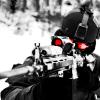
LCPD:FR Noose SWAT Helmet |TUTORIAL|
Featured Replies

Hey Guys!


I'm gonna show you how to get the real Noose helmet, not the pilot one! The steps are pretty easy, just follow the correctly and you will be succsesful.

This worked for me so I don't really see any troubles for others! This is for those who dont like the HUGE UGLY PILOT HELMET!

This is For Gta IV not TBOGT..


Requierments:


- OpenIV= the only program for this!
    DOWNLOAD HERE


Step by step:


1. Run OpenIV and go to: Models->Cdimages->pedprops.img


2. Enable the "Edit Mode". Located on the top side!


oDw7IEG.jpg


3. Find 2 files named M_y_Swat_p (WDD, WTD) and export them into a new folder on desktop.

4. Find 2 files named M_y_nhelipilot_p (WDD,WTD) and export them into the same folder.


5. Move M_Y_SWAT_P (WDD, WTD) into an other place/Folder.


6. Rename M_Y_NHELIPILOT_P (WDD,WTD) into M_Y_SWAT_P!

7. Rename M_Y_SWAT_P (WDD;WTD) into M_Y_NHELIPILOT_P!


8. Import both files into Pedprops.img!


9. Launch the game and press ALT+U 1x to get Only the helmet! If you press it 2x you get Helmet+Gas Mask!


I hope I helped!

An easier option is to pick the normal NOoSE model and use simple native trainer to change the walkstyle.


But its a nice tutorial I guess

Processor: Intel i5-6600 @ 3.30GHz 

GPU: MSI ARMOR GeForce GTX 1080 OC

Ram: 16GB Skylake

  • Author

An easier option is to pick the normal NOoSE model and use simple native trainer to change the walkstyle.


But its a nice tutorial I guess

Yeah, but if some dont use SNT this is the tut for them! 

Thanks :)

An easier option is to pick the normal NOoSE model and use simple native trainer to change the walkstyle.


But its a nice tutorial I guess

I think that screws up the carrying of two-handed weapons with normal "swat".

Join the conversation

You can post now and register later. If you have an account, sign in now to post with your account.

Guest
Reply to this topic...

Recently Browsing 0

  • No registered users viewing this page.

Account

Navigation

Search

Search

Configure browser push notifications

Chrome (Android)
  1. Tap the lock icon next to the address bar.
  2. Tap Permissions → Notifications.
  3. Adjust your preference.
Chrome (Desktop)
  1. Click the padlock icon in the address bar.
  2. Select Site settings.
  3. Find Notifications and adjust your preference.