Skip to content
View in the app

A better way to browse. Learn more.

LCPDFR.com

A full-screen app on your home screen with push notifications, badges and more.

To install this app on iOS and iPadOS
  1. Tap the Share icon in Safari
  2. Scroll the menu and tap Add to Home Screen.
  3. Tap Add in the top-right corner.
To install this app on Android
  1. Tap the 3-dot menu (⋮) in the top-right corner of the browser.
  2. Tap Add to Home screen or Install app.
  3. Confirm by tapping Install.

Anyone know how 'special' items work on peds (specifically involving rigging)
Featured Replies

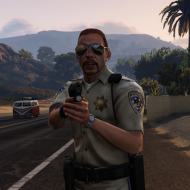
Basically, in ped .wdd's, there are sometimes special items with the prefix '_suse'. These are usually bags around the back or backpacks, but in some cases they are unique (the fatcops gunbelt and the security guards earpiece). I'm currently working on a mod that would add a radio on the shoulder to most cops, but I've hit a problem. I've had evanscornelius isolate the radio and get it into a .wdd for me. I then took it and put it into m_y_cop, and added it to the pedVariation.dat. All is swell, till I fire up SNT and try to add special 1, then GTA IV crashes. I tried exporting the blank suse's (they are tiny little box's near the waist) into the cop wdd too, but to no avail.


Anyone who's worked on peds; you know what the trick is? Any tutorials out there to help us out?


What if you try adding it to a different slot, like _feet? If it doesn't work there either, it's an issue with the part itself, not with making it a suse.

I remember there being an issue with my traffic cop when I added the "suse", I cannot for the life of me remember exactly what it was, think it was something in the .ide.

You do need the blank/box suse, that is the one that spawns as the empty one. Make sure that the number next to the model name is correct, it is the count of variations(9 lines, 9 next to model):

M_Y_COP_TRAFFIC,		9
#slot		geometry	BULK	JOB	SUNNY	WET	MAT1	RES1A	RES1B	RES2A	RES2B		AUDIO ID
feet,		0,		0,	1,	0,	0,	0,	-1,	-1,	-1,	-1,		1
head,		2,		0,	1,	0,	0,	0,	-1,	-1,	-1,	-1,		10
head,		0,		0,	1,	0,	0,	0,	-1,	-1,	-1,	-1,		6
head,		1,		0,	1,	0,	0,	0,	-1,	-1,	-1,	-1,		6
uppr,		0,		0,	1,	0,	0,	0,	-1,	-1,	-1,	-1,		1
lowr,		0,		0,	1,	0,	0,	0,	-1,	-1,	-1,	-1,		1
suse,		1,		0,	1,	0,	0,	0,	-1,	-1,	-1,	-1,		0
suse,		0,		0,	1,	0,	0,	0,	-1,	-1,	-1,	-1,		0
p_head,		0,		1,	1,	0,	0,	0,	-1,	-1,	-1,	-1,		0
end

You are using the WRONG right theme!

[ WIPs | Donate | 🌌 Join Mod Multiverse!]
Flashing LED lightbar in British configuration

  • 2 months later...

Join the conversation

You can post now and register later. If you have an account, sign in now to post with your account.

Guest
Reply to this topic...

Recently Browsing 0

  • No registered users viewing this page.

Account

Navigation

Search

Search

Configure browser push notifications

Chrome (Android)
  1. Tap the lock icon next to the address bar.
  2. Tap Permissions → Notifications.
  3. Adjust your preference.
Chrome (Desktop)
  1. Click the padlock icon in the address bar.
  2. Select Site settings.
  3. Find Notifications and adjust your preference.