


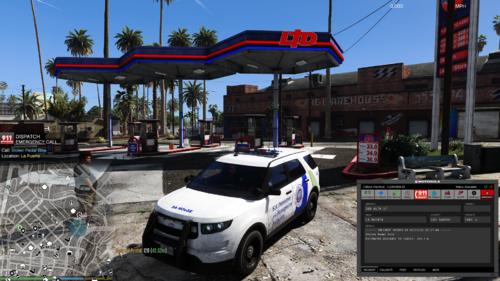
Texture made by me for a CVPI.
Installation instructions and credits are in the readme file included in the download.
I included the "police" files to replace the default LSPD CVPI in the game to make install easier for you
...or you can take the texture itself, which I included in the download file, and add it to a CVPI of your choosing as long as it follows the same template patterns.
This is the video of the Texture Creating and Installing Tutorial in which I created this texture.
Check out my other files: http://www.lcpdfr.com/profile/261048-policebike36/?do=content&type=downloads_file&change_section=1
PoliceBike36/IgnisAlienus





.thumb.png.616be9d67781977562d321f2d40aacd8.png)



![OCRP Postal Map - Fixed Duplicate Postals and Atlas Style [FiveM]](http://s3-screenshots.int-cdn.lcpdfrusercontent.com/resize/500/-/monthly_2026_07/624688352-f61f6a95-cab2-4dbf-8e15-eac238807cc7.thumb.jpg.f9356ce9ac807f74bb9d897e93a8242d.jpg)


Recommended Comments
Create an account or sign in to comment