

Skip to content
View in the app

A better way to browse. Learn more.

LCPDFR.com

A full-screen app on your home screen with push notifications, badges and more.

To install this app on iOS and iPadOS
  1. Tap the Share icon in Safari
  2. Scroll the menu and tap Add to Home Screen.
  3. Tap Add in the top-right corner.
To install this app on Android
  1. Tap the 3-dot menu (⋮) in the top-right corner of the browser.
  2. Tap Add to Home screen or Install app.
  3. Confirm by tapping Install.

Emergency uniforms pack - Law & Order 9.3.1

(236 reviews)

10 Screenshots


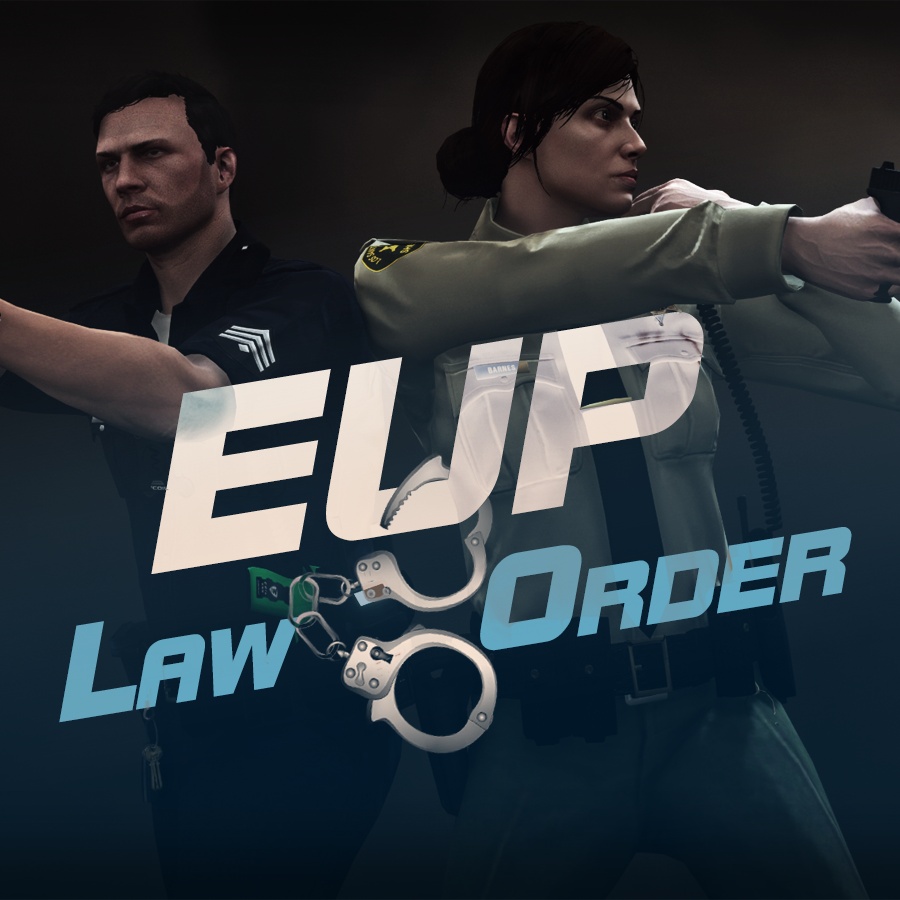
632635363_EUPlw.png.08a8e4d613dc7a278fc352b6b57ce8a2.png

EUP is an all-in-one modification that gives us the free range to create your own law enforcement officer as you patrol the streets and roads of San Andreas. U mad Ronson?

This time, play different - be different. Adapt your style to the situation. Get your gear on - use a High-Vis vest to direct traffic, a waterproof jacket on a rainy day or a tactical outfit when the situation gets hot. Choose from various lore-friendly departments base of real life. Customize various components of your outfits.

The mod that started as a holster and a vest retexture, now so expansive, most Australians finish downloading it right when an update comes out. Emergency Uniforms Pack Law & Order 8.2 offers an unrivaled catalog of lore-friendly California-inspired law enforcement uniforms for both male and female multiplayer characters. From tasteful evolutions of the classic LSPD outfits, you see AI cops wearing, to dozens of uniforms for entirely new lore-friendly law enforcement departments based on real-world California departments. Emergency Uniforms Pack has it all, and when tied with partner mods such as EUP Serve and Rescue, EUP Menu, and EUP LSPDFR Configs, you can totally transform your LSPDFR experience.

Creative Commons License
This work is licensed under a Creative Commons Attribution-NonCommercial-ShareAlike 4.0 International License.


If you were you were looking for the latest version of EUP and wish to support our work click the button down below:

Patreon

 
This mod is a free mod, the beta versions of EUP accessible only through our patreon page, is a tool for us to support the development of the mod and create a platform to interact with the community, 5 years later this mod became my main ''job'' and source of income, thanks to all the fans and supporters. Which means more quality and enhancements, since I can allow all my time to it and invest money into assets and programs.

The public version is still important to us and will receive updates, which is only made possible through our membership system.


For General discussions, beta registration, support, images contest and more follow join our Discord Server:


EUP Discord


Add-Ons


In order to select and customize outfits, you NEED to get the menu here:


Need help? Something went wrong? Not sure how to proceed?
Leave the comments and reviews alone, we don't really monitor them.


Follow the link to EUP Discord for help or comments


Edited by Alex_Ashfold
Links update

What's New in Version 9.3.1

Released

jsut updating the version umber to display a more accurate one. No need to downloand and reinstall, no new content.


Short Description

https://www.patreon.com/alex_ashfold

User Feedback

Recommended Comments

Caffeinated

Members

How do I uninstall this ? Think its making my game crash

Jinja

Members

Thank you soooo much Alex! Not only do we get patch support, but we get some great additional uniforms :thumbsup:

Alex_Ashfold

Insiders Author

1 hour ago, BlazeFace said:

Thank you soooo much Alex! Not only do we get patch support, but we get some great additional uniforms :thumbsup:

Thanks, I'm glad to hear this. I appreciate this

Schecter004

Members

It crashes on startup. I've also installed Policer, ArrestManager, Rageshow.... and WildernessCallouts, which uses Native

1.3 also.

Alex_Ashfold

Insiders Author

3 hours ago, Schecter004 said:

It crashes on startup. I've also installed Policer, ArrestManager, Rageshow.... and WildernessCallouts, which uses Native

  Hide contents

1.3 also.

Uninstall Keep calm plugin it hasn't been updated for a while and from your report it seems to have been the issue

GlitchGamer

Members

Awesome! Thank you very much! Good work!

DLM3

Members

(edited)

I don't want to sound like I am complaining because the mod itself is great but I will still do it: I abhorre this installation method. Could you please offer an alternate download with the actual content or the same way you did 7.0 (installation package with the possibility to see the content)?

The thing is that I like to know what I am installing. This is not a question of trust but for instance I guess that you are overwriting the dlclist.xml file under update, how do you know that we are not already using this file for something else? I know what to expect from the content because I have seen it in the earlier versions so for instance I know that it comes with RageNativeUI but other mods also use this file, so we need to know if that was updated so that we get the right version of the file for other mods. And beyond that there is no way to know what else you are replacing.

TL;DR: this is not your prerogative to possibly overwrite files that we are already using. I hope that you will take that into consideration. Thanks!

Edited by DLM3

Kilyin

Members

14 minutes ago, DLM3 said:

I don't want to sound like I am complaining because the mod itself is great but I will still do it: I abhorre this installation method. Could you please offer an alternate download with the actual content or the same way you did 7.0 (installation package with the possibility to see the content)?

The thing is that I like to know what I am installing. This is not a question of trust but for instance I guess that you are overwriting the dlclist.xml file under update, how do you know that we are not already using this file for something else? I know what to expect from the content because I have seen it in the earlier versions so for instance I know that it comes with RageNativeUI but other mods also use this file, so we need to know if that was updated so that we get the right version of the file for other mods. And beyond that there is no way to know what else you are replacing.

TL;DR: this is not your prerogative to possibly overwrite files that we are already using. I hope that you will take that into consideration. Thanks!

Just extract the .oiv file, it's a zip file basically. That's the way I do it.

As someone who has tried both Skin Control and Simple Trainer by sjaak327, I think you give Skin Control too much credit. You should be able to save a character the same way as Skin Control with Simple Trainer's options. Simple Trainer, if you are not aware, is the same as the trainer used in GTA: IV that most people used.

While it is not my intention to try to bring down Skin Control or speak less of the mod (because it is very good and serves its purpose well), I am just informing others who might be hesitant to install or use Skin Control and am instead providing an alternative method that will result in the same effect. AKA, Simple Trainer is able to do the same thing that Skin Control can do if you are reluctant to use it or prefer not to.

Laxe123

Members

Okay, so I have a problem that no one else seems to have brought up. When I choose the bicycle uniform it basically just uses the last choosed uniform and puts a helmet on it, for example, if I choose the Raincoat uniform and then the bicycle uniform, I get the Raincoat uniform with an added helmet. The EUP Tactical add on is even worse, when I choose for example the LSPD Swat uniform I can see the shirt and pants but no armor. Same goes with most of the uniforms in that addon. I have checked in Open IV if there are any files missing but from what I can see all the textures are there. EUP is really cool but it's a shame that I can't use all the uniforms.

Gump

Members

Not sure what is going on on my end....I have the latest rage...Installed EUP into the mod folder(Should I install it to the base?) The plugin crashes upon loading and this what I get in the Rage log:

[2/5/2016 02:08:27.399] EUP Clothing Menu:
[2/5/2016 02:08:27.400] EUP Clothing Menu: ==============================
[2/5/2016 02:08:27.400] EUP Clothing Menu: UNHANDLED EXCEPTION DURING GAME THREAD TICK
[2/5/2016 02:08:27.401] EUP Clothing Menu: ------------------------------
[2/5/2016 02:08:27.402] EUP Clothing Menu: Origin: Game fiber "Plugin "EUP Clothing Menu" main thread".
[2/5/2016 02:08:27.403] EUP Clothing Menu: ------------------------------
[2/5/2016 02:08:27.403] EUP Clothing Menu: Exception type: System.TypeLoadException
[2/5/2016 02:08:27.404] EUP Clothing Menu: Exception message: Could not load type 'RAGENativeUI.Elements.UIMenuItem' from assembly 'RAGENativeUI, Version=1.2.0.0, Culture=neutral, PublicKeyToken=null'.
[2/5/2016 02:08:27.405] EUP Clothing Menu: ------------------------------
[2/5/2016 02:08:27.406] EUP Clothing Menu: Inner exceptions:
[2/5/2016 02:08:27.406] EUP Clothing Menu: ------------------------------
[2/5/2016 02:08:27.407] EUP Clothing Menu: Stack trace:
[2/5/2016 02:08:27.408] EUP Clothing Menu: at EUPClothingMenu.EntryPoint.Main()
[2/5/2016 02:08:27.408] at Rage.GameFiber.Main()
[2/5/2016 02:08:27.409] EUP Clothing Menu: =

Kilyin

Members

14 minutes ago, Gump said:

Not sure what is going on on my end....I have the latest rage...Installed EUP into the mod folder(Should I install it to the base?) The plugin crashes upon loading and this what I get in the Rage log:

[2/5/2016 02:08:27.399] EUP Clothing Menu:
[2/5/2016 02:08:27.400] EUP Clothing Menu: ==============================
[2/5/2016 02:08:27.400] EUP Clothing Menu: UNHANDLED EXCEPTION DURING GAME THREAD TICK
[2/5/2016 02:08:27.401] EUP Clothing Menu: ------------------------------
[2/5/2016 02:08:27.402] EUP Clothing Menu: Origin: Game fiber "Plugin "EUP Clothing Menu" main thread".
[2/5/2016 02:08:27.403] EUP Clothing Menu: ------------------------------
[2/5/2016 02:08:27.403] EUP Clothing Menu: Exception type: System.TypeLoadException
[2/5/2016 02:08:27.404] EUP Clothing Menu: Exception message: Could not load type 'RAGENativeUI.Elements.UIMenuItem' from assembly 'RAGENativeUI, Version=1.2.0.0, Culture=neutral, PublicKeyToken=null'.
[2/5/2016 02:08:27.405] EUP Clothing Menu: ------------------------------
[2/5/2016 02:08:27.406] EUP Clothing Menu: Inner exceptions:
[2/5/2016 02:08:27.406] EUP Clothing Menu: ------------------------------
[2/5/2016 02:08:27.407] EUP Clothing Menu: Stack trace:
[2/5/2016 02:08:27.408] EUP Clothing Menu: at EUPClothingMenu.EntryPoint.Main()
[2/5/2016 02:08:27.408] at Rage.GameFiber.Main()
[2/5/2016 02:08:27.409] EUP Clothing Menu: =

You didn't install the included RAGENativeUI.dll to your GTA5 root folder.

Gump

Members

25 minutes ago, Kilyin said:

You didn't install the included RAGENativeUI.dll to your GTA5 root folder.

In my defense, it wasn't included in the 7.1. I went to the NativeUI thread and DL'd the latest version and it worked! I just had an old version. Thank you so much!

Schecter004

Members

3 hours ago, Alex_Ashfold said:

Uninstall Keep calm plugin it hasn't been updated for a while and from your report it seems to have been the issue

I'll try

Kilyin

Members

(edited)

6 minutes ago, Gump said:

In my defense, it wasn't included in the 7.1. I went to the NativeUI thread and DL'd the latest version and it worked! I just had an old version. Thank you so much!

It's included in mine, but either way, glad you got it to work. I also liked your post so you don't have the number of the beast anymore. ;)

Edited by Kilyin

Gump

Members

29 minutes ago, Kilyin said:

It's included in mine, but either way, glad you got it to work. I also liked your post so you don't have the number of the beast anymore. ;)

LOL!!

DLM3

Members

2 hours ago, Kilyin said:

Just extract the .oiv file, it's a zip file basically. That's the way I do it.

Thanks for the information! I was trying to find a way to see its content through Open IV and had no idea it wasn't an exotic archive file that could be opened this way.

PieRGud

Members Contributor

(edited)

3 hours ago, DLM3 said:

I don't want to sound like I am complaining because the mod itself is great but I will still do it: I abhorre this installation method. Could you please offer an alternate download with the actual content or the same way you did 7.0 (installation package with the possibility to see the content)?

The thing is that I like to know what I am installing. This is not a question of trust but for instance I guess that you are overwriting the dlclist.xml file under update, how do you know that we are not already using this file for something else? I know what to expect from the content because I have seen it in the earlier versions so for instance I know that it comes with RageNativeUI but other mods also use this file, so we need to know if that was updated so that we get the right version of the file for other mods. And beyond that there is no way to know what else you are replacing.

TL;DR: this is not your prerogative to possibly overwrite files that we are already using. I hope that you will take that into consideration. Thanks!

OIV installation is more complex than you think. It doesn't overwrite the dlclist.xml. It actually opens the file and writes the eup line to it. Similarly, since EUP is now dlc-based, the modified clothing files do not replace the original ones. It simply updates them by tricking the game into thinking it is dlc.

Edited by PieRGud

Kilyin

Members

10 minutes ago, PieRGud said:

OIV installation is more complex than you think. It doesn't overwrite the dlclist.xml. It actually opens the file and writes the eup line to it. Similarly, since EUP is now dlc-based, the modified clothes do not replace the original clothing files. It simply updates it by tricking the game into thinking it is dlc.

I think we all understand that, but some of us are very OCD about mods and prefer to do it by hand.

PieRGud

Members Contributor

1 hour ago, Kilyin said:

I think we all understand that, but some of us are very OCD about mods and prefer to do it by hand.

Fair enough.

SwedishModdings

Members

When i start the game, it crash! When i didnt have this it didnt crash what should i do???

Thanks!

Sakeeeee

Members

Hi there

I got some issue with that mod : everything works perfectly, except the creepy face of the character (bald, no eyebrow). I saw that some other users seemed to have the same problem (thinking about OfficerOwen, who solved his problem by updating his graphic pilot).
Your mod is (seems to be) well installed, no crashes, all of my graphic components are up to date, but when I pick a character from skin control, I save it, then open the EUP with F11 and it loads this freaky white-eyebrowless-bald guy ... Don't understand what I miss...

Could you help me ?

CreepChecker

Members

Hello guys,

I have the problem that my character does not get the weapon out of the holster (copholster plugin) but I thought that this mod is compatible with CopHolster?

Alex_Ashfold

Insiders Author

8 hours ago, Sakeeeee said:

Hi there

I got some issue with that mod : everything works perfectly, except the creepy face of the character (bald, no eyebrow). I saw that some other users seemed to have the same problem (thinking about OfficerOwen, who solved his problem by updating his graphic pilot).
Your mod is (seems to be) well installed, no crashes, all of my graphic components are up to date, but when I pick a character from skin control, I save it, then open the EUP with F11 and it loads this freaky white-eyebrowless-bald guy ... Don't understand what I miss...

Could you help me ?

After opening the eup clothing menu and getting the bald guy, try to reload your character. Tell me what happened.

3 hours ago, CreepChecker said:

Hello guys,

I have the problem that my character does not get the weapon out of the holster (copholster plugin) but I thought that this mod is compatible with CopHolster?

This is not a feature of this mod.

So not an issue.

You character will only do the animations for holstering.

Create an account or sign in to comment

Latest Mods

Account

Navigation

Search

Search

Configure browser push notifications

Chrome (Android)
  1. Tap the lock icon next to the address bar.
  2. Tap Permissions → Notifications.
  3. Adjust your preference.
Chrome (Desktop)
  1. Click the padlock icon in the address bar.
  2. Select Site settings.
  3. Find Notifications and adjust your preference.














