Skip to content
View in the app

A better way to browse. Learn more.

LCPDFR.com

A full-screen app on your home screen with push notifications, badges and more.

To install this app on iOS and iPadOS
  1. Tap the Share icon in Safari
  2. Scroll the menu and tap Add to Home Screen.
  3. Tap Add in the top-right corner.
To install this app on Android
  1. Tap the 3-dot menu (⋮) in the top-right corner of the browser.
  2. Tap Add to Home screen or Install app.
  3. Confirm by tapping Install.

New Road Textures Add On Pack 6, manhat 08 onwards

(1 review)

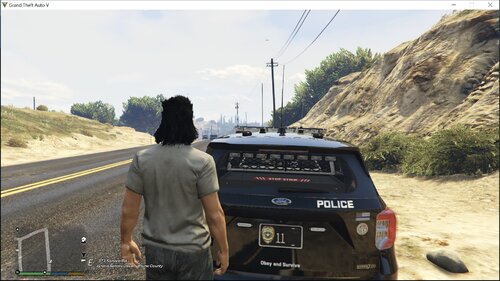
6 Screenshots

This is the 6th and final add on pack for my new road textures mod.

There are full installation instructions in the 'Read Me' included in the download.

All New Roads here >>> https://www.lcpdfr.com/files/file/6823-all-new-roads/

Add on pack 1 here >>> https://www.lcpdfr.com/files/file/6855-new-road-textures-add-on-pack-1-nj01-to-nj-04w/

Add on pack 2 here >>> https://www.lcpdfr.com/files/file/6860-new-road-textures-add-on-pack-2-nj05-to-njxref/

Add on pack 3 here >>> https://www.lcpdfr.com/files/file/6867-new-road-textures-add-on-pack-3-brookn-to-eastxr/

Add on pack 4 here >>> https://www.lcpdfr.com/files/file/6884-new-road-textures-add-on-pack-4-bronx-to-queens/

Add on pack 5 here >>> https://www.lcpdfr.com/files/file/6886-new-road-textures-add-on-pack-5-manhat-01-to-07/

Thank you all for being patient and waiting for all the packs

And thank you for all the downloads

User Feedback

Recommended Comments

matt1008

Members

Good Job I downloaded it and install it I like it

yung

Members

I'm kind of slow. Could you please make a installation video on this? Please?

Keith.

Members Author

I'm kind of slow. Could you please make a installation video on this? Please?
If I get some time I will bud.

Create an account or sign in to comment

Latest Mods

Account

Navigation

Search

Search

Configure browser push notifications

Chrome (Android)
  1. Tap the lock icon next to the address bar.
  2. Tap Permissions → Notifications.
  3. Adjust your preference.
Chrome (Desktop)
  1. Click the padlock icon in the address bar.
  2. Select Site settings.
  3. Find Notifications and adjust your preference.