




The crashing issue should be fixed. Please redownload the file and replace both the wft and wtd. It looks like the crashing was related to a corrupted wtd file.
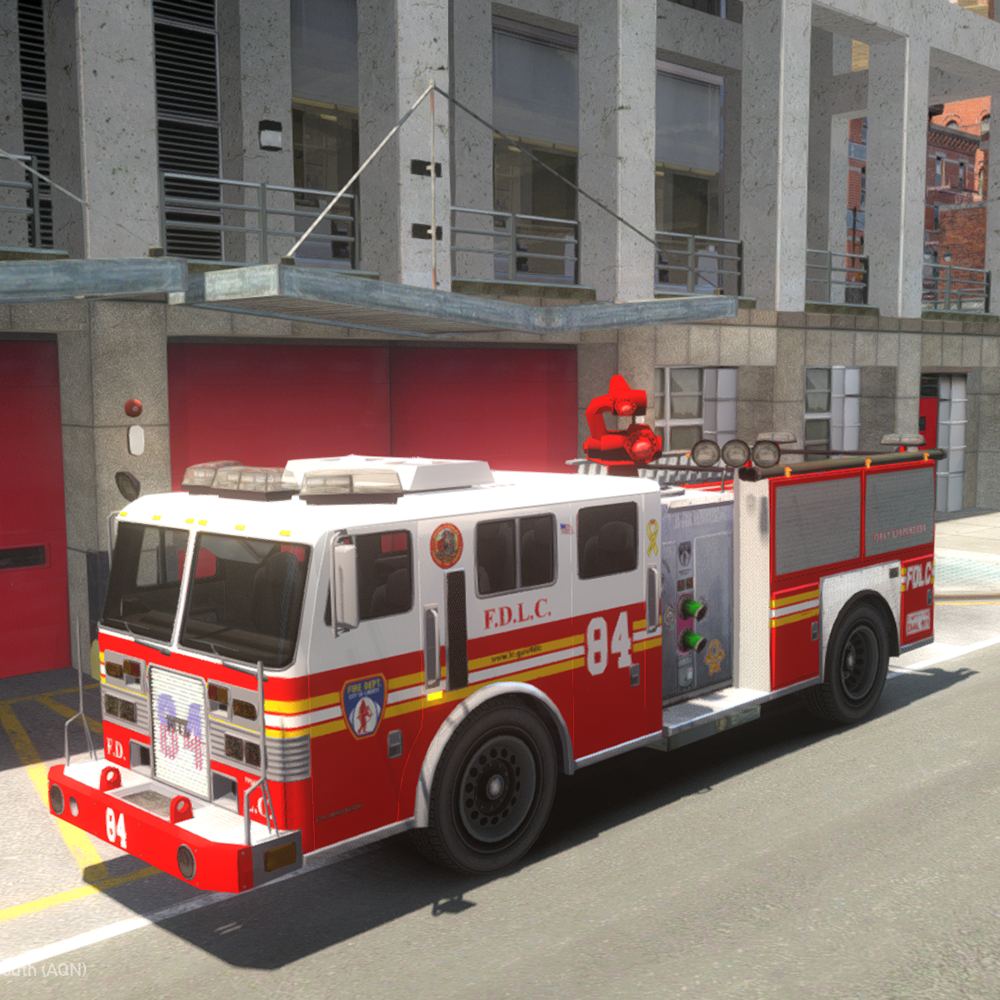
A default MTL Firetruck, UV-Mapped by me to Lt.Caine's template (his model was locked), and with ELS lighting made by mixing up the default Firetruck lights and Whelen Ultra Freedom.
Skins made by me, based on Lt.Caine's ones and real-life FDNY Engine designs. ACFD skin by DLer.
ELS configuration file included.
12 liveries total! I recommend you to use Area Livery Mod by Sam, to restrict certain liveries to certain areas, and to remove the 4 liveries limit! (LCPDFR 1.0c also removes the limit, but it does not have the ALM features). You can add more liveries to the wtd, just rename the livery you want to add to firetruk_skin_5, and then import it. If you want to add more, increase the number by one.
WARNING
Using too many liveries (even 8 can be too many), can and WILL result in a BROAD RANGE of problems including, but not limited to, TEXTURE LOSS, POP-IN, SLOWNESS, FREEZING, CRASHES TO DESKTOP and MODELS/PEDS/CARS NOT SPAWNING.
MAKE SURE TO UNCHECK "AUTOMATICALLY GENERATE MIPMAPS" WHEN IMPORTING TEXTURES IN OPENIV. MIPMAPS ADD SIZE, LESS SIZE IS BETTER.
List of liveries:
- FDLC Engine Co. 4 (Fishmarket South, Algonquin)
- FDLC Engine Co. 16 (Algonquin)
- FDLC Engine Co. 36 (North Holland, Algonquin)
- FDLC Engine Co. 46 (Bohan)
- FDLC Engine Co. 47 (Westminister, Algonquin)
- FDLC Engine Co. 63 (Bohan)
- FDLC Engine Co. 69 (North Holland, Algonquin)
- FDLC Engine Co. 84 (Northen Gardens, Algonquin)
- FDLC Engine Co. 96 (Dukes)
- FDLC Engine Co. 239 (Broker)
- ACFD Engine Co. 17 (Alderney)
- PAPD Airport Fire Department Rescue 3 (FIA)
--------------------------------------
Installation:
- Use OpenIV to replace the corresponding files within vehicles.img with the .wft and .wtd files provided in this package.
- Open the vehicles.ide file in your Grand Theft Auto IVcommondata folder, find the lines beginning with the names of the appropriate
models, and at the end of those lines add +livery.
--------------------------------------
This download is exclusive to LCPDFR.com.
Model provided unlocked - there is no need for my permission when fair credit is given to me and other authors.
Made by Rockstar Games, Lt.Caine, hlsavior, EVI, DLer, Yard1
What's New in Version 1.1
Released
- The crashing issue should be fixed. Please redownload the file and replace both the wft and wtd. It looks like the crashing was related to a corrupted wtd file.















.thumb.png.4d59e30ff8b8385589769cf607a5e1aa.png)
Recommended Comments
Create an account or sign in to comment