Skip to content
View in the app

A better way to browse. Learn more.

LCPDFR.com

A full-screen app on your home screen with push notifications, badges and more.

To install this app on iOS and iPadOS
  1. Tap the Share icon in Safari
  2. Scroll the menu and tap Add to Home Screen.
  3. Tap Add in the top-right corner.
To install this app on Android
  1. Tap the 3-dot menu (⋮) in the top-right corner of the browser.
  2. Tap Add to Home screen or Install app.
  3. Confirm by tapping Install.

McMuffin Callouts 1.3.0

(1 review)

1 Screenshot

McMuffin Callouts is a callout pack for LSPDFR with 31 callouts across Los Santos and Blaine County. Every callout has multiple outcomes, so you never know how a call will go.

Callouts:

- Shots Fired

- Drunk Driver

- Domestic Disturbance

- Shoplifter

- Suspicious Person

- Fight in Progress

- Store Robbery

- Hit and Run

- Stolen Vehicle Pursuit

- Trespasser

- Noise Complaint

- Welfare Check

- Drug Deal

- Person with a Knife

- Vehicle Break-In

- Reckless Driver

- Carjacking

- Public Intoxication

- Vandalism

- Burglary in Progress

- Cutting Up Traffic

- Officer Needs Assistance

- Eviction Standby

- Wanted Fugitive

- Being Followed

- Fake Police Officer

- Ex-Partner Won't Leave

- Mental Health Crisis

- Home Invasion

- Armoured Truck Robbery

- Officer Shot - Suspect Fled


Requirements:

- LSPDFR 0.4.9+

- RAGE Plugin Hook

Recommended:

- NPCI

- Policing Redefined

- Callout Interface

- Common Data Framework

Installation:

Drag and drop the contents of the "Grand Theft Auto V" folder into your GTA V directory.

Controls:

Y - Talk

End - End callout

(Keys can be changed in McMuffinCallouts.ini)


Found a bug? Leave a comment with your RagePluginHook.log.

Edited by McMuffin22

What's New in Version 1.3.0

Released

v1.3.1 - Bug fixes

- Welfare Check: the fallen person is now properly injured and EMS treats them (EMS no longer leaves saying it's a waste of time)

- Officer Shot / Officer Down: the officer is now lying wounded when you arrive and EMS treats him

- Hit and Run: the victim is now properly injured for EMS

- Person with a Knife: fixed the callout breaking before you arrive - the suspect now waits until you're close, chases bystanders instead of killing them, and the route follows the suspect

- Suspects and other NPCs no longer spawn inside buildings you can't get into

- Welfare Check now only happens at houses you can't go into

- 13 new house locations in Mirror Park for the house callouts


Short Description

31 new LSPDFR callouts with dialogue and random outcomes

AI disclosure

The author has disclosed that AI tools were used in creating the following aspects of this file:

  • Description
  • Mod and Mod Content (Moderate)

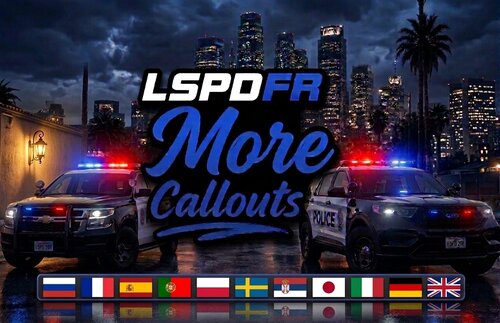
The plugin code, callout dialogue and file description were written with an AI assistant (Claude) under my direction. I designed the callouts, tested them in game and decided on the changes. The cover image is my own in-game screenshot with a title added.

User Feedback

Recommended Comments

Lepoisson

Members

Hello, I just wanted to point out that the assembly version of your plugin is: 1.1.0.0 instead of: 1.0.0.0

McMuffin22

Members Author

6 hours ago, Lepoisson said:

Hello, I just wanted to point out that the assembly version of your plugin is: 1.1.0.0 instead of: 1.0.0.0

Thanks for the heads-up! You’re right, the version number didn’t match. I’m fixing it in the next update, which I’m working on now. It’ll also bring 12 new callouts. Appreciate you pointing it out!

hjc2x

Members

I had the opportunity to play through several of these callouts last night, and I have to say, I'm genuinely impressed! The variety of situations really stood out, and each callout brought something different to the table. Nothing felt repetitive, and the overall experience made me feel like I was actually out on a real patrol, never knowing what kind of situation I'd be responding to next.

That's exactly what I look for when playing LSPDFR: realism, variety, and situations that keep you engaged and immersed in the experience.

For a first release, this is seriously impressive! It's refreshing to see new developers bringing quality content to the community.

I'm definitely looking forward to future updates and whatever comes next. If you're looking to add more realism and variety to your patrols, I highly recommend giving this pack a try! Excellent work! 🚔🔥

McMuffin22

Members Author

19 minutes ago, hjc2x said:

I had the opportunity to play through several of these callouts last night, and I have to say, I'm genuinely impressed! The variety of situations really stood out, and each callout brought something different to the table. Nothing felt repetitive, and the overall experience made me feel like I was actually out on a real patrol, never knowing what kind of situation I'd be responding to next.

That's exactly what I look for when playing LSPDFR: realism, variety, and situations that keep you engaged and immersed in the experience.

For a first release, this is seriously impressive! It's refreshing to see new developers bringing quality content to the community.

I'm definitely looking forward to future updates and whatever comes next. If you're looking to add more realism and variety to your patrols, I highly recommend giving this pack a try! Excellent work! 🚔🔥

Thank you so much, that really means a lot! Variety and realism were exactly what I was going for, so I'm glad it came through on patrol. More updates are on the way. If you run into any bugs or have ideas for new callouts, let me know!

serrcaloy

Members

hi there may I know if I can speak with the peds using NPCAI? will they have context about the situation?

McMuffin22

Members Author

23 minutes ago, serrcaloy said:

hi there may I know if I can speak with the peds using NPCAI? will they have context about the situation?

Hi! Yes, if you have NPCI installed, McMuffin Callouts uses it automatically, with no setup needed. Every caller, witness and suspect is briefed on the situation: what happened, their role, their mood and key details. So they'll talk to you in context. Without NPCI, the callouts use the built-in dialogue instead.

Create an account or sign in to comment

Account

Navigation

Search

Search

Configure browser push notifications

Chrome (Android)
  1. Tap the lock icon next to the address bar.
  2. Tap Permissions → Notifications.
  3. Adjust your preference.
Chrome (Desktop)
  1. Click the padlock icon in the address bar.
  2. Select Site settings.
  3. Find Notifications and adjust your preference.