Skip to content
View in the app

A better way to browse. Learn more.

LCPDFR.com

A full-screen app on your home screen with push notifications, badges and more.

To install this app on iOS and iPadOS
  1. Tap the Share icon in Safari
  2. Scroll the menu and tap Add to Home Screen.
  3. Tap Add in the top-right corner.
To install this app on Android
  1. Tap the 3-dot menu (⋮) in the top-right corner of the browser.
  2. Tap Add to Home screen or Install app.
  3. Confirm by tapping Install.

Background Radio Chatter 1.2.1

(3 reviews)

3 Screenshots

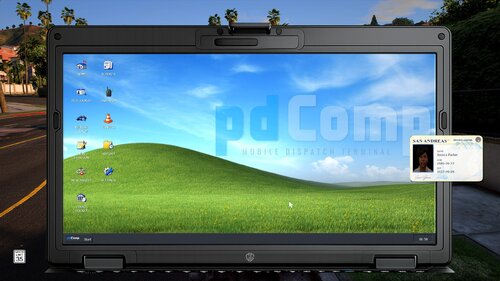
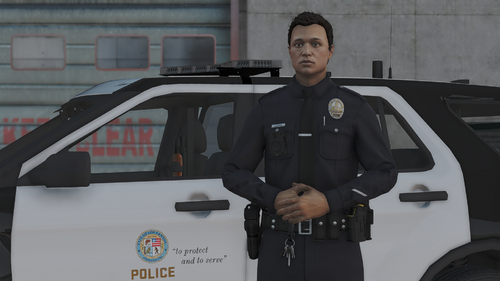
Background Radio Chatter adds a realistic, low-volume police-radio atmosphere to your LSPDFR patrols. Hear random background transmissions from dispatchers, officers, and other units while you patrol Los Santos and Blaine County.

Compatibility Notice:

Background Radio Chatter currently includes NAudio 2.3.0. Some other LSPDFR plugins, including certain BlueLine Vibes/BlueLine Dispatch mods and other plugins that use NAudio 2.2.1 may experience compatibility issues when installed together. This is a shared NAudio dependency conflict and does not necessarily indicate a fault with either mod. If any problems are encountered please let me know.

Requirements: A Legal copy of GTA V, RAGE Plugin Hook, and LSPDFR.

SHOWCASE VIDEO:

MAKE SURE TO SET QUALITY TO HIGHEST

Edited by DDvy.david

What's New in Version 1.2.1

Released

Version 1.2.1

  • NAudio updated from outdated 1.8.4 to 2.3.0.

  • NAudio is kept inside plugins\LSPDFR so it does not overwrite or conflict with other plugins’ shared NAudio files.

  • Added dependency loading so Background Radio Chatter finds its own matching NAudio files even if another plugin loads a different version.

  • Fixed Enabled in BackgroundRadioChatter.ini:

    • Enabled=false = radio starts off.

    • Enabled=true = radio starts automatically.

  • The in-game menu now saves the radio’s on/off state properly.

  • Added a startup log line showing the NAudio version, useful for debugging future reports.


Short Description

Realistic, configurable background police-radio chatter for LSPDFR patrols. Uses random WAV transmissions viewable in Audio File

AI disclosure

The author has disclosed that AI tools were used in creating the following aspects of this file:

  • Description
  • Images
  • Mod and Mod Content (Moderate)

I used AI as a helping tool while developing the mod, mainly for some code help, documentation, configuration ideas, and the logo artwork. I created the idea for the mod, decided how it should work, picked out the audio, converted and organised all of the WAV files, tested it in-game, and put the final release together myself.

User Feedback

Recommended Comments

BJ USA

Members

This is a good option. Thanks for putting it together. Looking forward to trying it out

DDvy.david

Insiders Author

3 minutes ago, BJ USA said:

This is a good option. Thanks for putting it together. Looking forward to trying it out

Thank you, I really appreciate it! I hope you enjoy it, let me know what you think once you’ve had a chance to try it out.

MAJ14

Members

It genuinely makes you feel like you're sitting in a real active patrol unit listening to dispatch traffic.

DDvy.david

Insiders Author

(edited)

.

@MAJ14 Thank you, that is exactly the atmosphere I wanted the plugin to create. I really appreciate you giving it a try!

Edited by DDvy.david

jacalapar

Members

any way to have the scanner start automatically without having to manually start it each LSPDFR session please?

DDvy.david

Insiders Author

@jacalapar currently its coded to be started manually. but if you do go into the .ini I've already got a setting in there that says Enabled=false, that setting will allow the scanner to work automatically. That will come in the next update though.

mahamlyrics

Members

Dude so Glad You did this after More Radio Chatter was depreciated . Works Perfectly!

DDvy.david

Insiders Author

@mahamlyrics that's actually exactly why I made it, I downloaded More Radio Chatter one day and it worked but crashed my game. So I had an idea.

Marcorgan8472

Members

(edited)

If you use this Background Radio Chatter with CES (Custom ELS Sirens), Background Radio Chatter would crash. I'm not sure if this is a bug or is it just me.

Edited by Marcorgan8472

DDvy.david

Insiders Author

(edited)

@Marcorgan8472 Go into your main game directory, plugins -> LSPDFR, then find BackgroundRadioChatter.dll and rename it to BackgroundRadioChatter.dll.disabled. Then join GTA 5 again and let me know if it crashes again.

Edited by DDvy.david

Marcorgan8472

Members

@DDvy.david So, it didn't crash. But I think the problem is NAudio; I'm not sure if you could do anything about it. Basically, one of the two won't work depending on which NAudio.dll you put into the directory. When I wrote that comment, I had CES's NAudio.dll, and Background Radio Chatter would fail to load. When I put your NAudio.dll, CES won't work. So now I have the newest version of NAudio, and Background Radio Chatter won't work.

DDvy.david

Insiders Author

@Marcorgan8472 yeah so basically Background Radio Chatter uses an older version of NAudio, I sometimes have problems with my BlueLine Realism mod as it uses a newer version of NAudio and doesn't support the Background Radio Chatter one. In the next update tho I will make sure to switch NAudio to the newest version of it. Thanks for letting me know.

jacalapar

Members

(edited)

5 hours ago, DDvy.david said:

@Marcorgan8472 yeah so basically Background Radio Chatter uses an older version of NAudio, I sometimes have problems with my BlueLine Realism mod as it uses a newer version of NAudio and doesn't support the Background Radio Chatter one. In the next update tho I will make sure to switch NAudio to the newest version of it. Thanks for letting me know.

no no no, i use the old naudio for a older plugin i use. please give an update to use the current naudio and the newer one. i just need to be able to auto keep the scanner on lol

Edited by jacalapar

DDvy.david

Insiders Author

@jacalapar next update will come soon, and i will add an option to make it stay on automatically and I will also be replacing the NAudio so don't worry.

cristian304

Members

Good evening, but you can Good evening but you can put Italian audio ??I mean you can add it or try to mod ??Thanks

jacalapar

Members

On 9/3/2026 at 6:46 PM, DDvy.david said:

@jacalapar next update will come soon, and i will add an option to make it stay on automatically and I will also be replacing the NAudio so don't worry.

I still use the older naudio you have for a couple other plugins that require that version. Can you please include a version that has compatibility with your old naudio from the previous update please??

BlueLine Vibes

Insiders

On 9/3/2026 at 11:57 AM, DDvy.david said:

@Marcorgan8472 yeah so basically Background Radio Chatter uses an older version of NAudio, I sometimes have problems with my BlueLine Realism mod as it uses a newer version of NAudio and doesn't support the Background Radio Chatter one. In the next update tho I will make sure to switch NAudio to the newest version of it. Thanks for letting me know.


I don't use a newer version of NAudio it has always been v2.2.1 same as NPCAI and several other mods out there.

DDvy.david

Insiders Author

@BlueLine Vibes Yeah, but Background Radio Chatter was using NAudio 1.8.4, which was released in December 2017, and it’s been causing compatibility problems for me a lot. And I'm pretty sure it was NAudio was causing all these problems because I've replaced it in the new version and now it works way better.

nova2727

Members

Don’t install naudio if you have bluelines already just only copy over the background audio chatter.dll

BlueLine Vibes

Insiders

(edited)

On 9/7/2026 at 2:34 AM, DDvy.david said:

@BlueLine Vibes Yeah, but Background Radio Chatter was using NAudio 1.8.4, which was released in December 2017, and it’s been causing compatibility problems for me a lot. And I'm pretty sure it was NAudio was causing all these problems because I've replaced it in the new version and now it works way better.


Gotcha, I do see that you have v2.3 in a different folder. This is your mod, but just be advised you might run into comments about it conflicting with several other mods.

Edited by BlueLine Vibes

DDvy.david

Insiders Author

(edited)

@BlueLine Vibes Thanks for the heads up. I’ll add a compatibility notice and continue testing alongside mods that use NAudio 2.2.1. I may align the versions in a future update if necessary. Big fan btw.

Edited by DDvy.david

Create an account or sign in to comment

Latest Mods

Account

Navigation

Search

Search

Configure browser push notifications

Chrome (Android)
  1. Tap the lock icon next to the address bar.
  2. Tap Permissions → Notifications.
  3. Adjust your preference.
Chrome (Desktop)
  1. Click the padlock icon in the address bar.
  2. Select Site settings.
  3. Find Notifications and adjust your preference.