





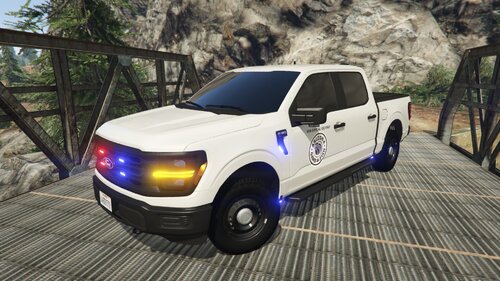
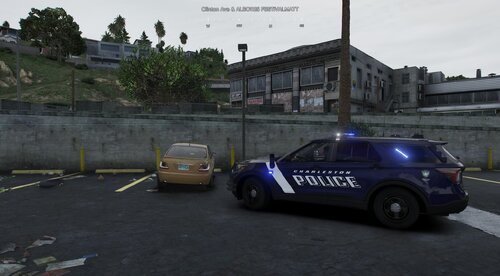
A Baltimore PD FPIU, with a pre-made ulc config for takedowns and cruise lights. As far as it goes, for the most part this is 1:1 to my references and videos, the interior and inside equipment is not as I had no references aside from the laptop, siren speaker placement, and the rear antenna. The lighting is a little off, but I was limited with carcols and also the pattern was made a bit ago when I was still getting the hang on things. For suggestions, (possibly) commissions, other listings, and to see my work, join our Discord: https://discord.gg/7JhJN5HaV4.
Short Description
A 2022 Baltimore PD FPIU
Original 2020 Ford Explorer from an unknown author, revamped, remodeled, and turned into a 2020 Police Interceptor Utility by GeorgieMoon.
Purchased by 31113926
2020 RFR:
Original model created by CEO.
Altered and fitted to GeorgieMoon's base by Sheppy.
Fog Lights created by GeorgieMoon
Optimized and bug fixes by Rod
Created and modeled by CEO & altered/fitted by Sheppy for GeorgieMoon's 2020 Ford Police Interceptor Utility
Whelen Legacy modeled & textured by CEO.
Whelen ION T-Series, Mini, Strip-Lite Modeled and Textured by GTAxB0SS
Unity LED spotlight modeled and textured by Cj24.
AP antennas modeled and textured by Cj24.
Cencom controller modeled and textured by Cj24.
SA315 speaker modeled and textured by Cj24.
2020 Angled Havis Console:
Modeled by Brendo, https://discord.gg/bvEymdsbRy
Laptop Mount by CJ24
Textures by CJ24 Can be found here, https://www.modding-forum.com/forums/thread/811-havis-consoles-for-2011-2019-ford-police-interceptor-utility/
Plastic Normal Map by +Vincent#9999
Dell Latitude Modeled and Textured by Jophics
Cj24's textures were referenced while making the textures
Motorola TLK 150 and Motorola PMMN4129 modeled, textured, and converted to
GTA V by Sniper67.
Purchased by 31113926
2020 RFR:
Original model created by CEO.
Altered and fitted to GeorgieMoon's base by Sheppy.
Fog Lights created by GeorgieMoon
Optimized and bug fixes by Rod
Created and modeled by CEO & altered/fitted by Sheppy for GeorgieMoon's 2020 Ford Police Interceptor Utility
Whelen Legacy modeled & textured by CEO.
Whelen ION T-Series, Mini, Strip-Lite Modeled and Textured by GTAxB0SS
Unity LED spotlight modeled and textured by Cj24.
AP antennas modeled and textured by Cj24.
Cencom controller modeled and textured by Cj24.
SA315 speaker modeled and textured by Cj24.
2020 Angled Havis Console:
Modeled by Brendo, https://discord.gg/bvEymdsbRy
Laptop Mount by CJ24
Textures by CJ24 Can be found here, https://www.modding-forum.com/forums/thread/811-havis-consoles-for-2011-2019-ford-police-interceptor-utility/
Plastic Normal Map by +Vincent#9999
Dell Latitude Modeled and Textured by Jophics
Cj24's textures were referenced while making the textures
Motorola TLK 150 and Motorola PMMN4129 modeled, textured, and converted to
GTA V by Sniper67.



![[FiveM Ready] Fictional Gang Unit - Texture](http://s3-screenshots.int-cdn.lcpdfrusercontent.com/resize/500/-/monthly_2026_07/photo1.thumb.png.baa30090528225eddf2d3fee60afb3b2.png)




Recommended Comments
Create an account or sign in to comment