


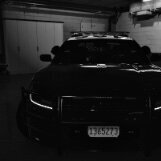


2016 Dodge Charger – Yamhill County Sheriff
Up for grabs is a slightly used Yamhill County Sheriff 2016 Dodge Charger. Only driven by deputies who “promise” they didn’t floor it down 99W every shift. Comes with all the bells and whistles: sirens, lights, and just enough horsepower to make you feel like Vin Diesel until the transmission reminds you it’s still a Charger.
✅ FiveM Compatible – drop it in and go patrol your county, your city, or just flex on Civs who can’t afford working headlights.
✅ ULC Integrated – lighting stages smoother than a deputy’s coffee order at Dutch Bros.
✅ Authentic Sheriff Look – decals that scream “I got bored in McMinnville so I pulled you over.”
Minor cosmetic wear: maybe a donut glaze smudge or two on the center console, and radio stuck on classic country. Perfect for roleplay, traffic stops, or pretending you’re in a low-budget episode of Live PD.
Asking price: one download button. No trades, unless you got a Crown Vic with working AC.
Was going to make it SP compat too but got too shreked so if you want it in SP you're on your own kid.
Short Description
LibII: CEO,
SOS Nforce lights: Hanako
Vertex's that we are pretending are Feniex Cannons: five0
Partition: cj
MDT: lil bit from Raz3r, lil bit from CJ, lil bit from Zombit all around SOLID build here guys
Unity spotlight: GM
PAR46 insert:cj






![North Carolina State Highway Patrol EUP Minipack [FIVEM & SP]](http://s3-screenshots.int-cdn.lcpdfrusercontent.com/resize/500/-/monthly_2026_06/2676230_20260624200529_1.thumb.png.9a069679af96ceeb7f8a335b86869831.png)





.thumb.png.aba303ef3347895c10dd77447e0939d1.png)
.thumb.png.48f7634114fcf3c9dcd9640b767efa15.png)
.thumb.png.36a20ba37d2f72ab290a620325b92fcf.png)
.thumb.png.5919dc9dd354252d0c596d9817ce3469.png)

Recommended Comments
Create an account or sign in to comment