


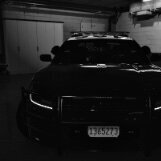


My fellow Oregonians, up for download today we have OSP's 2014 RWD charger pursuit unit with only 89,659 miles and regularly serviced! This beauty packs a powerful V8 hemi under the hood, ready and is willing to catch them crackheads in Roseberg, or where ever the crackheads are (It's Klamath, that's where the crackheads are) She will surely treat you right!
whats inside: the option of FiveM or single-player DLC, optional lighting script for FiveM and all the configuration goodies you might need.
Now you're probably asking: "Central, I meant whats in the CAR"
You're right: Its got a full fledged OSP interior complete with Harris Multiband radio, Whelen Cencom Gold controller, Panasonic CF-33 (they threw out the cf-30 because it was still running windows vista) and even a place for your "Oh he's 100% getting a ticket" hat.
Join the Discord for upcoming releases and Works in progress, like the rest of the OSP pack among other things! https://discord.gg/4MxRnNc5bA
Short Description
Upfit and graphics by Central Coast Mods 805
Base 2014 Charger Pursuit: Georgiemoon
Unity Spotlight: Georgiemoon
Whelen LED insert for Par46: Cj24
Whelen Avenger duo: Otaku
Whelen Liberty I: Kane104
Whelen TIR3 light heads: Cj24
Whelen SA315P: Cj24
speaker bracket:Blackcloud
whelen PA Mic: Karn
Panasonic Toughbook CF-33: RAZ3R
Garmin GPS: CCM805
Setina partition: Cj24
Assorted antennas: Cj24, Kleo, RangerRick





![Arkansas State Police [4K]](http://s3-screenshots.int-cdn.lcpdfrusercontent.com/resize/500/-/monthly_2026_05/Screenshot_2747.thumb.png.f0b9ad12f59a7855161f08525b0012b6.png)








.thumb.png.d642ff9c57245d19627b16114298b2ea.png)



Recommended Comments
Create an account or sign in to comment