Skip to content
View in the app

A better way to browse. Learn more.

LCPDFR.com

A full-screen app on your home screen with push notifications, badges and more.

To install this app on iOS and iPadOS
  1. Tap the Share icon in Safari
  2. Scroll the menu and tap Add to Home Screen.
  3. Tap Add in the top-right corner.
To install this app on Android
  1. Tap the 3-dot menu (⋮) in the top-right corner of the browser.
  2. Tap Add to Home screen or Install app.
  3. Confirm by tapping Install.

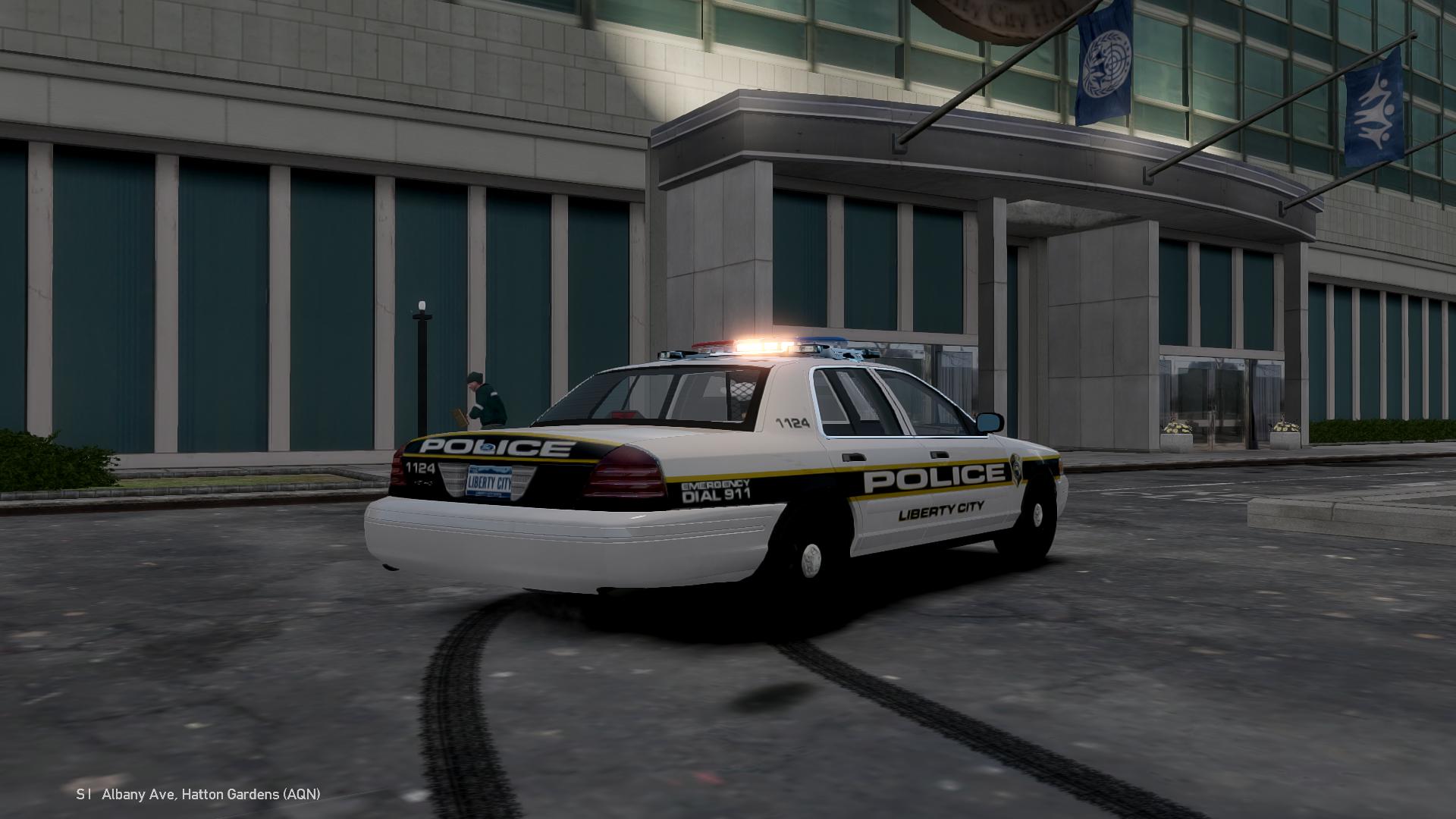
LCPD DSF CVPI V.1

(3 reviews)

7 Screenshots

3638836.png

MODEL OVERVIEW

LCPD DSF CVPI

FEDERAL SIGNAL ARJENT LIGHTBAR

V.1

CREDITS

Fed Signal Arjent made by KevinDV (if any other credits please tell me)

Rockwell Collins Laptop made & converted by Bxbugs123

Textures by Bxbugs123 & DoTTGaMMa

Whelen Par46 Spotlight modeled and converted by deco(Tim98).

Setina PB-200 Pushbar made by deco.

Model is Ford Crown Victoria from Driver SF, converted to GTA IV by F5544, modified by KevinDV and Cj24.

Rims by Bxbugs123, Textures by Lt.Caine.

Honeycomb Grill made by KevinDV.

Setina BodyGuard 6,7 Partition made by deco.

SKINS USED IN PICTURES -

Now this is my first model and I know there isn't many lights on this model. I have made other models in the past that I just use with my group of friends that I play with. But, I have never bothered to release them. I would appreciate if I can get GOOD and CONSTRUCTIVE criticism for this model.

[YouTube Video]

http://www.youtube.com/watch?v=xHPXCU72KNA&list=UUsWrwpwRoG4rvZ1Q8qYzbeQ&feature=c4-overview

Once again, the light bar was given to me by a friend without any credits. So, if there are in credits I missed for the light bar please tell me in the comments below.

I can take request for anyone who wants me to do a model for them :)

User Feedback

Recommended Comments

motor297

Members

the mod and video of the mods looks great!!! I think and antenna on the left side

Caine

Members Author

the mod and video of the mods looks great!!! I think and antenna on the left side

JewishBanana

Members

It's hard to come by a good CVPI with an Arjent and steelies.

Caine

Members Author

It's hard to come by a good CVPI with an Arjent and steelies.

Coal Felpz

Members

One of the best CVPIs ive seen in a while, been looking for something just like this.

Perfect in my eyes, 5/5

Caine

Members Author

One of the best CVPIs ive seen in a while, been looking for something just like this.

Perfect in my eyes, 5/5

TheWhiteEagle

Members

I think pushbar should be lower, but other than that it looks pretty good!

Caine

Members Author

I think pushbar should be lower, but other than that it looks pretty good!

J T

Members

this definitely fits the nypd/ lcpd style car awesome

Caine

Members Author

this definitely fits the nypd/ lcpd style car awesome

Caine

Members Author

Looks Good

GeorgeJetSam

Members

I like it, I feel like so many of the cars on here are just christmas trees, this one is done well but not over done. Good job.

Caine

Members Author

I like it, I feel like so many of the cars on here are just christmas trees, this one is done well but not over done. Good job.

OfficerCam

Members

And Spencer lol all you did was put a lightbar and a couple parts. You could have made wigwags

Caine

Members Author

And Spencer lol all you did was put a lightbar and a couple parts. You could have made wigwags

UnknownGamerx

Members

Great Car! 5/5 Im using this in my Liberty State Highway Patrol!

Schecter004

Members

Ah. Too bad! This model with wigwags or cornerstrobes in front and taillights would be perfect. For me not enough lights. Great model, but how i said wigwags would be awesome. And i missing an antenna. 4/5

ezekielalvar19

Members

els v8 Supported?

Create an account or sign in to comment

Account

Navigation

Search

Search

Configure browser push notifications

Chrome (Android)
  1. Tap the lock icon next to the address bar.
  2. Tap Permissions → Notifications.
  3. Adjust your preference.
Chrome (Desktop)
  1. Click the padlock icon in the address bar.
  2. Select Site settings.
  3. Find Notifications and adjust your preference.