


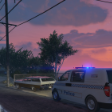


This is a basic LIVERY of the Singapore Civil Defense Force's Emergency Ambulance used in and around Singapore! I know this livery is not very detailed nor high quality, but I tried to get the main details in. This, to my knowledge, is the first and only SCDF vehicle available for GTA V!
There are two vertions:
- Basic, with minimal artwork issues
- Enhanced, more detailed, but has a few artwork issues I have no clue how to fix \_oo_/
This is a LIVERY - download the model here:
Thanks to East Coast Mods for creating a great model!
Know issues:
Basic:
- Front text is a tad high
- No "Ambulance Keep Clear" on rear, this is because the rear doors are mirrored and make text hard to deal with
- Slight texture high issues on right side
- Some details missing on left and right sides
Enhanced:
- No "Ambulance Keep Clear" on rear, this is because the rear doors are mirrored and make text hard to deal with
- ECG line dose not match up between glass and other parts
- "Call 1777" looks weird
- Weird random texturing on roof
- Grey dots do not show and or line up properly
Edited by harizon88
Added Enhanced Version
What's New in Version Final
Released
Added a new 'Enhanced Version' which is more detailed!



![[Non-ELS/DLSv2] LAPD BMW R1200RT-P [Addon/FiveM]](http://s3-screenshots.int-cdn.lcpdfrusercontent.com/resize/500/-/monthly_2026_04/1.Thumbnail.thumb.png.ee831bb3bb39882cf936bde4872b0c88.png)











Recommended Comments
Create an account or sign in to comment