
Skip to content
View in the app

A better way to browse. Learn more.

LCPDFR.com

A full-screen app on your home screen with push notifications, badges and more.

To install this app on iOS and iPadOS
  1. Tap the Share icon in Safari
  2. Scroll the menu and tap Add to Home Screen.
  3. Tap Add in the top-right corner.
To install this app on Android
  1. Tap the 3-dot menu (⋮) in the top-right corner of the browser.
  2. Tap Add to Home screen or Install app.
  3. Confirm by tapping Install.

Corpse Tarp 1.3.0

(1 review)

5 Screenshots

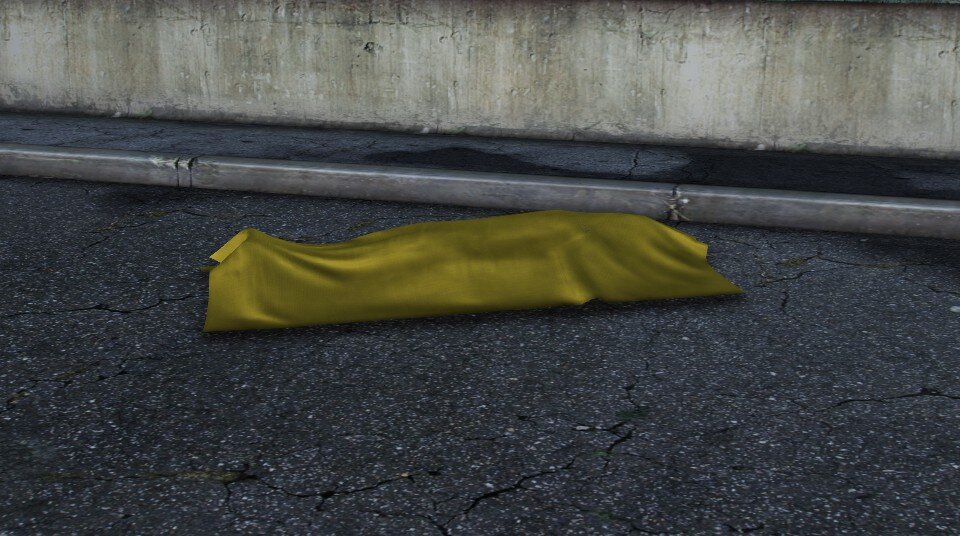
This model has two color appearances (yellow and blue). When replacing a model, make sure to only select one color appearance of the model. Make sure to replace both locations of the model in the game directory.


Use with the following scripts for a better gaming experience


Edited by Benjamin255

What's New in Version 1.3.0

Released


Added white versions, one with a sign and one without


Short Description

Dead body covered with tarpaulin

User Feedback

Recommended Comments

ADPC67

Members

Nice pack ! Do you plan a white tarp version ?

Benjamin255

Members Author

5 hours ago, ADPC67 said:

Nice pack ! Do you plan a white tarp version ?

I will update the file later

Joe C Wilson

Members

Would you kindly consider making a white version of your tarp mod? This, but in white, is just what I've been looking for for ages. Thanks for considering it. Thanks!

Benjamin255

Members Author

On 10/18/2025 at 3:10 AM, Joe C Wilson said:

Would you kindly consider making a white version of your tarp mod? This, but in white, is just what I've been looking for for ages. Thanks for considering it. Thanks!

White version document is under review

Benjamin255

Members Author

(edited)

The model with signage is recommended solely for static ground placement when capturing in-game images, as the signage is permanently attached to the body bag model. Should you record video footage while the coroner is moving the model during gameplay, you will observe that the signage shifts synchronously with the model, resulting in an unnatural visual effect.

Edited by Benjamin255

Raydagoat

Members

is there a way for u to get the plugin to work with pig props so it doesnt replace the corners strecher?

Create an account or sign in to comment

Account

Navigation

Search

Search

Configure browser push notifications

Chrome (Android)
  1. Tap the lock icon next to the address bar.
  2. Tap Permissions → Notifications.
  3. Adjust your preference.
Chrome (Desktop)
  1. Click the padlock icon in the address bar.
  2. Select Site settings.
  3. Find Notifications and adjust your preference.














