


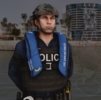


This download includes custom Cargo Pants for Law Enforcement, Security, EMS and others. These cargo pants are generic and include no branding or logos. The files are FiveM Ready but you may convert them to suit your own needs. The download includes 3 colors: green, black and blue. It also includes a PSD file that allows you to create your own custom colors. The download includes 2 versions, one regular and one designed to fit the default EUP drop down holsters.
For support and other mods join my Discord!
Edited by Reece Designs
Short Description
Custom Tactical/Cargo Pants
Reece Designs - https://discord.gg/BwwDezrk9w



![Vineall Ambulance [Replacement]](http://s3-screenshots.int-cdn.lcpdfrusercontent.com/resize/500/-/monthly_2026_09/AmbuImage2.thumb.jpg.5018ee21c18c352ff7772a501089c3f3.jpg)


![[NON ELS] [ULC] California Themed Paleto Bay Police 2020 FPIU (Fictional)](http://s3-screenshots.int-cdn.lcpdfrusercontent.com/resize/500/-/monthly_2026_09/3.thumb.webp.da51e8111cee2e1316f3fd821fcc01f3.webp)









Recommended Comments
Create an account or sign in to comment