


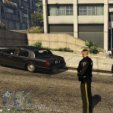


Okay so for the time being this should be my final skin as I have now completed the "trio" of Canton, Ohio. This file includes the skin to replace the Fire truck livery to be the same as Canton's Fire trucks. In the last few screenshots you'll see what it looks like paired with my other two skins: Paul's Canton, Ohio EMS Livery and Paul's Canton, Ohio Police Department Liveries.
Not a Modder by any means I actually do Roofing and Build houses so this is by no means my trade.
Of Couse you will need OpenIV to do the modifications necessary.
Huge credit to dream Modifications for their amazing SAFD pack. Hope you guys enjoy my third ever skin.
~~This Skin is ONLY for dream's "Fire Truck (Replace)" files inside of his " [ELS] SAFD Pack 2.1 " pack .
Link to dream Modifications profile so you can check out his other work
https://www.lcpdfr.com/profile/464215-dream-modifications/content/?type=downloads_file
Link to dream Modifications " [ELS] SAFD Pack 2.1 "
Link on how to install police skins in Gta 5 ~ Geoffrey Gaming - A great account for lspdfr modding info
Link on how to install police cars to Gta 5 ~ GAMING 4 LIFE - Good info on this channel
Short Description
Credits: IF I MISS ANY OR CREDIT SOMETHING WRONG PLEASE MESSAGE ME:
dream Modifications
San Andreas Fire Department Pack - 2.0
2017 Pierce Arrow XT:
Model scratch made by 0taku, converted to GTA V by 0taku, template and mapped by
0taku, Federal Signal tailights by 0taku, generic fire truck equipment by 0taku, fire truck
interior equipment taken from ogAlexx’s Pierce Quantum DEV model.
Parts:
AntennaPlus antennas modeled and textured by Cj24;
Code3 Arch Beacon scratch made and textured by -Ess-;
Console Model & Textures by CJ24, edited by Jakub;
Havis Charger console modeled and textured by Cj24;
CVPI Centre Console Modeled by Jakub, textures by Jakub & Walters;
Laird Antennas from GPM. Credits file weren’t included;
Motorola APX 6500 Modeled, Textured and UV mapped by Dan with da van;
Motorola antennas modeled and textured by Cj24;
Toughbook CF-31 modeled and textured by Cj24;
Setina PB400 pushbar for 2014 Dodge Charger PPV modeled and textured by TerrySloman,
textures created by TerrySloman;
Setina PB400 pushbar for 2019 Chevrolet Tahoe modeled and textured by TerrySloman,
textures created by TerrySloman;
Setina PB400 pushbar for CVPI modeled and textured by Cj24;
Setina PB400 pushbar for Expedition created by Rogue Thunder;
SoundOff Signal Interior Dome Light modeled and textured by Cj24;
Toolbox modeled by Walters, UV Mapped by Walters;
Whelen Raider modeled and textured by GTAxB0SS, using a LIN6 LED made by Cj24 and
modified by GTAxB0SS;
Whelen 4" Round Super-LED® Lighthead scratch modeled, textured and converted by
panos_zaf. Circuit board texture and normal provided by Bullzeye;
Whelen LIN6 modeled and textured by Cj24;
Whelen 500 Series Mirror Beam for CVPI modeled and textured by Jophics, plastic normal
map by Turn 10 Studios, Playground Games;
Whelen 900 by Rogue Thunder and TrueNorth;
Whelen Avenger scratch made and textured by 0taku;
Cencom controller modeled and textured by Cj24;
Whelen Dominator scratch modeled by Five0/OfficerFive0, converted to GTA V by
Five0/OfficerFive0, Linz6 emis texture by Cj24, groove texture by neonlazer;
Whelen Freedom scratch made and textured by 0taku;
Whelen ION scratch made and textured by 0taku;
LIN3 modeled and textured by Cj24.
Lightning templates use Cj24 and CEO emis textures.
Livery design, vehicles assembly and minor 3D assets by dream.



![[FiveM Ready] Fictional Gang Unit - Texture](http://s3-screenshots.int-cdn.lcpdfrusercontent.com/resize/500/-/monthly_2026_07/photo1.thumb.png.baa30090528225eddf2d3fee60afb3b2.png)











Recommended Comments
Create an account or sign in to comment