


.png.7959e28d74df9d55f2200ce1f72874b6.png)
.png.6ac3290e27ff57be7c2caf978cab54bd.png)
.png.a10dcdc08e11e30140335adbcfd4a87f.png)
.png.c831f756b1156b2518382a5e5ba8c582.png)
.png.7329556250345c0690a55fcdede97658.png)
.png.eab1f2bf0730fbc92bc15eae3878cf3e.png)
.png.e4b3b6eeec962ef8d6ec91d49b6ffce1.png)
.png.86996ba94ac956d2504f832ce027778c.png)
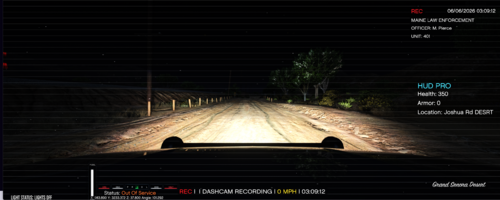
Now I know what you're thinking, "DPS doesn't have 2020 FPIU's in their fleet!". Well, you're right, for now. I have an insider source who said that come November of 2024, DPS should have at least one FPIU which would most likely be a slick top. Because of this, I wanted to make a livery, so I did just that. This livery fits OfficerArk's 2020 FPIU and should fit other models, such as Kane FPIU, as well. I'm excited to see this new FPIU and hope they will upfit multiple but who knows?
Also, the Durango in the pics is one different from the other I posted and the livery isn't compatible, If someone would like me to post that I will gladly do so.
Another also, I might make a livery for OfficerArk's Tahoe but I'm not sure yet. If a model more identical to DPS's current Tahoes is posted, then I'll use that.
Livery made for this pack but can fit others too
Thanks for the downloads on the first livery and I'll definitely continue if the support does as well.

![Blaine County Sheriff's Office EUP Package [ADDON & REPLACE]](http://s3-screenshots.int-cdn.lcpdfrusercontent.com/resize/500/-/monthly_2026_06/Screenshot2026-06-06000350.thumb.png.fe09a5cf104f4c60ed93663b24da91c1.png)








![Texas DPS EUP Package [ADDON & REPLACE]](http://s3-screenshots.int-cdn.lcpdfrusercontent.com/resize/500/-/monthly_2026_06/Screenshot2026-06-05005718.thumb.png.371b7aedeca385b6384ad05056d122ab.png)





Recommended Comments
Create an account or sign in to comment