





🔥 Introducing my first ever vehicle, the 2016 Ford Interceptor Utility! 🔥
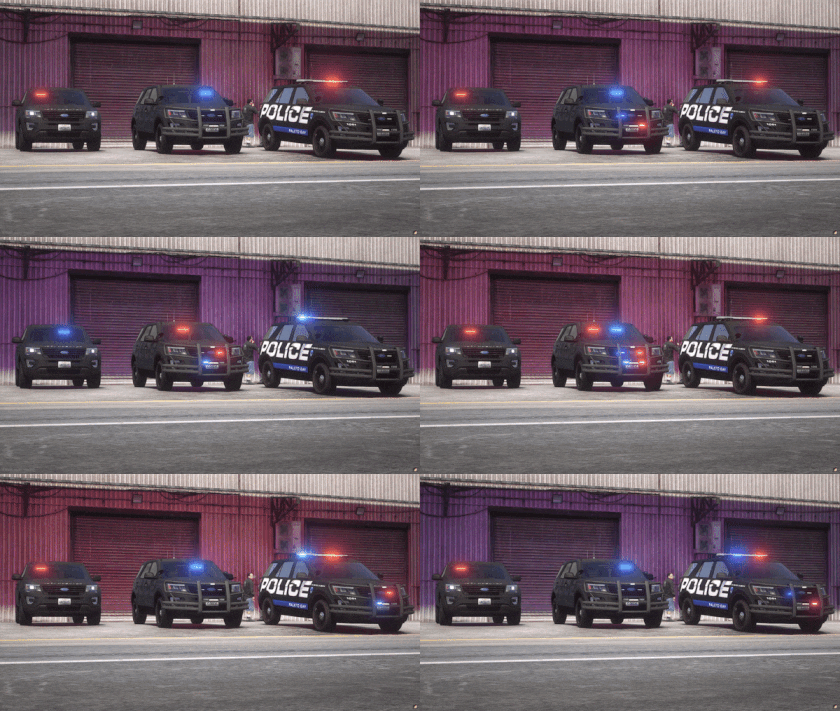
🌟 Let's take a closer look at what this stunning Interceptor Utility has to offer: 🌟
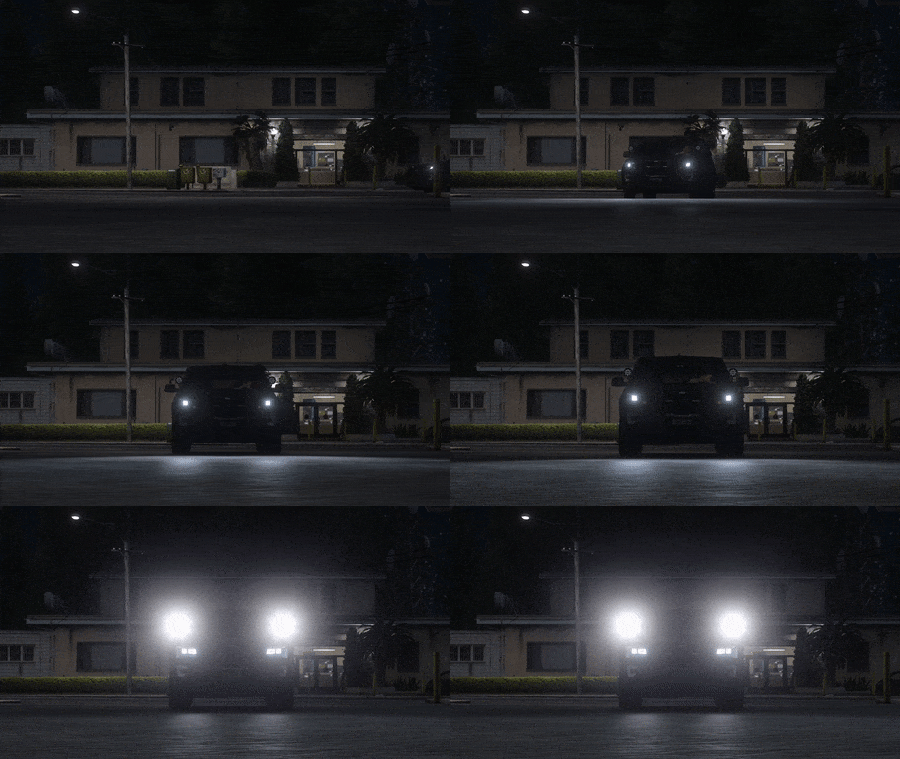
🔦 Spotlight
Illuminate the streets of Paleto Bay with the powerful spotlight feature, allowing you to spot criminals from a distance and bring swift justice to the darkest corners of the city.
🎉 Extras
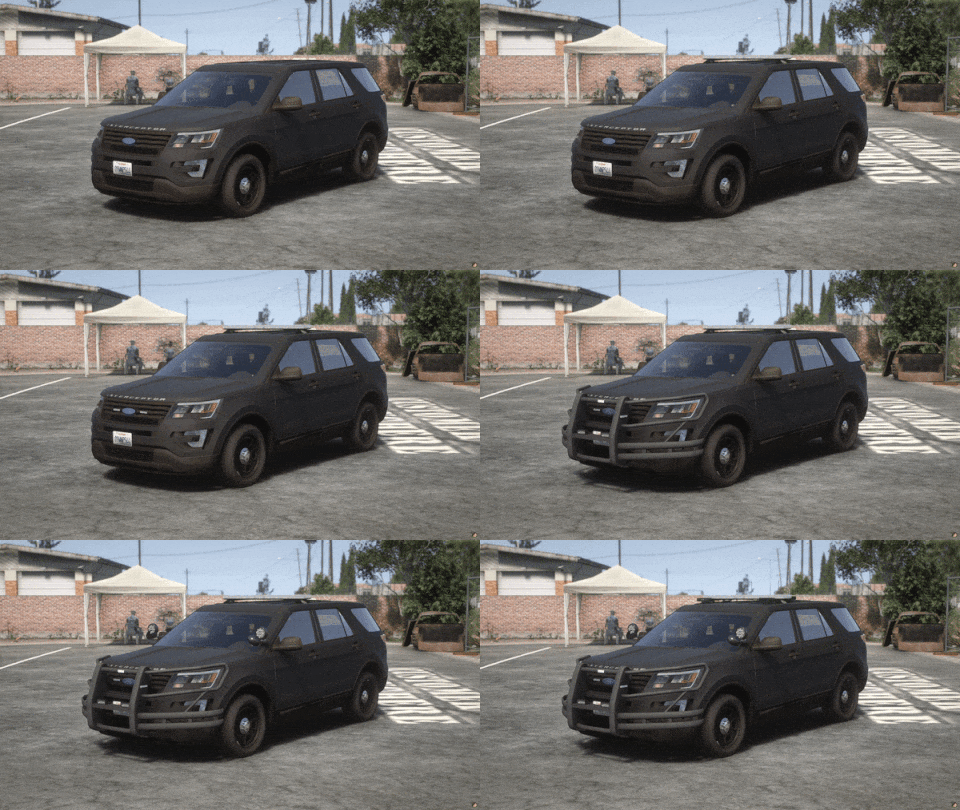
Customize your vehicle with a wide range of extras that come with this release:
- Extra1: Justice Super-LED 44"
- Extra2: Inner Edge XLP (visor)
- Extra3: Dominator 20" (back window)
- Extra4: Grill Ions
- Extra5: Plate Ions
- Extra6: Side Window Ion
- Extra7: Sentina Rambar
- Extra8: Warp Around
- Extra9: Spotlights Up
- Extra10: Spotlights Down
- Extra11: ALPRs
- Extra12: Antennas
🎨 Textures/Liveries:
Immerse yourself in the Paleto Bay Police Department's identity with three distinctive textures/liveries to choose from. Whether you prefer the classic Paleto Bay Normal, the discreet Paleto Bay Ghosted, or the covert Unmarked, you'll be cruising the streets with style and authority.
⚙️ Whelen Products:
Rest assured, this Interceptor Utility is equipped only with the finest Whelen emergency lights. Trust in the reliability and superior performance of Whelen products to ensure your vehicle's lighting system operates at its peak, providing you with the highest level of visibility and safety.
🚨 ELS Hybrid:
Want to make this vehicle work with ELS? Check the post below!
Edited by Trooper MoutaZ
What's New in Version 1.0.0
Released
Removed SP DLC until its fixed
Short Description
BASE MODEL:
Ford explorer Base model purchased by Thehurk, GTAxB0SS, Requiem and Windows446
Poly Crunched, Textured, Converted by Thehurk.
Interior purchased by TrentMU and FRGamer
Textures by Taylor Swift, Thehurk, & OfficerUnderwood
Heavily edited by OfficerUnderwood
Rims by BxBugs123, Centercap by Carper
Interceptor Hood text by GTAxB0SS
LIGHTBARS, IONS, VISORS AND OTHERS:
Whelen Justice
Modeled and Coverted to GTA V by GTAxB0SS
Textures by GTAxB0SS
Whelen Inner edge XLP
Scratch Modeled by Dan with da Van
Uv mapped & by Dan with da van
Misc textures by Five0 & Bueno
Whelen Raider
Modeled and textured by GTAxB0SS
using a LIN6 LED made by Cj24 and modified by GTAxB0SS
Whelen Slimlighter
Modeled and textured by RobertTM, emissive colors by CJ24
MPSGEN2DUO
Billy Johnsson
Whelen Dominator
Linz6 Module scratch modeled by Five0/OfficerFive0
Tir3 Module scratch modeled by Five0/OfficerFive0
scratch modeled by Five0/OfficerFive0
converted to gta 5 by Five0/OfficerFive0
PUSHBAR, SPOTLIGHT AND OTHERS:
Westin Elite XD
Made by Husky
Generic Trunk Organiser
OneSpeaks and ZakiA00
PAR46SuperLED
Whelen Par46 Super LED by GTAxB0SS
Whelen Par46 LED Spotlight 3.0 by CJ24
Antennas
By MarkTheDev
MPH9000
By tomcat8492


![Juniper Hills PD 2020 FPIU [Non-ELS] [Fictional]](http://s3-screenshots.int-cdn.lcpdfrusercontent.com/resize/500/-/monthly_2026_09/Screenshot2026-09-18172545.thumb.png.6b11884d49d306aa8404ec98bf5b7798.png)
![Koenigsegg Agera RS Glasslight [FiveM Ready] (GL Customs)](http://s3-screenshots.int-cdn.lcpdfrusercontent.com/resize/500/-/monthly_2026_09/Screenshot2026-09-18195712.thumb.png.31d12d5db333bcee883deb7211549668.png)


![[ELS] 2022 Dodge Charger RT (Reflective Ghosted Livery) v1.0](http://s3-screenshots.int-cdn.lcpdfrusercontent.com/monthly_2026_09/GrandTheftAutoVScreenshot2026_05.21-13_31_36_80.thumb.png.2785c475113c7708c9e4b249b2fb3e12.png)


Recommended Comments
Create an account or sign in to comment