Skip to content
View in the app

A better way to browse. Learn more.

LCPDFR.com

A full-screen app on your home screen with push notifications, badges and more.

To install this app on iOS and iPadOS
  1. Tap the Share icon in Safari
  2. Scroll the menu and tap Add to Home Screen.
  3. Tap Add in the top-right corner.
To install this app on Android
  1. Tap the 3-dot menu (⋮) in the top-right corner of the browser.
  2. Tap Add to Home screen or Install app.
  3. Confirm by tapping Install.

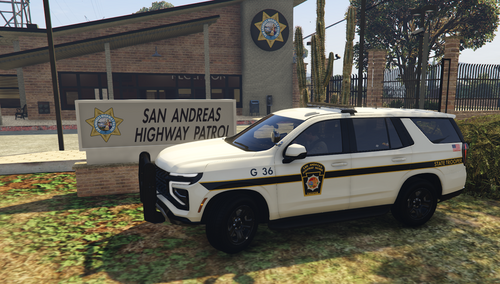
26 Screenshots


Could contain: text, sky, outdoor, building, commercial building, sign

LC-infopage.gif.82cf03d6fe0cc3eedc79f813d971c632.gif


LC-warning.gif.40ed5545d46c8a8a6cc61ca93efa8eaa.gif


Official GitHub with plugin documentation and guides for Lore Callouts

https://github.com/ZPhDevs/Lore-Callouts

Edited by ZPhDevs

What's New in Version 1.1.7

Released

Quote

Developers note for 1.1.7 and why you should upgrade


The latest version of Lore Callouts saw updates to the Partner script, which is enabled by default from this release forward and it integrates fluently with LSPDFR. To get started, simply walk up to any cop standing about in the game world. Some intensive work went into optimizing the BodyInteraction script which lets the user drag and frisk bodies. It should now be less janky and more fluent. Some callouts received updates to increase the variety and should now feel more dynamic. But perhaps the biggest feature of this update was the CruiserInventory script. This script lets users access an inventory with two stingers and three traffic cones from their vehicle trunks. The GUI is a weapon wheel type of interface heavily influenced on the base game selection wheel. If you have any suggestions what else should be inside of this ivnentory, let me know!  And as always, a few hotfixes and  general minor adjustments was made as well. Much joy! /ZPhDevs

1.1.7 PUBLIC
- Updated and optimized the Partner script, which is now enabled by default in the initialization file. Walk up to a cop to get started.
- Updated and further optimized the BodyInteraction script, it should now work more fluently and cost less performance.
- Updated the TrafficStop callout with more variety. Suspects may now accidently drop suspicious items when they get out of their vehicle to further incentivise an investigation.
- Updated witness pointing animations to more natural looking ones.
- Fixed a bug to prevent a plugin crash when the player was taking down a suspect inside an interior on the exit marker.
- Added a new feature, CruiserInventory, which is a weapon-wheel GUI where users can select stingers and traffic cones from the back of their cruisers. Press and hold the weapon select key (TAB by default) near the back of your cruiser to interact with it. 
- Witnesses labeled as victims will now stay on the scene until users dismiss them.
- If the scanned ped (while using the helicopter camera) is a callout suspect, they will now be marked on the camera HUD and can be reported by pressing the crime report button (B by default).
- AI Cops may now issue a tickets on the TrafficStop callout, and more traffic infractions were added as reason for the stop.
- The first witness encountered on a crime scene will now reveal the victim's body (if they are dead) unless you've already located it.
- Suspects should now stay after they have been arrested even when they have been stopped/arrested using other plugins.
- Additional minor fixes and adjustments.


1.1.6 PUBLIC
- Cleaned up callout Motor vehicle accident, removed outdated code and made the call more straightforward.
- Added player ambient speech when responding to calls. This may be toggled on and off in the initialization file by changing PlayerAmbientSpeech.
- Fixed an issue with callout Shoplifting where if the player tried to engage the suspect before arriving at the store, subtitles and HUD elements would not update accordingly.
- Added a new scenario to callout Shoplifting, the shopkeeper may now attempt to apprehend the thief on their own.
- Added log entries to when a callout is denied because the spawnpoint is too far away from the player.
- Added a few more spawnpoints for callouts.
- Added dispatch radio for which traffic offence the suspect in callout TrafficStop was pulled over for, to provide some context for the scenario.
- Experimental feature implemented for wanted suspects to carry over between sessions, as it has been requested heavily. Suspects are now stored in suspects.dat found under /.../Plugins/LSPDFR/Lore Callouts. This file can be removed if users wants to start over. It will be rebuilt next time the plugin starts.
- Added a new scenario to callout Warrant to increase immersion, which tasks the player to transport suspects to court houses throughout the State. This scenario is on a 6 minute timer (8 minutes on the countryside) and fails if it runs out ( to simulate court house open hours and add some challenge).
- Added new world event to the pool, which lets the user find dumped narcotics andd weapons in the area. This world event is investigative and adds an entry to suspects.dat which allows users to also serve an arrest warrant/court order later on.
- Added a notification when the user goes on duty for the first time each session which details how many active cases (outstanding suspects) there are active. These will then trigger the Warrant callout later.
- Fixed an issue where the script accidently could register the player as a witness on Trespassing crime scenes.
- Added a couple of new apartments and properties for Burglary/Warrant callouts


1.1.5 PUBLIC
- Added a dynamic callout trigger range which can vary depending on which world zone the call is triggered from, allowing for longer distances in e.g Grand Senora Desert.
- Added player radio action, speech and dispatch radio sound to callout termination.
- If a callout is denied at creation because the requirements haven't been completed (E.g Helicopter support and the player is in a ground vehicle), it will now immediately trigger another callout to prevent unnecessary long down time between calls.
- Text messages can now be twice the lenght. Sometimes, if the person had a long name and the location was e.g Los Santos International Airport, the text was cut short.
- Merged a few tutorial text messages into one.
- Activated the Mechanic contact. Users may now call this contact to have their last police vehicle delivered.
- Opening the phone while the text notification is still active above the radar now immediately opens the text message on the phone.
- Completely overhauled the spawnpoints. All callouts now share a common spawnpoint logic with all areas having a display name for subtitles, two locations for vehicles, and a primary, secondary, tertiary and quantenary location for pedestrians. This should make the callouts feel a lot more dynamic. The plugin no longer needs to rely on randomly generated positions, which should result in less janky situations (as per GTA standards).
- Added interiors to apartment locations (e.g the ones used in Warrant). If the suspect can't be found outside, they are most likely inside their apartment and the user may enter these to look for them.
- Burglary suspects can now spawn inside interiors as well (at selected spawnpoints where interiors are available).
- Added a new variant to Disturbance. The new scenario involves a firearms possession threat. In addition, the property damage variant was changed to now involve an aggressor smashing the victim's vehicle.
- Added a balaclava and a shoulder bag to the main bank robbery suspect.
- Added an experimental partner feature (disabled by default, you may enable it inside the initialization file). Users can recruit/dismiss a partner by holding down the context key (E by default) and make them stay/follow by pressing the secondary context key (Q by default).
- Added realistic response for EmergencyServices. All ambulances spawned by the plugin are now dispatched from the closest ambulance station.
- Added a new callout, Vicious animal, which takes the user out in the wilderness to find dangerous animals on hiker trails.
- Removed callout Helicopter support and merged it into Suspect resisting arrest.
- Added a new callout, Shoplifting, which takes the user to various stores in San Andreas.
- Added a few new settings to the initialization file, namely TimerBars.TimerMultiplier which scales the timer based on distance (1.0f is default 1:1 ratio, 0.5f is half the time, 2.0f is double the time etc) and Scenario.Timeout (default 120 seconds).
- Due to a name change of the plugin DLL itself (From LoreCallouts.dll to Lore Callouts.dll), a check has been implemented to make sure the user isn't accidently running an older version simultaneously.
- Added the option to set the officer, deputy, paramedic and coroner ped models to the initialization file. These are found under "Pedestrians".
- Removed script VehicleControl (indicators and brake lights) and merged into another (as of writing) unreleased plugin.
- Added a new callout, Traffic stop.
- Added more clear instructions how to progress the drug deal callout.


1.1.4 PUBLIC
- The plugin now requires the latest initialization file to be used, or else it won't start.
- Default value for WorldEvents.MinTimeBetween has been increased to 45 (was 35).
- Re-enabled VehicleSpawns.
- Attempted to fix an issue with DynamicVehicleSearch and BodyInteration where in combination with other plugins or heavy script-related workload could crash LSPDFR.
- Cleaned up and deleted old and unnecessary code.
- Optimized relevant code and merged some callout features into common libraries for standardization.
- Added random gang member waves to CriminalActivity to slightly increase the difficulty for the player to run away with criminal goods.
- Callouts are now terminated by holding down the DEL key/X button for a few seconds (a progresss bar will show the status on screen). This was done to prevent accidental callout terminations for keyboard users and also as a quality of life improvement for controller users (who might have X keybinded to something else)
- Added idle animations for witnesses and also made them turn to face the player in a natural manner (previously they snapped to face the player before waving.)
- Improvements was made to EmergencyServices code. A few new animations was added as well.
- Some adjustments made to HeliCam, right-clicking on a target for police action should now be more fluent and the HUD text updated accordingly.


1.1.3.5 PUBLIC
- Disabled VehicleSpawns because of consistent plugin crashes for users.


1.1.3 PUBLIC
- Updated callout CriminalActivity so the suspect will attempt to take back the confiscated item from the player.
- Replaced WorldEvent spawnpoints with a set of new ones and fixed an issue which sometimes caused events to spawn at the center of the map X:0, Y:0, Z:0. This could also cause a LSPDFR crash for some users.
- Tuned WorldEvents loop to not send a new one immediately after the player interated with and completed the last one. The loop will now properly start over and trigger a new one after a cooldown.
- Added Amphibious variant to CriminalActivity.
- A helicopter now spawns at Downtown Police Station, two settings for this feature has also been added to the initialization file. VehicleSpawns to toggle the feature and PoliceHelicopter to set the model.
- Fixed callout CriminalActivity where, in combination with other plugins, some users got stuck on the prep stage with taking the Police Transport/Police Predator.
- Updated for Controller support, most (if not all) keys should now properly work on a controller as well.
- Added BodyInteraction, a new feature which allows players to interact with bodies in the game world. Hold E to drag the body, or hold Q to frisk them. In addition to this, a setting to toggle the feature has been added to the initialization file (BodyInteraction).
- Fixed animations for callout DrugDeal. The dealer and the buyer will now properly shake hands when the player arrives.
- Added a few more items for the investigative callouts.
- Update DynamicVehicleSearch, users must now press and hold the context key (E by default) to search a vehicle. A progress bar has been added as well.


Short Description

For Your Minimalistic Callout Needs

User Feedback

Recommended Comments

officerIIIburak

Members

(edited)

15 minutes ago, ZPhDevs said:


If you are uncertain of plugin compatibility, you may disable the feature by changing PlayerAmbientSpeech to false in the .ini.

However, it doesn't do the same thing as Radio Realism as far as I'm aware. PlayerAmbientSpeech is basically your character saying "I'm on it", or "Copy that, I'm in pursuit" etc with voice acting from the game.

thanks for this big feature. i saw some cop voices in their voice files. REQUEST_BACKUP_01 REQUEST_NOOSE_01.

can you add feature when we request backup or noose or swat in lspdfr default menu(B key) can this voices play when we request backup, but with radio animation? and also player can say  FOOT_CHASE_HEADING_EAST_01 if suspect going or heading east.(i can send you white cop voicelines codes meaning for example 0x1f7c1ac9=REQUEST_BACKUP_01) also your new feature needs radio animation too bcs cop talking with dispatch.(im in pursuit or im on it.)

Edited by officerIIIburak

officerIIIburak

Members

(edited)

with your partner feature, can my partner shot suspects if lethal force enabled?(in vehicle, i mean driveby) and can i add more vehicle in .ini file?


[Vehicles]
Transport=POLICET
Police=POLICE,police2,police3,(mod car1),(mod car2)

Edited by officerIIIburak

ZPhDevs

Members Author

4 hours ago, officerIIIburak said:

with your partner feature, can my partner shot suspects if lethal force enabled?(in vehicle, i mean driveby) and can i add more vehicle in .ini file?


[Vehicles]
Transport=POLICET
Police=POLICE,police2,police3,(mod car1),(mod car2)


The partner feature is still in alpha development stage, it is highly experimental and may not work properly. It's been in there for two versions now just to get reports and let people play around with it. At this moment, the partner tries to mimic whatever it is you are currently doing, but will not attempt to fire out of moving vehicles.


As for adding more than one vehicle model to the .ini, that is currently unsupported and will not work at this time. However, it is a good suggestion and something I will try to implement for upcoming builds. So thank you 🙂

5 hours ago, officerIIIburak said:

thanks for this big feature. i saw some cop voices in their voice files. REQUEST_BACKUP_01 REQUEST_NOOSE_01.

can you add feature when we request backup or noose or swat in lspdfr default menu(B key) can this voices play when we request backup, but with radio animation? and also player can say  FOOT_CHASE_HEADING_EAST_01 if suspect going or heading east.(i can send you white cop voicelines codes meaning for example 0x1f7c1ac9=REQUEST_BACKUP_01) also your new feature needs radio animation too bcs cop talking with dispatch.(im in pursuit or im on it.)


You make some interesting and valid points there. I will see what I can come up with, I never thought of adding something that "advanced" but it definitely sounds cool so why not try. Thanks 🙂

louizy

Members

Sir suggestion, can you add the ini. for frisking(Q) and dragped(E) to changeable because everytime im on gun fight and i want to cover everytime i click the Q to cover my character frisking the dead nearby, also the dragped (E) everytime i click E for stop the ped my character automatically dragging the nearby deadped. i hope you notice me sir

ZPhDevs

Members Author

23 hours ago, louizy said:

Sir suggestion, can you add the ini. for frisking(Q) and dragped(E) to changeable because everytime im on gun fight and i want to cover everytime i click the Q to cover my character frisking the dead nearby, also the dragped (E) everytime i click E for stop the ped my character automatically dragging the nearby deadped. i hope you notice me sir


You can already do that. The plugin shares keybindings with the base game. Look for "Context" and "Secondary Context" in the list and you can set whatever key you'd like. You may also disable the feature alltogether in the .ini, by changing BodyInteraction to false. 

I hope this helps 🙂

Michael21107

Members

18 minutes ago, ZPhDevs said:


You can already do that. The plugin shares keybindings with the base game. Look for "Context" and "Secondary Context" in the list and you can set whatever key you'd like. You may also disable the feature alltogether in the .ini, by changing BodyInteraction to false. 

I hope this helps 🙂

a standalone keybinds would be better imo

srpepo

Members

Is there any way to change the keybind for the helicopter camera?


JSR94

Members

(edited)

So I installed the mod correctly a few moments ago, I received a text about broker park and as soon as I opened the phone, that phone display is now stuck on the screen indefinitely, I cant press escape at all in game, the back button doesn't close the phone so im now stuck with it on my screen unless I reload the game by using task manager to quit the game as again the escape button wont work at all, any ideas? @ZPhDevs

Could contain: screenshot, man, person, clothing, pc game, video game software, digital compositing, game

Edited by JSR94

ZPhDevs

Members Author

3 hours ago, JSR94 said:

So I installed the mod correctly a few moments ago, I received a text about broker park and as soon as I opened the phone, that phone display is now stuck on the screen indefinitely, I cant press escape at all in game, the back button doesn't close the phone so im now stuck with it on my screen unless I reload the game by using task manager to quit the game as again the escape button wont work at all, any ideas? @ZPhDevs

Could contain: screenshot, man, person, clothing, pc game, video game software, digital compositing, game


That is unfortunate, and should not happen. You can work around this by simly typing "kill" in the console and selecting your character from the drop down list. That way you don't have to reload the game. As to what caused this I can't really say. I suggest you keep using the feature and see if you can find a way to reproduce the issue so I can test it myself. If the issue persists and is gamebreaking, you can toggle the phone script from the plugin initialization file.

JSR94

Members

8 minutes ago, ZPhDevs said:


That is unfortunate, and should not happen. You can work around this by simly typing "kill" in the console and selecting your character from the drop down list. That way you don't have to reload the game. As to what caused this I can't really say. I suggest you keep using the feature and see if you can find a way to reproduce the issue so I can test it myself. If the issue persists and is gamebreaking, you can toggle the phone script from the plugin initialization file.


Thanks for the response! I just managed to get the same call out to the park and this time it managed to open and close the phone without a problem! It may of been a one time freak error, I will continue to use it for sure and try to replicate it, if not it seems to have fixed itself anyway! (Although I got the park and couldn't find anything but that's on me haha)  Thanks for the suggestion aswell that would be much easier than restarting the game! Great callouts bro, really enjoying them!

MichalHa

Members

The Heli cam doesn't seem to scan, when pressing G I got into the camera view but when zooming at vehicle/ped and pressing lmb like the promt is saying, nothing is happening, when pressing rmb it says communication error or something like that. Any ideas?

ZPhDevs

Members Author

(edited)

On 8/4/2023 at 8:14 PM, MichalHa said:

The Heli cam doesn't seem to scan, when pressing G I got into the camera view but when zooming at vehicle/ped and pressing lmb like the promt is saying, nothing is happening, when pressing rmb it says communication error or something like that. Any ideas?


The script uses a "trace line" aimed from your camera origin, through the air towards the crosshair, and on to whatever entity it intercepts first. 

If the trace line hits a tree, an invisible wall or basically anything in the game world except for pedestrians and vehicles, it will not work. 

When I'm running the public version of this plugin it seems to work most of the times. If you are running other plugins, try to disable them and see if it works. If it does, the camera might be incompatible with a specific plugin you are using and if so I will try to hotfix that. 


Let me know how it works out!

Edited by ZPhDevs

Michael21107

Members

do u plan on adding compatibility with Callout Interface?

officerIIIburak

Members

thanks for update. is request backup speech features in progress?

ZPhDevs

Members Author

2 hours ago, officerIIIburak said:

thanks for update. is request backup speech features in progress?


I've looked into this, and it's quite a complex process. I'd need to intercept backup commands before they are broadcasted through the LSPDFR audio engine. As of now, there is no API for this. It can possibly be done standalone, however it will not work very well with LSPDFR and that's without even considering other plugins which sends backup through their own methods. 


It's not out of the question, but I will need to figure out a way. 🙂

officerIIIburak

Members

2 hours ago, ZPhDevs said:


I've looked into this, and it's quite a complex process. I'd need to intercept backup commands before they are broadcasted through the LSPDFR audio engine. As of now, there is no API for this. It can possibly be done standalone, however it will not work very well with LSPDFR and that's without even considering other plugins which sends backup through their own methods. 


It's not out of the question, but I will need to figure out a way. 🙂

can lspdfr stuff make this?

SGT SANTIGO

Members

noticing a crash going on duty after updating i had to go back to 1.6 version to keep playing

love your work though awesome mod

ZPhDevs

Members Author

2 hours ago, deeznuttz420 said:

noticing a crash going on duty after updating i had to go back to 1.6 version to keep playing

love your work though awesome mod

Delete suspects.dat found in the Lore Callouts folder under //..//plugins/lspdfr or download version 1.1.7 again (it has been updated) 🙂

Sorry for any inconvenience

officerIIIburak

Members

images file 40mb plugin files 15mb pls stop uploading images. i were always wondering why this lore callouts have big size.😵‍💫

Nice job on this! I've been waiting for something like this for a long time.

JayCapone

Members

I love this plugin but that big yellow search area makes my game crash for some reason. Anyone else having this problem?

ZPhDevs

Members Author

18 minutes ago, JayCapone said:

I love this plugin but that big yellow search area makes my game crash for some reason. Anyone else having this problem?

Send me your log from when it happens and I will have a look at why this happens to you 🙂

(edited)

I'm still having a blast with the plugin.

I have noticed that the cellphone tends to get stuck; however, I also read in your documentation that script heavy mods could be a problem for this. At the time I experienced the bugs I had Maniac Callouts running. I think, sense it creates a lot of ambient events, it could have caused the cellphone to work improperly. I also try to not to activate the phone more than a few times as well.

I'm also heavily enjoying the ability to do patrols from the air. What you have done with that is awesome. I've read about what you said in regards to the "trace line" being sued for the scanning method. I'm curious. Could it be possible to increase the speed the script runs or perhaps set a way in the ini how fast scans, searches, and call cancellations take place? Could it also be possible to increase the speed at which the camera moves around? Just wondering, could there be a way to automatically deactivate the camera in the event someone exit's the aircraft .. accidentally?

Funny story that. I pressed the 'F' key instead of hitting the proper directional key. So while I was looking for a criminal, I hear a scream followed by a crash. I started to move the camera to see what happened only to find the words "wasted" plastered across the camera's crosshairs. 🙂 I had a good laugh with that one.

Edited by Nameless New Guy

SGT SANTIGO

Members

On 8/11/2023 at 10:52 AM, ZPhDevs said:

Delete suspects.dat found in the Lore Callouts folder under //..//plugins/lspdfr or download version 1.1.7 again (it has been updated) 🙂

Sorry for any inconvenience

your the best man thank you😎

I'm noticing a weird sound effect playing on a continual loop after leaving scanning mode on the helicopter.

Create an account or sign in to comment

Account

Navigation

Search

Search

Configure browser push notifications

Chrome (Android)
  1. Tap the lock icon next to the address bar.
  2. Tap Permissions → Notifications.
  3. Adjust your preference.
Chrome (Desktop)
  1. Click the padlock icon in the address bar.
  2. Select Site settings.
  3. Find Notifications and adjust your preference.