
Skip to content
View in the app

A better way to browse. Learn more.

LCPDFR.com

A full-screen app on your home screen with push notifications, badges and more.

To install this app on iOS and iPadOS
  1. Tap the Share icon in Safari
  2. Scroll the menu and tap Add to Home Screen.
  3. Tap Add in the top-right corner.
To install this app on Android
  1. Tap the 3-dot menu (⋮) in the top-right corner of the browser.
  2. Tap Add to Home screen or Install app.
  3. Confirm by tapping Install.

Improved Pursuit AI 1.2.0

(8 reviews)

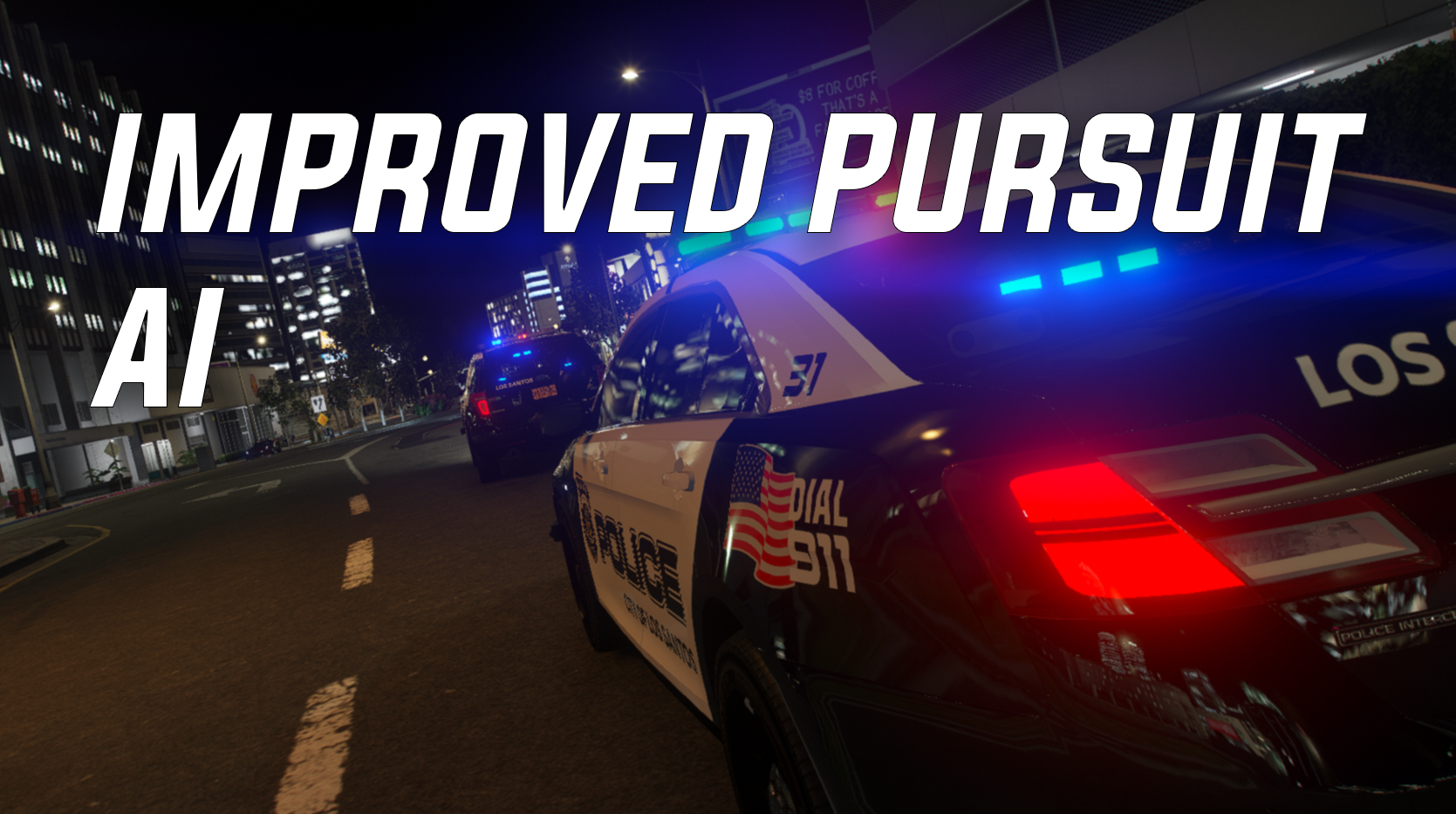
1 Screenshot

This mod improves the behavior AI backup in pursuits. Tired of seeing AI constantly and randomly go for pits on suspects? Tired of seeing AI drive out in front of a suspect for no reason and cause a major accident? Well I was, the default LSPDFR pursuit menu (keybind is N by default) seemed to be very inconsistent with its ability to stop backup units from utilizing tactics such as pits on AI, so I decided to fix that. With this mod installed, you now have complete control over when backup units go in for a pit on the suspect vehicle (by utilizing the pursuit menu and enabling/disabling tactics, which actually works properly now!). AI is also a bit more tame, when tactics are disabled, AI will just follow the suspect in a proper line. backup AI units will even slow down for you if you attempt to take primary, and they do not fight you for primary position in a pursuit. This mod does not change suspect AI, or any AI that is not labeled as police.


What this mod does:

AI units no longer drive out in front of suspects when joining pursuits to try and "block" the suspect (weirdly enough this was an intentional feature)

AI units are more tame and will follow the suspect in a line (especially when tactics are disabled)

AI units no longer crash into each other constantly during pursuits to fight for a position

AI units do their best to stay behind the suspect vehicle, they do not try and drive out in front of the suspect to block them

The default LSPDFR pursuit menu works properly now, if tactics are disabled, AI units do not try and pit the suspects, they will only move in for pits when tactics are enabled.

AI units slow down for you if you try and pass them to take primary, and if you want the AI to take primary you pull over and let them pass (you need to make a complete stop on your car or else it may look a bit buggy)


NOTE: Tactics in the pursuit menu are usually enabled by default when the pursuit starts, so make sure to disable it if you do not want AI to go for pits.


KNOWN ISSUES: Sometimes, even though you disable tactics in the pursuit menu, the AI will still try and pit the suspect, this can be fixed by simply cycling the tactics between enabled and disabled. 


To get the best result from this mod, I recommend you install AI Traffic Fluidity and Discipline (link to the mod below). if you do not install it, you may not get the same results that I did. But it is not required, this mod will work just fine without it.


Wanna see WIPs of future mods and plugins? Join the discord!: https://discord.gg/xerjdGeTA7


Edited by Echooo

What's New in Version 1.2.0

Released

Update 1.1
- Made some adjustments to the police and FBI handling lines in the "handling.meta". This will improve AI units ability to dodge other vehicles in the roadway.  This will NOT change the actual handling of the vehicle. It only changes how good AI units are at driving the police vehicles. 


- I believe I found the reason why traffic drives so slow when using AI Traffic Fluidity and Discipline. Check the readme for instructions on how to install that mod without getting the slow traffic issue. 


- Made some improvements to the way AI backup units approach a pursuit if they fall behind. They should now slow down a bit sooner as they approach the pursuit from behind. This should fix the issue some players may occasionally get when an AI unit falls behind, then approaches the pursuit at really high speeds, which may cause them to ram into your vehicle or other units.


- Updated the readme with more detailed instructions to avoid conflicts with other mods. Please read through it to avoid possible issues with other mods or personal edits.


Feedback is always appreciated!


Update 1.2
- Slightly lowered the "speed boost" that AI units get when they fall behind in a pursuit.


- Slightly increased the distance at which units follow the suspect, this should give you more room to work around as a primary unit without having to worry about AI units passing you.


Short Description

More control over AI units in pursuits!

User Feedback

Recommended Comments

Big Mama JuJu

Members

Not too sure how to work this mod, I disabled the Tactics in the LSPDFR N menu, but nothing happens, other than the AI not ramming the suspect.

Echooo

Members Author

On 1/31/2023 at 9:27 PM, Big Mama JuJu said:

Not too sure how to work this mod, I disabled the Tactics in the LSPDFR N menu, but nothing happens, other than the AI not ramming the suspect.

Thats pretty much it, the mod makes pursuit ai more tame and realistic. If you want ai to pit the suspect, you enable tactics in the menu, otherwise you leave it as disabled. 

Sanderwastaken

Members

Will this, together with the AI traffic discipline mod, have any affect on fps?

Echooo

Members Author

2 hours ago, Sanderwastaken said:

Will this, together with the AI traffic discipline mod, have any affect on fps?

It shouldn't, they're meta files, not plugins. Meta files never have any affect on fps. 

Sanderwastaken

Members

9 hours ago, Echooo said:

It shouldn't, they're meta files, not plugins. Meta files never have any affect on fps. 

That's awesome. Thanks man.

Carsen21

Members

is it possible for you to provide us what line did you add on the files or what change have you made in the files? because i have mine modified one and i don't really want to replace it because it will also change the gameplay with files that i modified. Thanks!

Angil

Members

On 07/03/2023 at 07:29, Carsen21 said:

est-il possible pour vous de nous fournir quelle ligne avez-vous ajouté sur les fichiers ou quel changement avez-vous apporté dans les fichiers ? parce que j'ai modifié le mien et que je ne veux pas vraiment le remplacer car cela changera également le gameplay avec les fichiers que j'ai modifiés. Merci!

Hi, I advise you to follow this tutorial:

Use "Visual studio code" and you can compare the lines that change 😉

celticcross989

Members

love this only problem is my addon car AI falls really far behind during pursuits any idea on how to fix this? also any idea on how to get units to remain on scene after a chase?

TopCityPD

Members

I can't lie if this slows down pursuits some then that's a plus. Too many times a golf cart can get over 120 mph and keep a chase going for an hour....Trust me it happens!! Had I not had to go thru it I would not have believed it!  Will give give this a try and see what happens.

DooVan

Members

On 4/28/2023 at 5:55 PM, celticcross989 said:

love this only problem is my addon car AI falls really far behind during pursuits any idea on how to fix this? also any idea on how to get units to remain on scene after a chase?

I have the same issue since few weeks they fall behind the pursuit very far and they stop chasing or they come back in when the pursuit is almost over like the suspect surrender. Hope he will make a fix 

Echooo

Members Author

45 minutes ago, DooVan said:

I have the same issue since few weeks they fall behind the pursuit very far and they stop chasing or they come back in when the pursuit is almost over like the suspect surrender. Hope he will make a fix 

Try installing version 1.1, let me know if the issue still happens in that version. I wonder if it has to do with changes I made in 1.2

DooVan

Members

16 hours ago, Echooo said:

Try installing version 1.1, let me know if the issue still happens in that version. I wonder if it has to do with changes I made in 1.2

So, I have installed Version 1.1 instead of 1.2. I have drag and drop the Combatbehaviour.meta in the proper pathway, for Handling.meta and combattask.ymt i manually make the change following your README.txt instruction and here's the result: Now the Police AI do follow in one line and much closer than with V1.2 (it is better in V1.1) but AI that fall behind have a very hard time to come back to the pursuit like in V1.2

Echooo

Members Author

32 minutes ago, DooVan said:

So, I have installed Version 1.1 instead of 1.2. I have drag and drop the Combatbehaviour.meta in the proper pathway, for Handling.meta and combattask.ymt i manually make the change following your README.txt instruction and here's the result: Now the Police AI do follow in one line and much closer than with V1.2 (it is better in V1.1) but AI that fall behind have a very hard time to come back to the pursuit like in V1.2

How fast is the suspect going when they have a hard time catching up? a rough estimate like 60mph, 90mph, etc. Also, do they get even remotely close? or do they just fall behind enough to where theyre out of the pursuit. 

DooVan

Members

52 minutes ago, Echooo said:

How fast is the suspect going when they have a hard time catching up? a rough estimate like 60mph, 90mph, etc. Also, do they get even remotely close? or do they just fall behind enough to where theyre out of the pursuit. 

suspect was going between 60 and 70mph, on 4 AI units, only 1 of them have stayed in the pursuit without falling behind and the second vehicle get remotely close enough to come back in the pursuit and 2 of them have fall behind and never been able to come back so they left the pursuit. I tried V1.1 on 3 pursuits and everyone of the pursuit last more than 5min. Version 1.1 is better than Version 1.2 because in V1.1 they don't fall behind much often than V1.2, maybe working on the boost for when they try to come back in after falling behind

mattreno

Members

can anyone help me figour out how to install it i watched vid and also tried to find location in file that it says to go to install and cant find it and all my GTAV files are correct


DooVan

Members

9 hours ago, mattreno said:

can anyone help me figour out how to install it i watched vid and also tried to find location in file that it says to go to install and cant find it and all my GTAV files are correct


follow the README.txt include in the file

bondi9mm

Members

has the issue with slow traffic been fixed with traffic fluidity 

napoleon6501

Members

 When setting it to tracking the AI really falls behind. Could you drop a fix? Thanks.

Echooo

Members Author

On 11/1/2023 at 2:42 PM, bondi9mm said:

has the issue with slow traffic been fixed with traffic fluidity 

Yes, the readme tells you how to avoid the issue


On 12/3/2023 at 8:10 PM, napoleon6501 said:

 When setting it to tracking the AI really falls behind. Could you drop a fix? Thanks.

Its tricky to really fix. The issue is, if I make it so that the Ai doesnt fall behind, the Ai then tries to take over primary a lot, but if I let Ai fall behind a little, then it gives you room to be primary without Ai trying to interfere. I suggest using older versions like 1.1 and see if that works better, because previous updates should have less of a gap. 

napoleon6501

Members

On 12/7/2023 at 7:26 PM, Echooo said:

Yes, the readme tells you how to avoid the issue


Its tricky to really fix. The issue is, if I make it so that the Ai doesnt fall behind, the Ai then tries to take over primary a lot, but if I let Ai fall behind a little, then it gives you room to be primary without Ai trying to interfere. I suggest using older versions like 1.1 and see if that works better, because previous updates should have less of a gap. 

Will do, thanks.

jamario

Members

Can you make the mod compatible with RDE? RDE has an optional file with compatibility for lspdfr but doesn't have compatibility for improved pursuit ai. Also Happy Holidays.

JM Modifications

Insiders

5 hours ago, jamario said:

Can you make the mod compatible with RDE? RDE has an optional file with compatibility for lspdfr but doesn't have compatibility for improved pursuit ai. Also Happy Holidays.

What are you talking about? You just edit the handling file for the police vehicles. This doesn't require a compatibility patch. 

jamario

Members

On 12/25/2023 at 5:37 PM, OfficerMorrison said:

What are you talking about? You just edit the handling file for the police vehicles. This doesn't require a compatibility patch. 

You didn't make any changes in combatbehaviors? It's just changing the handling on all the cars.

JM Modifications

Insiders

7 minutes ago, jamario said:

You didn't make any changes in combatbehaviors? It's just changing the handling on all the cars.

The files you need are in the downloads. you just drag and drop into openIV. Read the README!

PyroCommon.dll

Members

Does this also work with addon vehicles?

Create an account or sign in to comment

Latest Mods

Account

Navigation

Search

Search

Configure browser push notifications

Chrome (Android)
  1. Tap the lock icon next to the address bar.
  2. Tap Permissions → Notifications.
  3. Adjust your preference.
Chrome (Desktop)
  1. Click the padlock icon in the address bar.
  2. Select Site settings.
  3. Find Notifications and adjust your preference.









