
Skip to content
View in the app

A better way to browse. Learn more.

LCPDFR.com

A full-screen app on your home screen with push notifications, badges and more.

To install this app on iOS and iPadOS
  1. Tap the Share icon in Safari
  2. Scroll the menu and tap Add to Home Screen.
  3. Tap Add in the top-right corner.
To install this app on Android
  1. Tap the 3-dot menu (⋮) in the top-right corner of the browser.
  2. Tap Add to Home screen or Install app.
  3. Confirm by tapping Install.

Anchorage/Liberty City Fire Department Ambulance 1.0

(6 reviews)

6 Screenshots

Anchorage/Liberty City Fire Department Ambulance

0820cac5acbd8862b1728ced4157c2ec.png

Texture by AvoidedJaguar91 (Johnson)

Model in screenshots Credits to Lt.Caine and BxBugs123

Model can be found here:

http://bit.ly/141nymG

Real Pictures
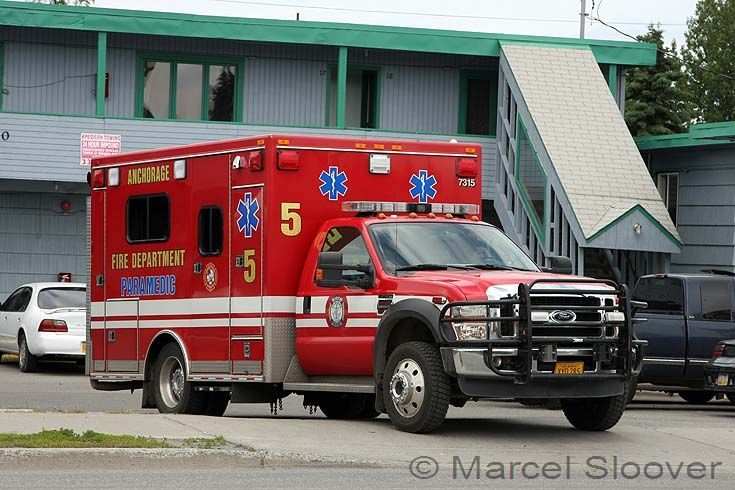
3059.jpg

4396474700_edffabc5db_z.jpg

110818-G-RS249-002-FV-Kittywake-medevac-

User Feedback

Recommended Comments

GreenAid

Members

Maybe you should have made it for the Ford ambulance :p

RipplyTiger151

Friends of LSPDFR

Cool dude! I made one for the E-350 for ASP :P

JohnsonPhilliesheat6

Members Author

Maybe you should have made it for the Ford ambulance :p

I tried that at first, but the template was giving me a lot of trouble. It didn't seem to be matched up with the model...

lovkal

Members

I love ambulance skins! Pretty good.

1997chevyboy

Members

It would look alot better with the F.350 model, here is one that has a template that is correct.

Prather

Members

THAT IS A FORD NOT A GMC PLEASE GET THE MODEL RIGHT

GreenAid

Members

THAT IS A FORD NOT A GMC PLEASE GET THE MODEL RIGHT

I am sorry but W-T-F are you talking about?? Who ever said GMC??

Create an account or sign in to comment

Latest Mods

Account

Navigation

Search

Search

Configure browser push notifications

Chrome (Android)
  1. Tap the lock icon next to the address bar.
  2. Tap Permissions → Notifications.
  3. Adjust your preference.
Chrome (Desktop)
  1. Click the padlock icon in the address bar.
  2. Select Site settings.
  3. Find Notifications and adjust your preference.













