Skip to content
View in the app

A better way to browse. Learn more.

LCPDFR.com

A full-screen app on your home screen with push notifications, badges and more.

To install this app on iOS and iPadOS
  1. Tap the Share icon in Safari
  2. Scroll the menu and tap Add to Home Screen.
  3. Tap Add in the top-right corner.
To install this app on Android
  1. Tap the 3-dot menu (⋮) in the top-right corner of the browser.
  2. Tap Add to Home screen or Install app.
  3. Confirm by tapping Install.

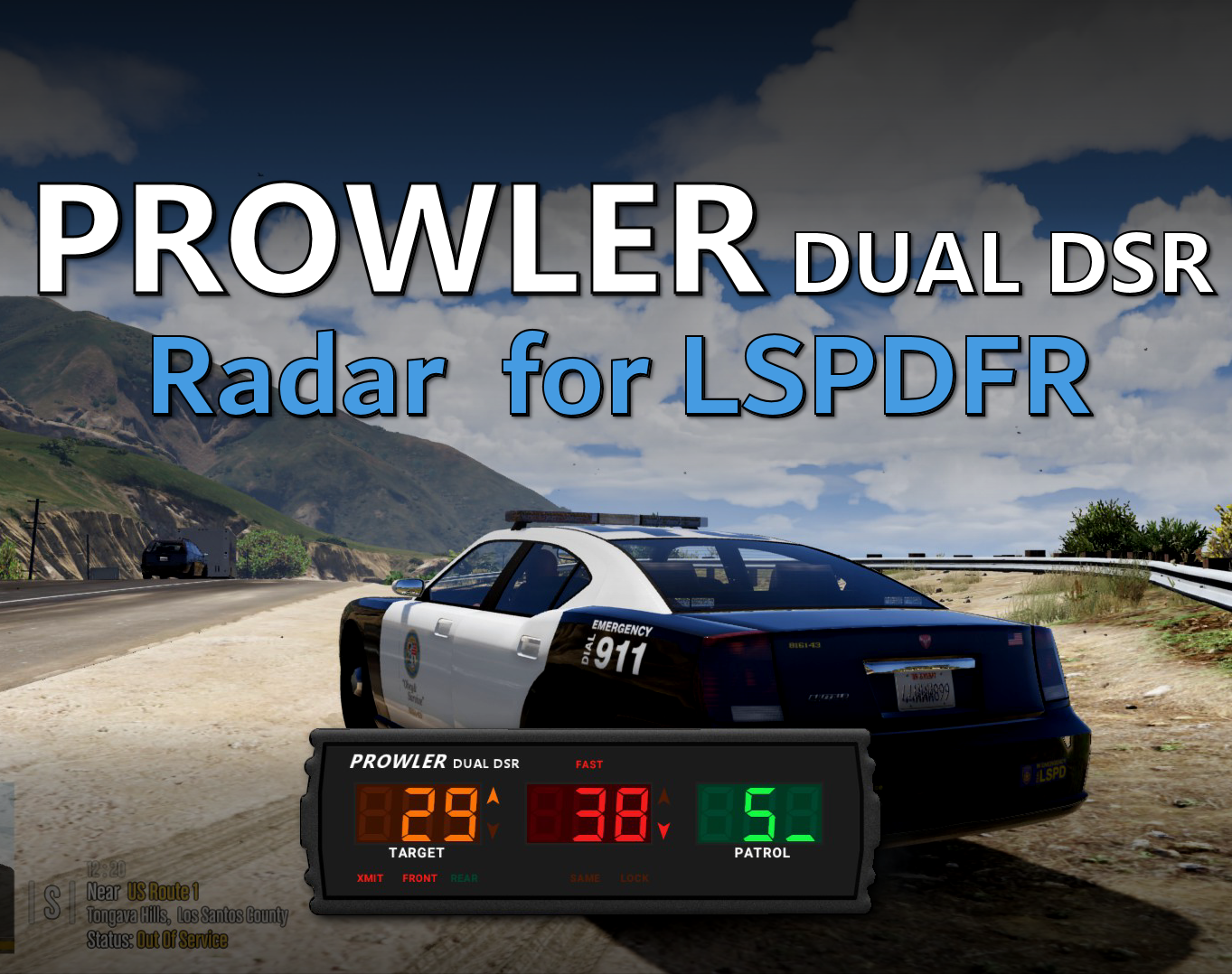
Prowler Radar 1.3.1

(37 reviews)

4 Screenshots


Discord: https://discord.gg/AuJCUag


Features:

  • A realistic radar system based on the real-world Stalker Dual DSR
  • Four different modes including stationary and moving
  • A "fast" tracker to differentiate between strongest and fastest signal
  • An "auto lock" feature that allows you to set a maximum speed


Prowler-Dual-DSR.pdf

Edited by opus49
Updated credits

What's New in Version 1.3.1

Released

Prowler Radar 1.3

  • Added on screen remote control
  • Added doppler sounds
  • Added "debug mode" so you can see the radar logic in real time
  • Made beam width configurable
  • Made police vehicle requirement optional
  • Added plate reader
  • Added minimum target speed


Short Description

A realistic police radar.

User Feedback

Recommended Comments

opus49

Insiders Author

1 hour ago, lolryder said:

broken :I


What?

lolryder

Members

35 minutes ago, opus49 said:

What?

oh im sorry i forgot to delete that post i made a typo in the ini file but now its working well ill delete that comment have a good day


OfficerPJs

Members

Hi I don't have a numpad on my keyboard, how can I move the radar?


charlie123456

Members

the plugin is broken it doesnt load up when in game 


opus49

Insiders Author

1 hour ago, charlie123456 said:

the plugin is broken it doesnt load up when in game 


It is not broken.

charlie123456

Members

On 11/25/2022 at 6:11 PM, charlie123456 said:

the plugin is broken it doesnt load up when in game 


why is it not loading up in game when i press num pad 9 or control numpad 9? i have follwed correct path


marvin mcclain

Members

what worked for me was that i had to press the number lock key then press num 9 and it came on...try that.


cakuzma

Members

If i take the ProwlerRadar.dll and ini file and rename it to ProwlerRadar2.dll and ProwlerRadar2.ini can i have 2 Prowler Radars? i wanna do this so i can have a front and back radar


example picture (edited to show what i mean)

Spoiler

UCNekRa.png


opus49

Insiders Author

21 hours ago, cakuzma said:

If i take the ProwlerRadar.dll and ini file and rename it to ProwlerRadar2.dll and ProwlerRadar2.ini can i have 2 Prowler Radars? i wanna do this so i can have a front and back radar


example picture (edited to show what i mean)

  Reveal hidden contents

UCNekRa.png


No this will not work.

masterf5

Members

thanks bro 

J.J Designs

Members

just download this and it dont work i follow step by step and still dont work

Dusty74

Members

On 1/11/2023 at 11:30 PM, J.J Designs said:

just download this and it dont work i follow step by step and still dont work

I can't get it to work either.

opus49

Insiders Author

18 hours ago, Dusty74 said:

I can't get it to work either.

I assure you it works.  I recommend reading the documentation.  Make sure you have numlock on and are in a police vehicle.

Dusty74

Members

opus49

Thanks for the reply. I did read it, and watched the video. Got everything where its supposed to be, num lock off and it still  won't come up for some reason. 

opus49

Insiders Author

55 minutes ago, Dusty74 said:

opus49

Thanks for the reply. I did read it, and watched the video. Got everything where its supposed to be, num lock off and it still  won't come up for some reason. 

numlock needs to be on, not off

The plugin works.  There's a finite number of things that can go wrong -- all on the user side.  Either the keybind doesn't work -- mostly likely cause is the user doesn't have NumLock turned on or they have a keybind conflict.  Or they aren't in a police vehicle as recognized by LSPDFR.  Or they didn't install it correctly.  

Dusty74

Members

20 hours ago, opus49 said:

numlock needs to be on, not off

The plugin works.  There's a finite number of things that can go wrong -- all on the user side.  Either the keybind doesn't work -- mostly likely cause is the user doesn't have NumLock turned on or they have a keybind conflict.  Or they aren't in a police vehicle as recognized by LSPDFR.  Or they didn't install it correctly.  

I'm not doubting you, and it's probably on my end. I just did a fresh install of GTAV, and starting over. Hopefully whatever was going on will right itself.

Dusty74

Members

On 1/16/2023 at 5:57 PM, opus49 said:

numlock needs to be on, not off

The plugin works.  There's a finite number of things that can go wrong -- all on the user side.  Either the keybind doesn't work -- mostly likely cause is the user doesn't have NumLock turned on or they have a keybind conflict.  Or they aren't in a police vehicle as recognized by LSPDFR.  Or they didn't install it correctly.  

So, after a fresh install, Prowler works like a charm!

Klosu

Members

how to change position?


masterf5

Members

thanks

misterchairman

Members

Easy to use, easy to move around the screen, easy to configure and keybind. 10/10. Very nicely done.

eazbox

Members

On 10/24/2022 at 4:26 AM, OfficerPJs said:

Hi I don't have a numpad on my keyboard, how can I move the radar?


Did anyone help you on this?

opus49

Insiders Author

1 hour ago, eazbox said:

Did anyone help you on this?

Just set the keybind to something else.

Michael21107

Members

On 1/20/2023 at 10:05 AM, Klosu said:

how to change position?


in settings, hold num9 to open them

Michael21107

Members

On 10/24/2022 at 4:26 AM, OfficerPJs said:

Hi I don't have a numpad on my keyboard, how can I move the radar?


Just set the keybind to something else.

3 hours ago, opus49 said:

Just set the keybind to something else.

wrong user quote xd

Create an account or sign in to comment

Latest Mods

Account

Navigation

Search

Search

Configure browser push notifications

Chrome (Android)
  1. Tap the lock icon next to the address bar.
  2. Tap Permissions → Notifications.
  3. Adjust your preference.
Chrome (Desktop)
  1. Click the padlock icon in the address bar.
  2. Select Site settings.
  3. Find Notifications and adjust your preference.