Skip to content
View in the app

A better way to browse. Learn more.

LCPDFR.com

A full-screen app on your home screen with push notifications, badges and more.

To install this app on iOS and iPadOS
  1. Tap the Share icon in Safari
  2. Scroll the menu and tap Add to Home Screen.
  3. Tap Add in the top-right corner.
To install this app on Android
  1. Tap the 3-dot menu (⋮) in the top-right corner of the browser.
  2. Tap Add to Home screen or Install app.
  3. Confirm by tapping Install.

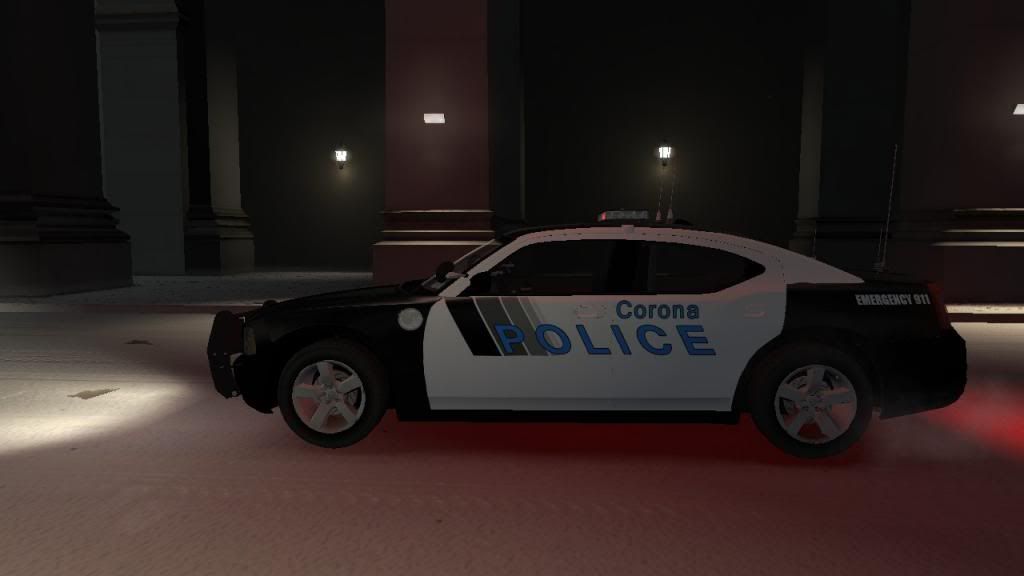
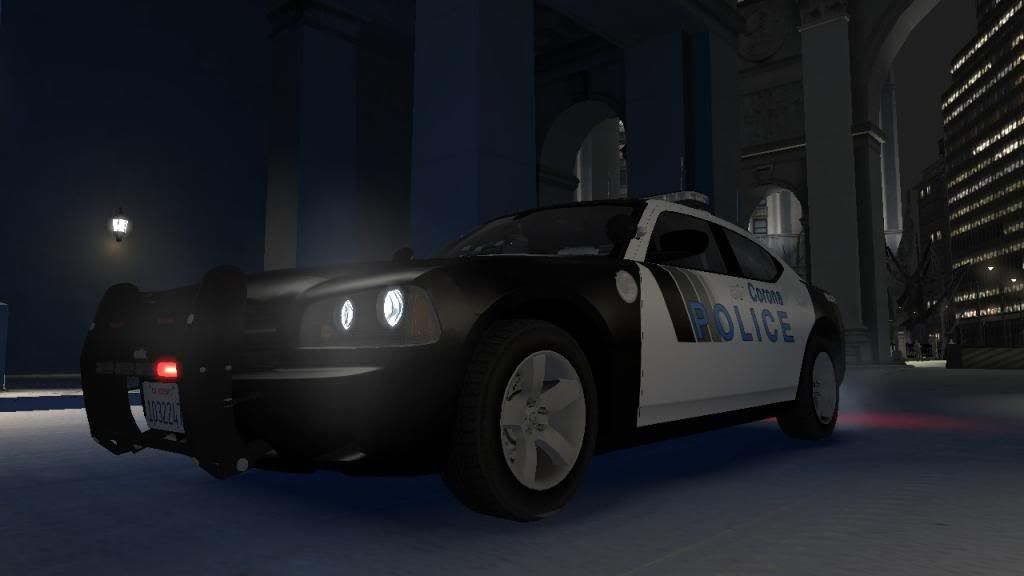
Corona PD Charger 1.0

(10 reviews)

1 Screenshot

By downloading this file you agree to the following terms:

It is forbidden to upload this or a modified version for public without permission.

Any commercial or by laws prohibited use of the content of this archive is forbidden.

  • My Skin

2013-07-05_00023_zpscfe69dd7.jpg

2013-07-05_00022_zpsd7046c39.jpg

  • THE REAL THING

4756866036_4faf5164fe.jpg

chargercopcar001.jpg

8665708907_1faf3cd384_z.jpg

  • INFO

  • Type: Charger

  • Version:1.0

  • PD: Corona, California

Have Fun With The Skin!

User Feedback

Recommended Comments

Piarulli246

Members

I think you should have bolded the police and corona words. Other than that it is good!

bonehead

Members

corona is a bit big and police is a bit small

Voxelnoob

Members Author

I think you should have bolded the police and corona words. Other than that it is good!

Thanks for the constrictive criticism!

what is that light bar called?

Create an account or sign in to comment

Latest Mods

Account

Navigation

Search

Search

Configure browser push notifications

Chrome (Android)
  1. Tap the lock icon next to the address bar.
  2. Tap Permissions → Notifications.
  3. Adjust your preference.
Chrome (Desktop)
  1. Click the padlock icon in the address bar.
  2. Select Site settings.
  3. Find Notifications and adjust your preference.