Skip to content
View in the app

A better way to browse. Learn more.

LCPDFR.com

A full-screen app on your home screen with push notifications, badges and more.

To install this app on iOS and iPadOS
  1. Tap the Share icon in Safari
  2. Scroll the menu and tap Add to Home Screen.
  3. Tap Add in the top-right corner.
To install this app on Android
  1. Tap the 3-dot menu (⋮) in the top-right corner of the browser.
  2. Tap Add to Home screen or Install app.
  3. Confirm by tapping Install.

[Lore Friendly] [Realistic] Drug Enforcement Administration Texture Pack 1.0.0

(0 reviews)

5 Screenshots

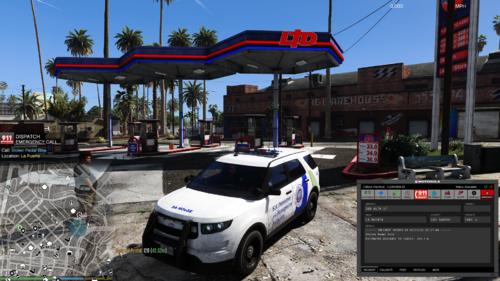
Drug Enforcement Administration Texture Pack


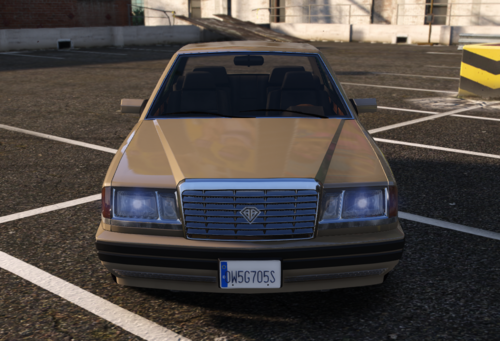
The Hummer H2 is based on a real vehicle used by the DEA. The other 2 vehicles are just concept cars that I decided to release along with it. With any questions or concerns please comment on this post or direct message me. Thanks & enjoy!


2013 Caprice

2014 Chevy Tahoe

2008 Hummer


Check me out!

My Discord
My Website

User Feedback

Recommended Comments

gamer101010

Members

like the liveries but personally the blue on the hummer is a bit too bright of a tone, if other people find it bright maybe fiddle around with darker tones but other then that nice liveries the blue does fit the hummer oddly well

ViperPB

Members Author

42 minutes ago, gamer101010 said:

like the liveries but personally the blue on the hummer is a bit too bright of a tone, if other people find it bright maybe fiddle around with darker tones but other then that nice liveries the blue does fit the hummer oddly well


Thanks for the reply. I agree with you there, it is a bit bright. If you would like you can play with it a little bit. Just don't redistribute. I think it is blue because it was seized and they didn't want to put a huge amount of money into it.

Create an account or sign in to comment

Latest Mods

Account

Navigation

Search

Search

Configure browser push notifications

Chrome (Android)
  1. Tap the lock icon next to the address bar.
  2. Tap Permissions → Notifications.
  3. Adjust your preference.
Chrome (Desktop)
  1. Click the padlock icon in the address bar.
  2. Select Site settings.
  3. Find Notifications and adjust your preference.